Page - 8 -
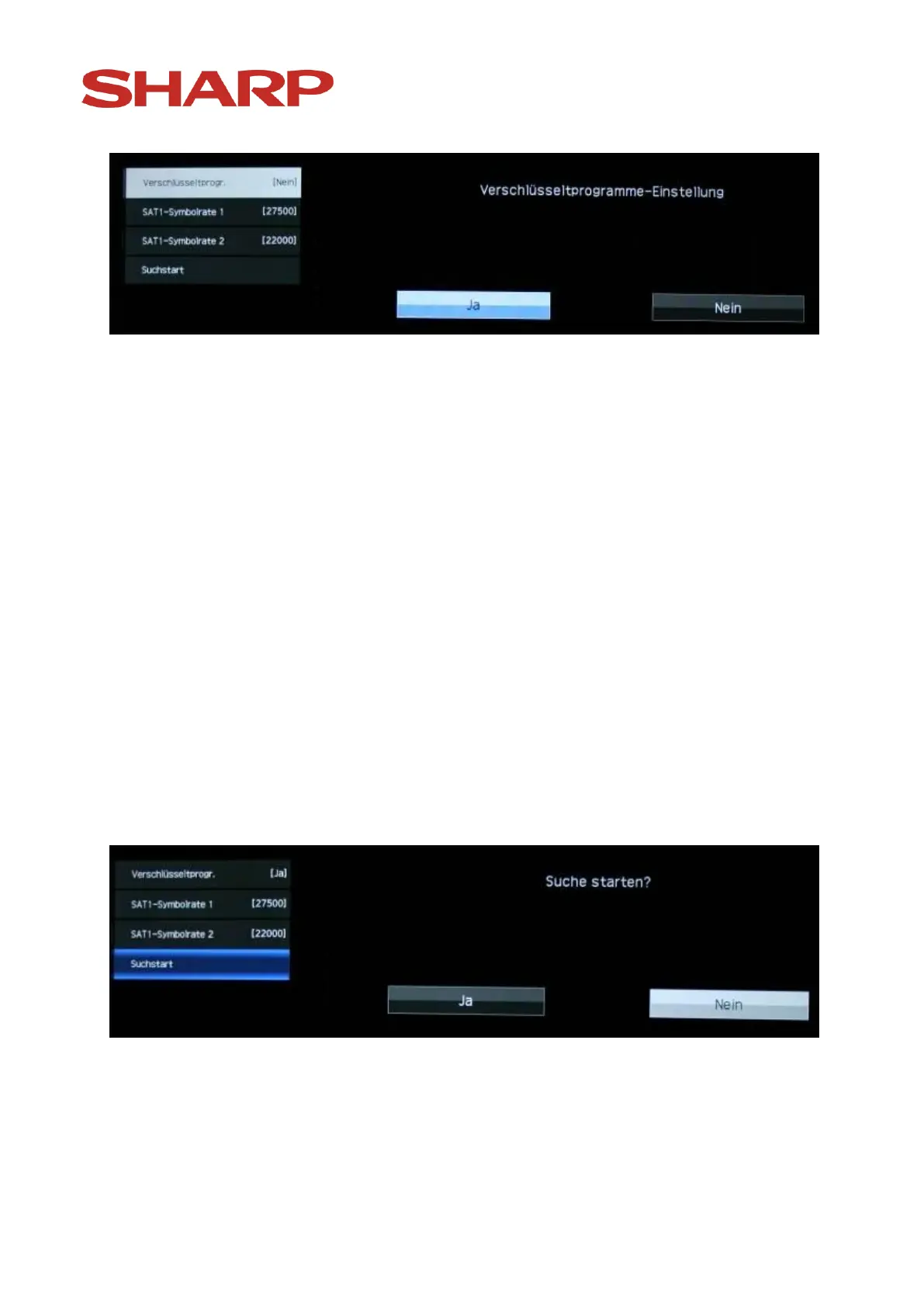
Choose „Yes“ or „No“ to conduct the search including or excluding coded
channels and confirm your choice with „OK “-button on the remote control.
! If you choose "Yes", coded channels will be included in the search. In the
list of channels they will appear after the channels that can be received
freely. If you choose the "No" option (factory setting), the coded
programs will be automatically deleted in course of automatic sorting. If
later you need coded channels, you will have to repeat the installation
process.
Now highlight the option "Start search" and confirm the choice with the „OK
“-button on the remote control. (The symbol rates are standard values and
ususally don't have to be changed, exceptions listed in the chapter "Receive
special satellites".)


 To Next Page