Page - 9 -
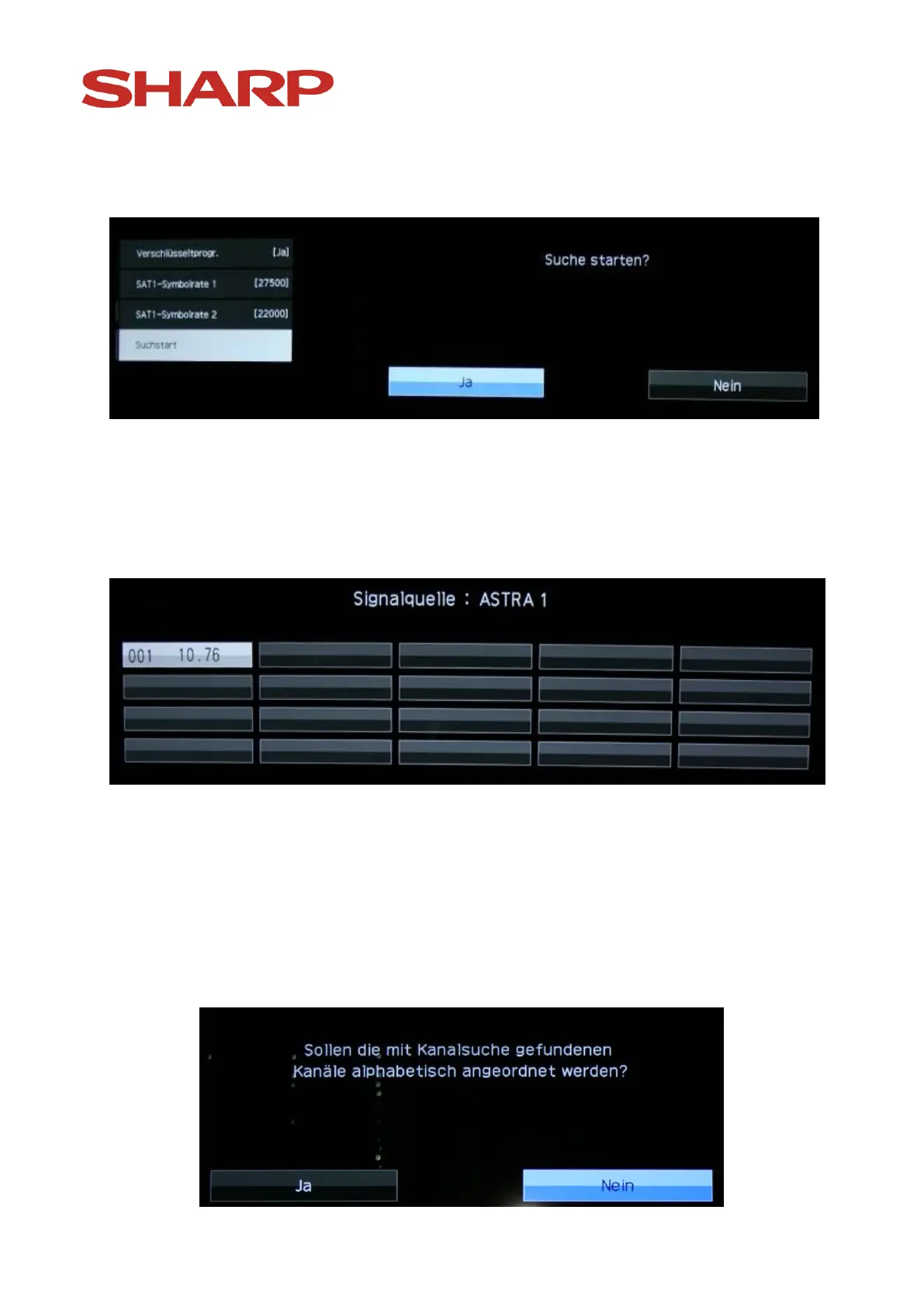
After pressing the „OK“ button you will see the following:
Don't change anything and confirm "Yes" with the „OK“ button on the
remote control.
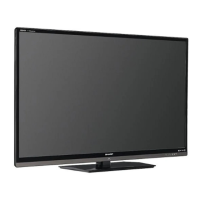
Now you will see the following:
The device has started automatic search for tv stations.
The installation of satellite channels may, according to chosen settings or
the chosen system configuration take more or less time.
After the end of the automatic search the following image will appear:


 To Next Page