64
Useful Tips
3
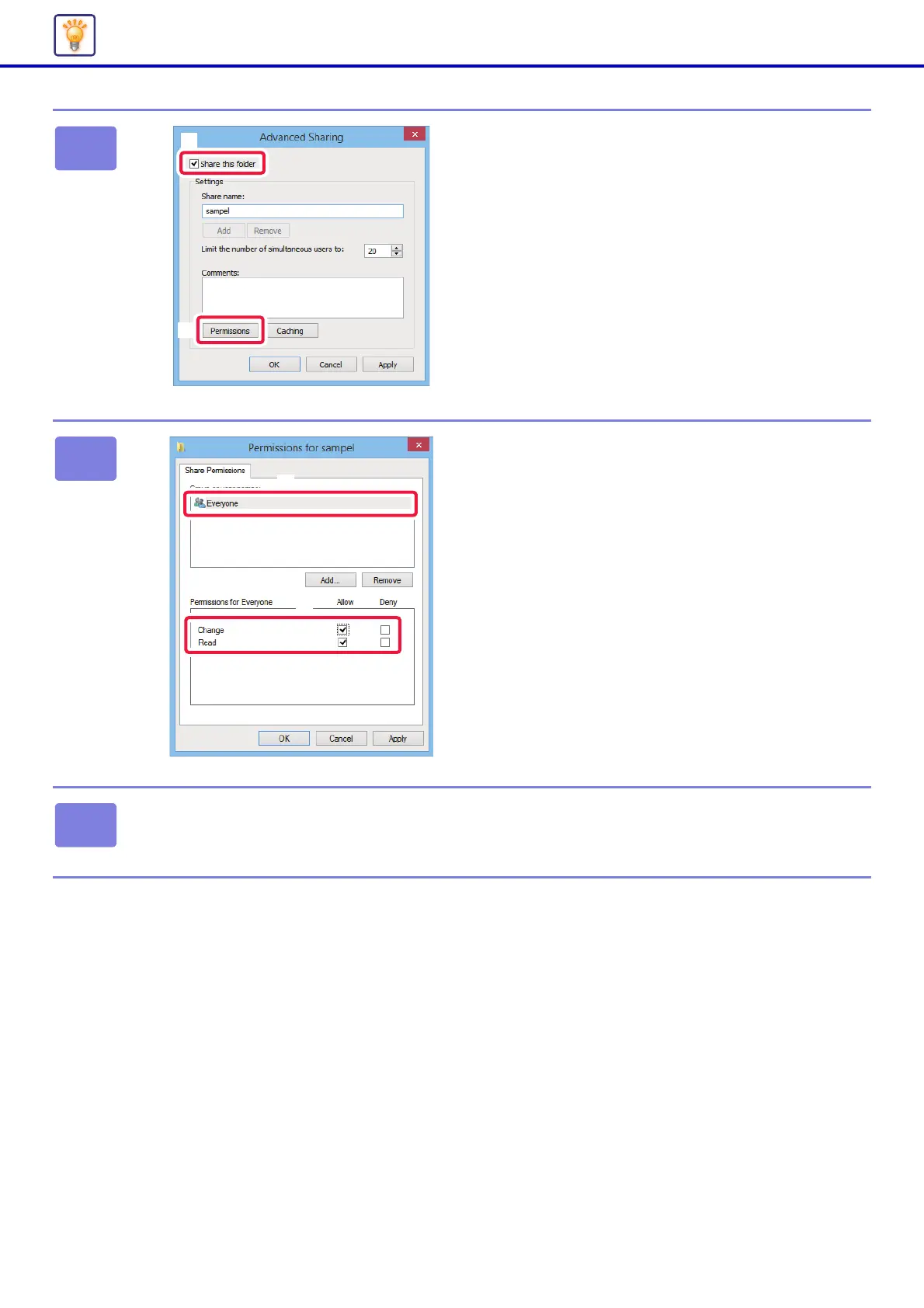
Select the [Share this folder] checkbox
and click the [Permissions] button.
4
Select "Everyone", select the [Allow]
checkboxes of [Change] and [Read],
and click [OK].
5
Click the [OK] button in the "Advanced Sharing" screen to close the screen
and click the [Close] button.


 To Next Page