35
INSTALLING THE PRINTER DRIVER
4
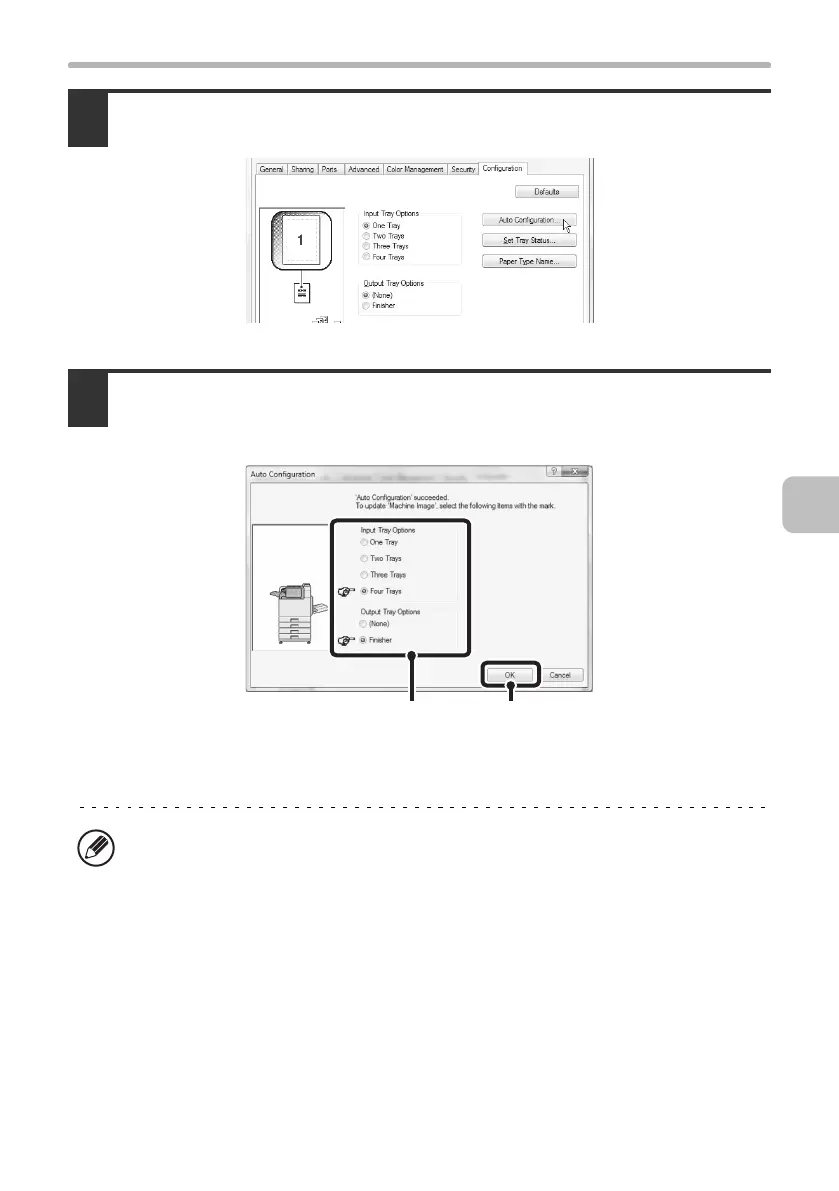
Click the [Auto Configuration] button.
The settings are automatically configured based on the detected machine status.
*The screen shows the PCL6 printer driver.
5
Configure the image of the machine.
An image of the machine is formed in the printer driver configuration window based
on the options that are installed.
(1) Select the options that are installed on the machine.
(2) Click the [OK] button.
To cancel the image settings, click the [Cancel] button.
1
2
02_Setup.fm Page 35 Wednesday, November 11, 2009 2:41 PM



 To Next Page