\
https://etzone.org/
Sharp PA-3100E Instruction Guide 2
Table of Contents 3
~ 4
1. IINTRODUCTION 5
Precautions on Use 6
Part Names and Functions 7
~ 8
Keyboard at a Glance 9
~ 10
2. GETTING STARTED - Switching On 11
Top Cover 12
Correction Tape 13
~ 14
Printwheel 15
~ 16
Ribbon Cartridge 17
Inserting Paper 18
3. SETTING PAGE FORMATS - Pitch Selection 19
Line Spacing 20
Margins and Tabs 21
~ 22
Hot Zone - Auto Carrier Return 23
Required Space, Required Hyphen 24
4. TIME-SAVING FEATURES - Auto Corrections 25
~ 26
Manual Corrections 27
Micro Backspace 28
Centering 29
Underlining 30
Indenting 31
5. SPECIAL FEATURES - Caps 32
Keyboard II 33
6. GENERAL INFORMATION - Cleaning & Maintenance 34
Specifications 35
7. PROBLEM SOLVING - Diagnostic Tests 36
When There's a Problem 37
~ 38
Appendix: Keyboard Layout 39
Index 40
~ 41
Rear Cover 42

 Need help?
 General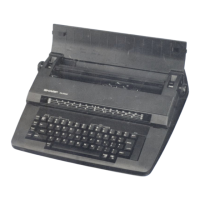

 To Next Page
