5. Notes on updating firmware
If you want to update the FW while keeping the display settings, you can use OTA update.
5-3. OTA Firmware Updates
14
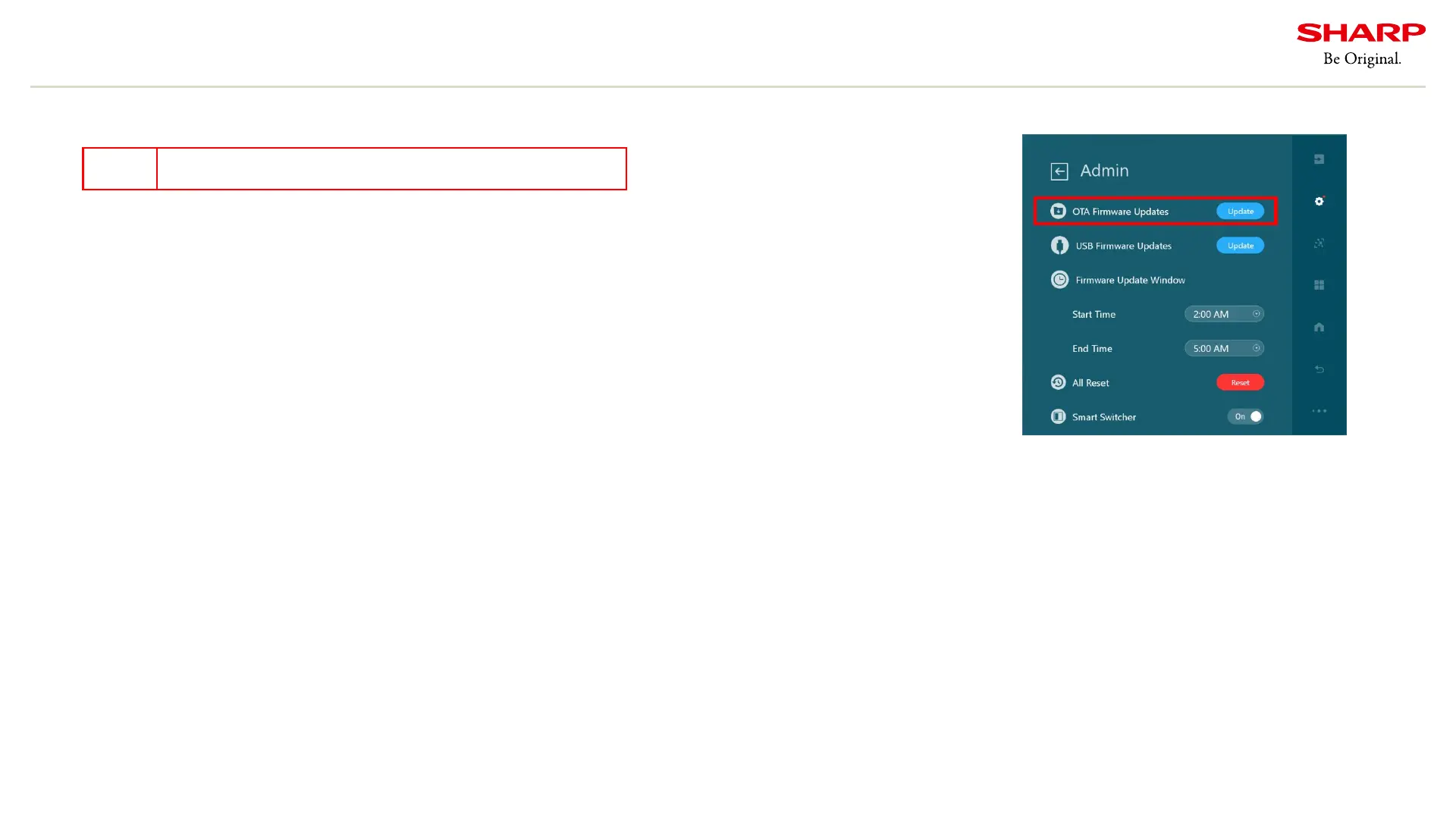
1.Please open the setting menu of PN-CD701 and press the Admin menu.
2. Click Update in OTA Firmware Updates.
Figure. Admin menu
This method requires a network environment.
Note




 To Next Page