Controlling the Monitor with a PC (RS-232C)
n
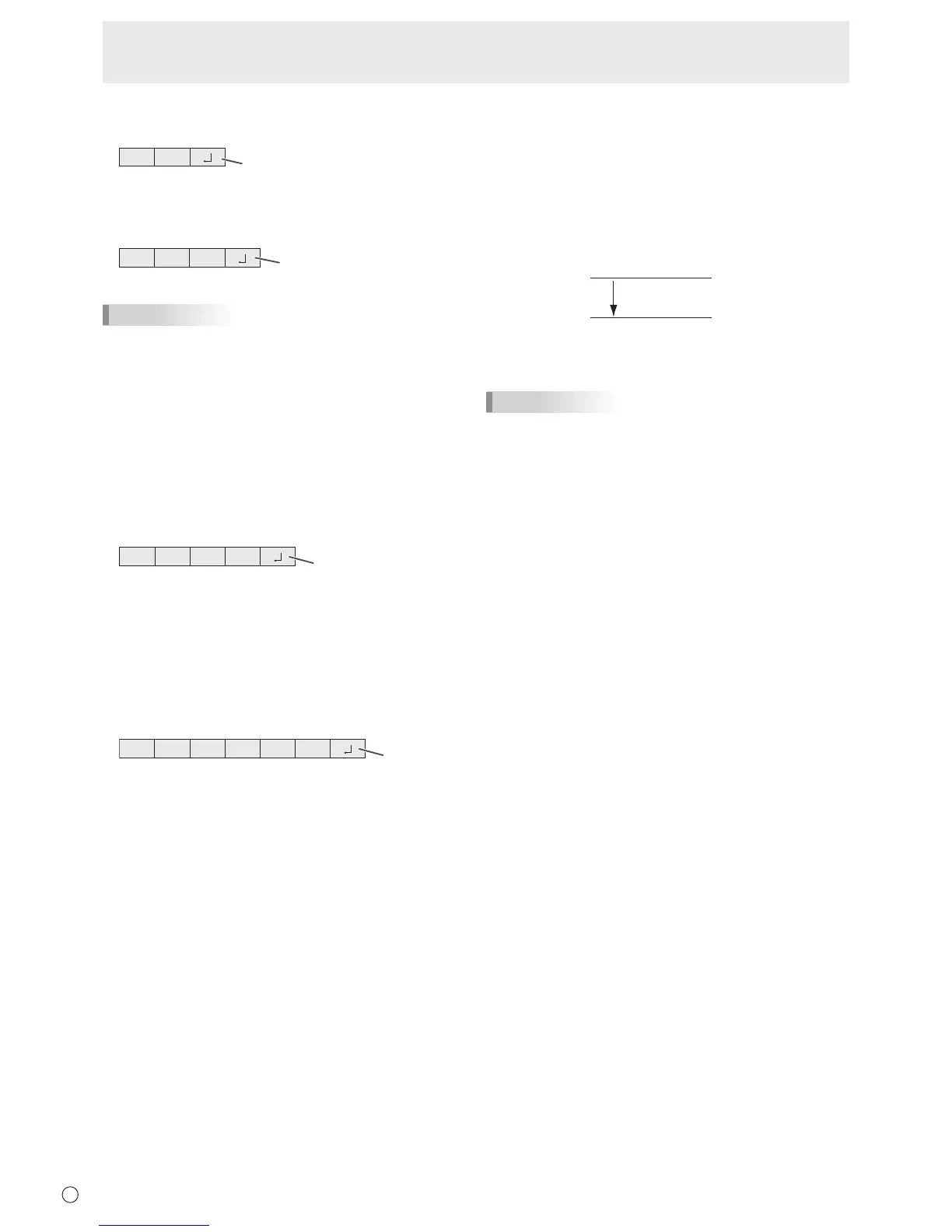
Response code format
When a command has been executed correctly
O K
Return code
(0DH, 0AH)
A response is returned after a command is executed.
When a command has not been executed
R R E
Return code
(0DH, 0AH)
TIPS
• “ERR”isreturnedwhenthereisnorelevantcommandor
whenthecommandcannotbeusedinthecurrentstateof
themonitor.
• Ifcommunicationhasnotbeenestablishedforreasons
suchasabadconnectionbetweenthePCandmonitor,
nothingisreturned(notevenERR).
• “ERR”maybereturnedwhenacommandcannotbe
receivedcorrectlyduetointerferencefromthesurrounding
environment.
Pleaseensurethatthesystemorsoftwareretriesthe
commandifthisoccurs.
If execution of the command is taking some time
I W T A
Return code
(0DH, 0AH)
Whenthefollowingcommandsareused,“WAIT”isreturned.
Inthiscase,avaluewillbereturnedifyouwaitawhile.Donot
sendanycommandduringthisperiod.
• CommandswhichreturnWAIT:
Whenoneofthefollowingcommandsisused:
RSET,INPS,WIDE,POWR,MWIN,MWIP,DPST
When control via RS-232C is locked (to prevent use)
using the operation lock function (See page 22.)
E C D K O L
Return code
(0D
H, 0AH)
n
Communication interval
• AfterOKorERRisreturned,youmustsendthefollowing
commands.
Tosetatimeoutforthecommandresponse,specify10
secondsorlonger.
• Provideanintervalof100msormorebetweenthe
commandresponseandthetransmissionofthenext
command.
VOLM0020
OK
INPS0001
WAIT
OK
Interval of 100 ms or more
TIPS
• WhenexecutingALLRESET,setthetimeoutperiodto30
secondsorlonger.



 To Next Page