EN 9
PB
Introduction
Initial Installation
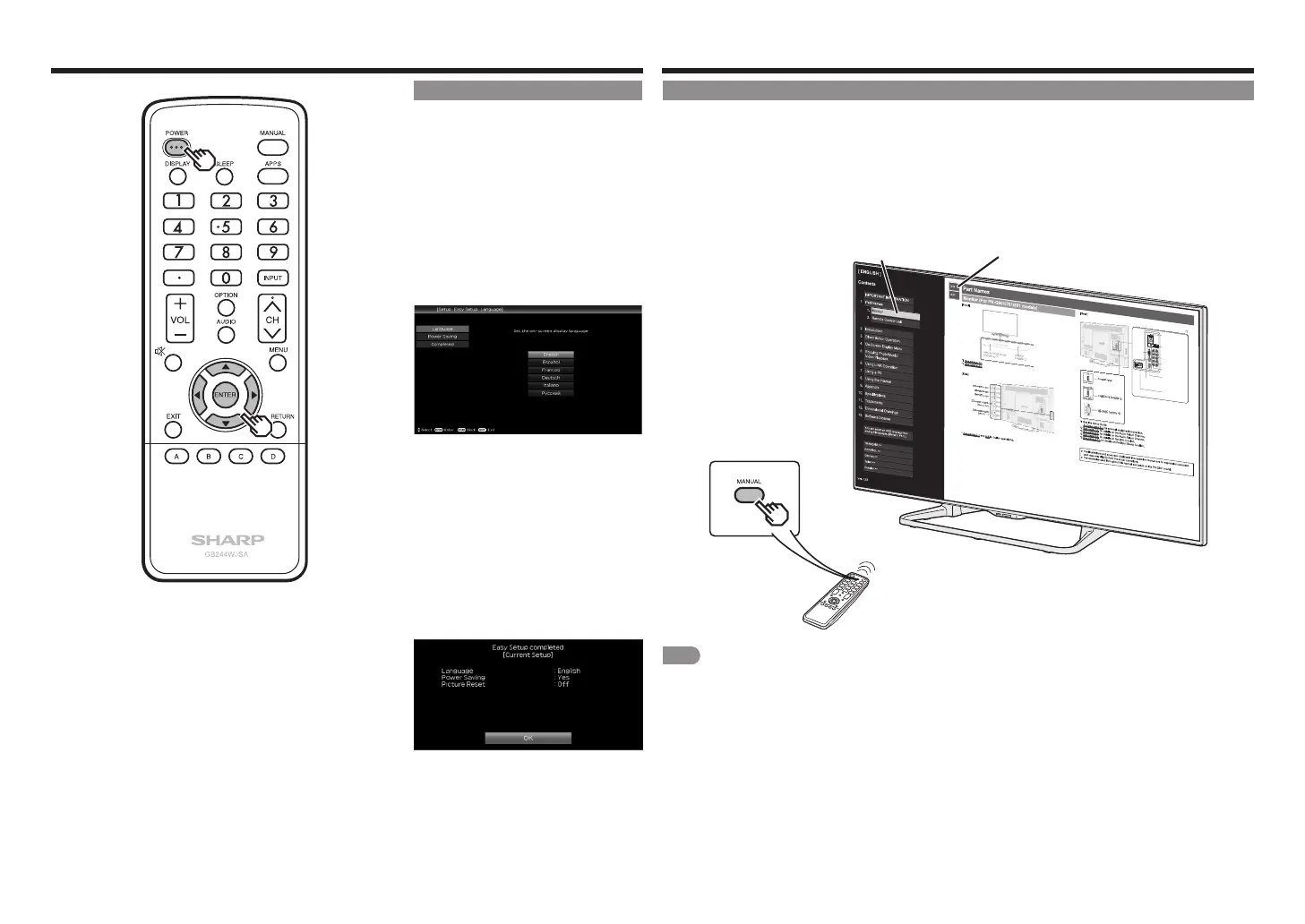
Perform the following steps before you
press POWER on the remote control unit.
1
Insert the batteries into the remote
control unit.
2
Plug in the AC cord to the AC outlet.
Language (Language setting)
Select from among 6 language: English,
French, Spanish, German, Italian and
Russian.
1
Press
a
/
b
to select the desired
language listed on the screen, and
then press ENTER.
Power Saving
Select "Yes" or "No" to configure default
Display seting.
2
Press
c
/
b
to select "Yes" or "No".
Press ENTER to enter the setting.
Completed
3
The settings confirmation screen is
displayed. Confirm the information
displayed on the screen, and then
press ENTER.
Examples of the settings
confirmation screen
Viewing the Built-in Operation Manual
Viewing the Built-in Operation Manual
Press MANUAL on the remote control unit to display operation information on the screen.
To search for an item from the table of contents, and to search for a particular term and to find troubleshooting
information, press MANUAL while watching the Monitor and then select the applicable item from the manual
cover page that appears.
1
Press MANUAL while watching the Monitor.
This displays the built-in operation manual screen.
2
When you select contents, its page will be displayed.
3
You can turn over the page one by one for these arrow marks.
1
ENG 1-1
DIGITAL AUDIO OUT
terminal
AUDIO IN terminal
(shared for PC IN and
HDMI IN 2) *2
ETHERNET terminal
VIDEO IN 1 terminals
PC IN
terminal
HDMI IN 1 terminal
ARC: Audio
Return Channel
*3
HDMI IN 2 terminal
AUDIO OUT terminals
COMPONENT/
VIDEO IN
terminals
*5
2
NOTE
• You can also display the built-in operation manual by selecting "Information" > "Manual" from the menu screen.
• When USB mode, Home Network mode, or Internet application is used, can not be displayed the built-in operation
manual.



 To Next Page