COOK
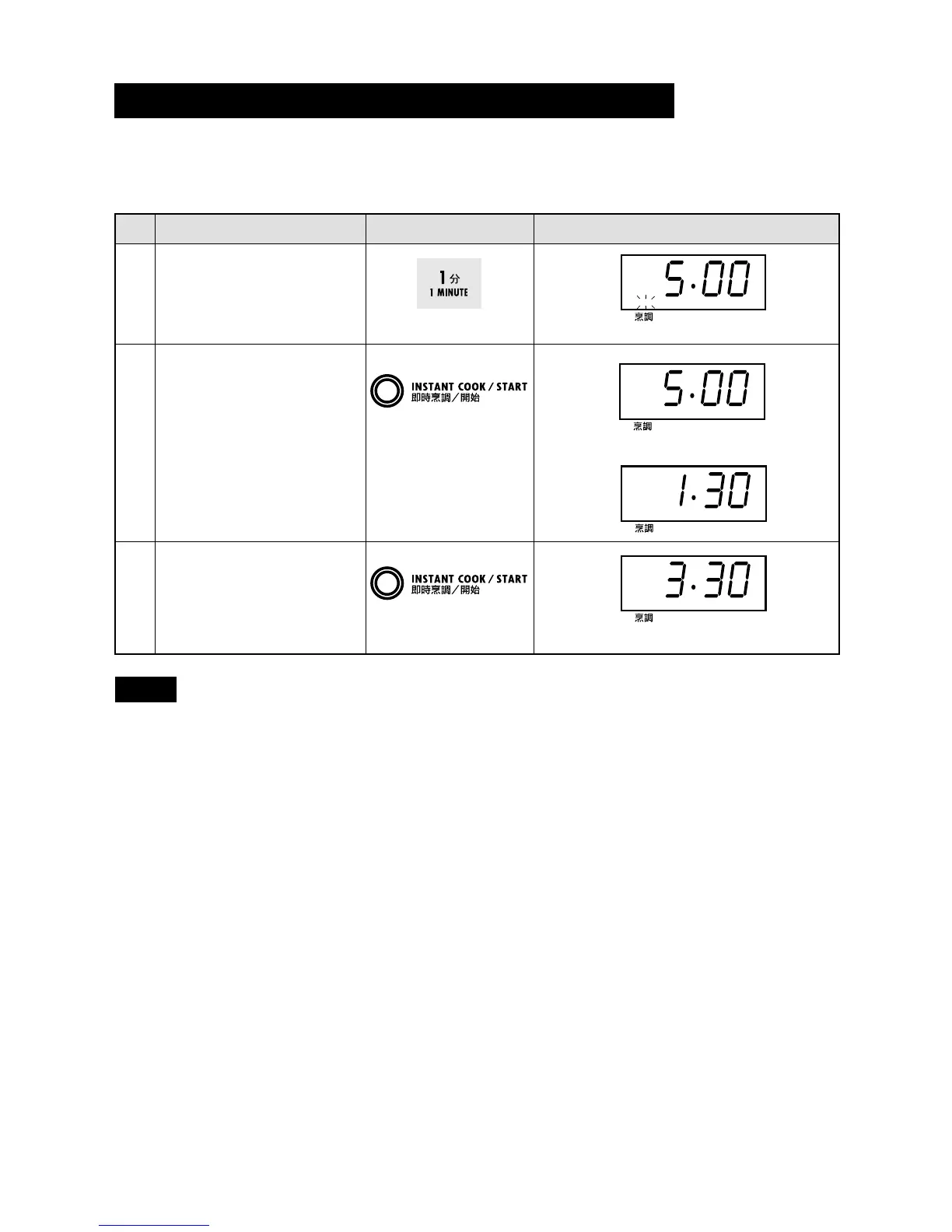
Cooking time can be added during a cooking programme using the INSTANT COOK/START pad.
* Suppose you want to increase the cooking time by 2 minutes during 5 minutes cooking. (at the
moment the remaining cooking time is 1 min. 30 sec.)
Step
Procedure Pad Order Display
Open the door and enter
desired cooking time.
Increasing Time During the Cooking Programme
COOK will flash on and off.
NOTE You cannot use this function for SLOW COOK.
COOK
COOK
The timer starts to count down.
The timer keeps on counting down.
2
1
3
Close the door and press
the INSTANT COOK/START
pad.
Press the INSTANT COOK/
START pad twice to
increase the cooking time
by two minutes.
x 5
x 2


 To Next Page