EasyManua.ls Logo

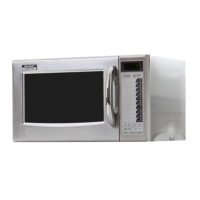
Sharp R-1900J - Operation of Touch Control Panel; Memory Operation

Sharp R-1900J
52 pages
Print Icon
To Next Page IconTo Next Page
To Previous Page IconTo Previous Page
Loading...
R1900J
3 – 2
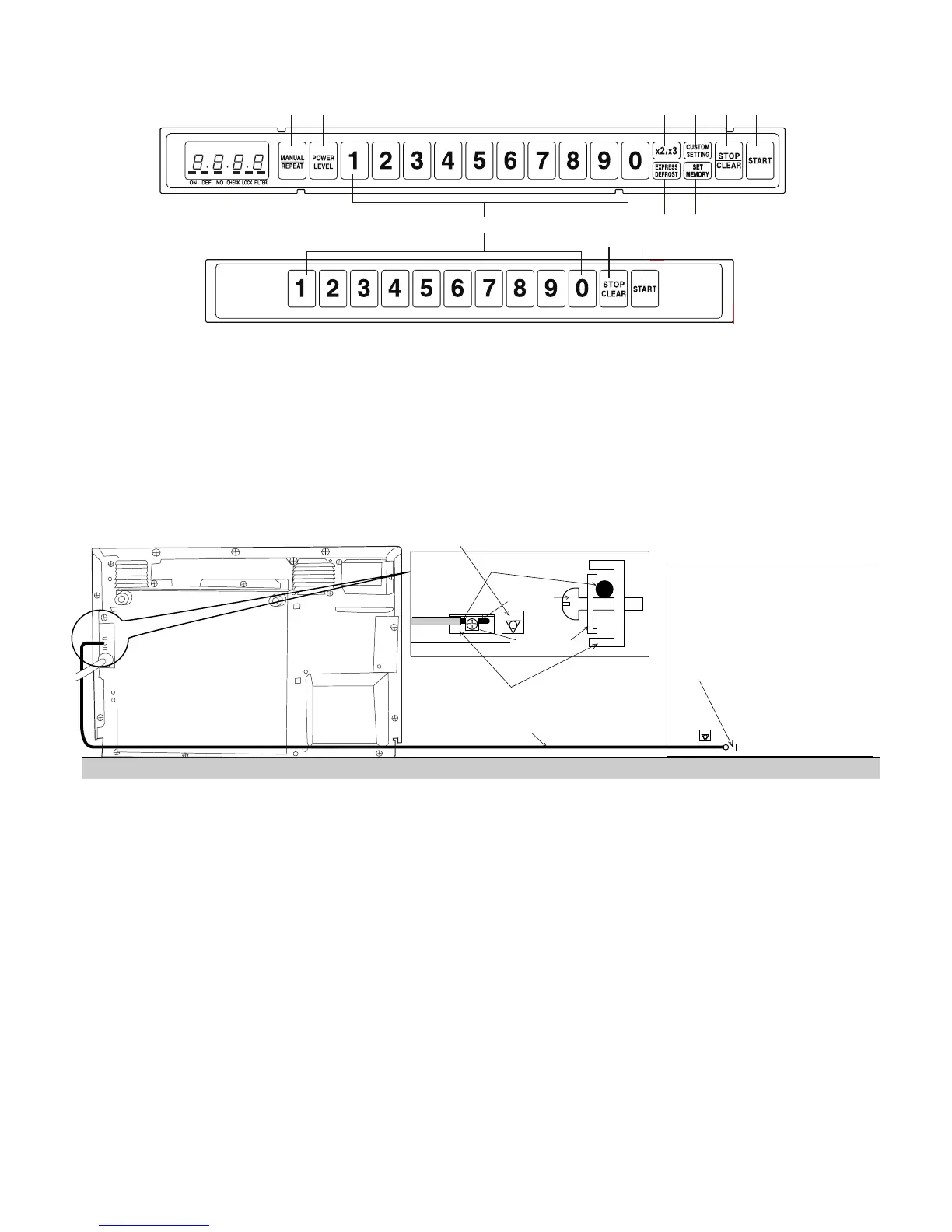
2. TOUCH CONTROL PANEL
[3] INSTALLATION INFORMATION
When this commercial microwave oven is installed near other commercial electrical appliances, connect a lead wire to each equivalent potential ter-
minal with equipotential marking between them (insert a lead wire between a washer and an earth angle, and screw them), as shown in Fig. A-1, to
make sure that they are at equivalent potential. If any lead wire is not connected between them, when person touch them he/she will get a electric
shock.
Figure A-1

12
3
4
56
9
5
6
1. MANUAL/REPEAT pad
2. POWER LEVEL pad
3. DOUBLE/TRIPLE QUANTITY pad
7. Ten number pads
8. EXPRESS DEFROST pad
9. SET MEMORY pad
DOOR SIDE
4. CUSTOM SETTING pad
5. STOP/CLEAR pad
6. START pad
8
7
COMMERCIAL MICROWAVE OVEN
OTHER COMMERCIAL
ELECTRICAL APPLIANCE
Lead wire
Equipotential marking
Earth angle
(Equivalent potential terminal)
Equivalent
potential terminal
Screw
Washer
Lead wire

Table of Contents

Other manuals for Sharp R-1900J

Related product manuals