GB-18
MANUAL OPERATION
MICROWAVE COOKING
Opening the door:
To open the oven door, pull the door handle.
Starting the oven:
Depending on the food type and the required end results, either place food into a suitable con-
tainer, then place the container onto the plate, alternatively place foods directly onto the plate.
Close the door and press the START/QUICK START key after selecting the desired cooking mode.
Once the cooking programme has been set if the START/QUICK START key is not pressed in
20 seconds , the setting will be cancelled.
The START/QUICK START key must be pressed to continue cooking if the door is opened
during cooking. An audible signal will sound once when pressing the button, if ineciently
pressed there will be no sound.
Use the STOP/CLEAR key to:
1. Erase a mistake during programming.
2. Stop the oven temporarily during cooking.
3. Cancel a programme during cooking, press the STOP/CLEAR key twice.
4. To set and to cancel the child lock (refer to page GB-22).
Your oven can be programmed for up to 99 minutes 50 seconds (99:50).
The input unit of cooking (defrosting) time
varies from 10 seconds to 10 minutes.
It depends on the total length of the cook-
ing (defrosting) time as shown on the table.
Cooking Time
0-1 minute
1-10 minutes
10-99 minutes
Increasing Unit
10 seconds
1 minute
10 minutes
MANUAL COOKING/MANUAL DEFROSTING
• Enter the cooking time and use the microwave power levels P100 to P20 to cook or de-
frost (refer to page GB-17).
• Stir or turn the food, where possible, 2 - 3 times during cooking.
• After cooking, cover the food and leave to stand, where recommended.
• After defrosting, cover the food in foil and leave to stand until thoroughly defrosted.
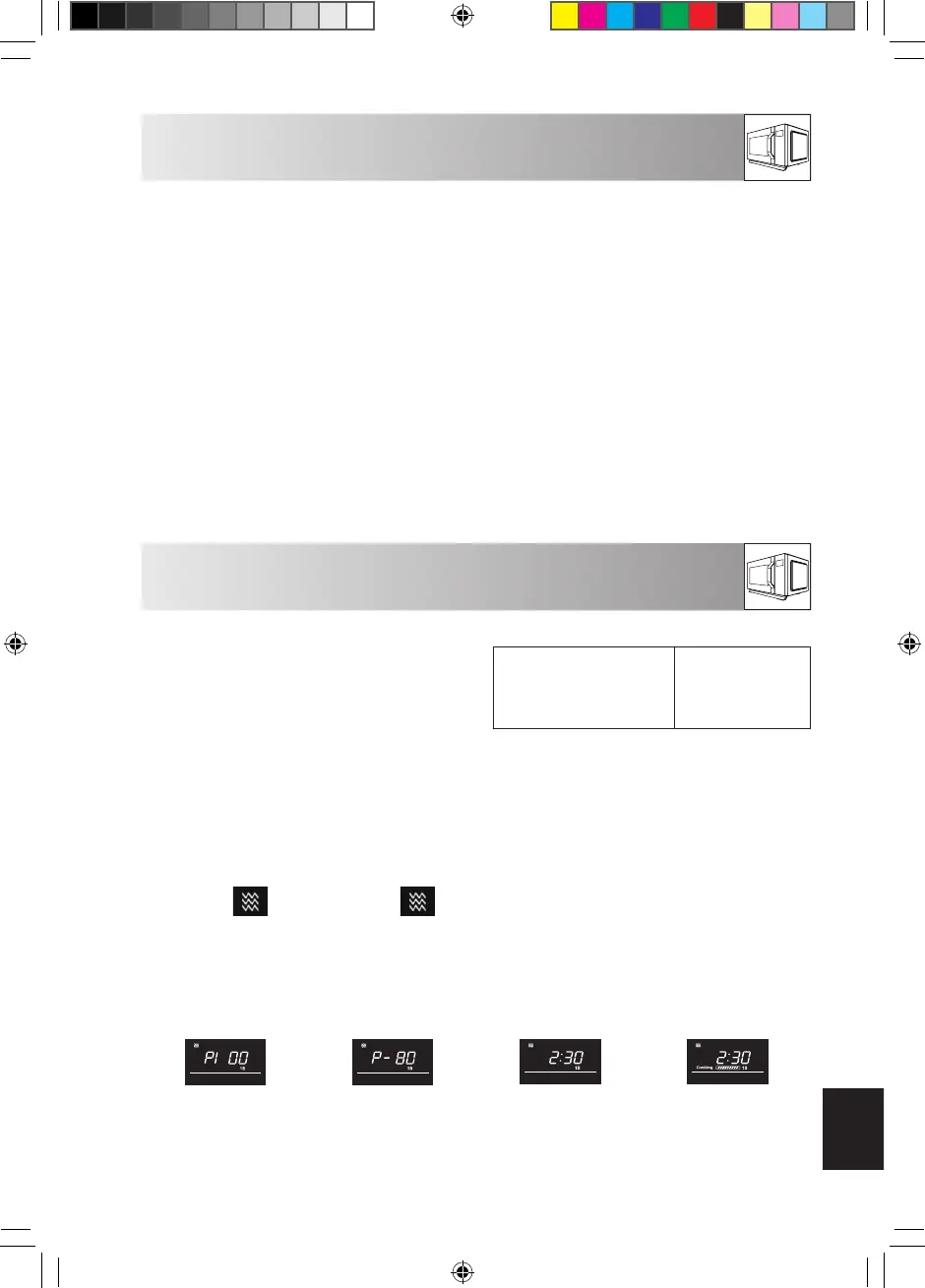
Example:
To cook for 2 minutes and 30 seconds on P80 (80%) microwave power.
1. Press the
key. P100 will be
displayed.
2. Press the
key to select the
power level for
P80
3. Press the number
keys ”10Min”,
”1Min”, ” 10Sec”,
to input the cook-
ing time.
4. Press the START/
QUICK START
key to start
cooking. (The
display will count
down through
the programmed
cooking time.)
NOTE:
• When the oven starts, the oven lamp will illuminate.
• If the door is opened during cooking/defrosting to stir or turn over food, the cooking
time on the display will stop automatically. The cooking/defrosting time starts to count
down again when the door is closed and the START/QUICK START key is pressed.
User_manual_R860_WEST.indb 18 2020-02-28 11:56:46


 To Next Page
 Loading...