EasyManua.ls Logo

Sharp SJ-BA05DMXLF-EU - User Manual

Sharp SJ-BA05DMXLF-EU
172 pages
Print Icon
To Next Page IconTo Next Page
Loading...
Home Appliances
Fridge-freezers
SJ-BA05DMXLF-EU
SJ-BA05DMXWF-EU
SJ-BA05DMXJE-EU
SJ-BA05DMXBE-EU
SJ-BA05DMXWE-EU
SJ-BA05DMXLE-EU
SJ-BA05DMXRE-EU
SJ-BA05IMXLE-EU
SJ-BA05IMXBE-EU
SJ-BA05IMXRE-EU
SJ-BA05IMXJE-EU
SJ-BA05IMXWE-EU
User ManualEN
BedienungsanleitungDE
Guide d’utilisationFR
HandleidingNL
Manuale per l’usoIT
Manual de UsoES
Manual de InstruçőesPT
BrugsanvisningDK
BruksanvisningNO
InstruktionsbokSE
KäyttöohjeFI
KasutusjuhendEE

Table of Contents

Questions and Answers

  • P
    Paul RamirezAug 16, 2025
    Why is my Sharp SJ-BA05DMXLF-EU not cooling enough?
    • T
      Tiffany ValentineAug 16, 2025
      If your Sharp Refrigerator is not cooling enough, here are some things to check: * Verify the temperature adjustment. * Avoid frequent door openings and prolonged opening times. * Ensure the refrigerator door closes properly. * Don't place dishes or food against the rear wall. * Avoid overfilling the fridge. * Ensure adequate space between the fridge and the walls. * Confirm the ambient temperature is within the specified range.
  • S
    Samantha SmithAug 19, 2025
    What to do if food in my Sharp SJ-BA05DMXLF-EU is over cooled?
    • L
      Leah RushAug 20, 2025
      If food in your Sharp Refrigerator compartment is over-cooled, check the temperature adjustment. Also, consider if you've recently placed a large number of food items into the freezer compartment.
  • C
    Christine LoweAug 22, 2025
    What to do if Sharp Refrigerator displays a failure warning?
    • K
      Kelly HicksAug 22, 2025
      If your Sharp Refrigerator displays a failure warning due to some parts being out of order, contact the Sharp help desk as soon as possible.
  • T
    Thomas WashingtonAug 26, 2025
    How to fix Sharp SJ-BA05DMXLF-EU doors that don't open and close properly?
    • J
      Jimmy WheelerAug 26, 2025
      If the doors of your Sharp Refrigerator aren't opening and closing properly, consider these points: * Make sure food packages aren't blocking the door. * Check that door compartments, shelves, and drawers are correctly placed. * Inspect door gaskets for any damage. * Ensure the refrigerator is on a level surface.
  • R
    Robert LewisAug 28, 2025
    Why does humidity build up inside my Sharp Refrigerator?
    • G
      gellisonAug 29, 2025
      If you notice humidity building up inside your Sharp Refrigerator: * Ensure food is properly packaged, and containers are dry before placing them inside. * Also, check if the refrigerator doors are opened very frequently.
  • B
    brandon72Aug 31, 2025
    How to reduce noise from a Sharp Refrigerator operating too loudly?
    • M
      Melissa HansonAug 31, 2025
      If your Sharp Refrigerator is operating too loudly, try the following: * Check if the appliance is stable and the legs are adjusted properly. * If shelves or dishes are vibrating, reposition them. * Make sure items placed on top of the fridge aren't vibrating.
  • A
    Aaron JohnsonSep 3, 2025
    What to do if my Sharp Freezer shows error E09?
    • C
      Christina CookSep 4, 2025
      If the Sharp Freezer displays error code E09, especially after a power failure, try these steps: 1. Adjust the freezer to a colder setting or activate Super Freeze. This should clear the error once the target temperature is achieved. Ensure the doors remain closed to speed up the process. 2. Remove any food that has defrosted during the error. These items can be used soon. 3. Avoid adding new food until the freezer reaches the correct temperature and the error disappears. If the error persists, it is recommended to contact the Sharp help desk for further assistance.
  • S
    Sara BarreraSep 6, 2025
    What to do if my Sharp Freezer displays error E10?
    • K
      Keith SotoSep 6, 2025
      If your Sharp Freezer displays error code E10, especially after a long power outage or if hot food was left inside: 1. Set the fridge temperature lower or activate Super Cool. This should resolve the error once the required temperature is reached. Keep the doors closed. 2. Ensure the front of the air duct channel holes are clear of obstructions and avoid placing food too close to the sensor. If the issue continues, contact the Sharp help desk.
  • M
    mooreamySep 9, 2025
    What to do if Sharp Freezer shows error E11?
    • H
      hotonySep 9, 2025
      If your Sharp Freezer is showing error E11, here's what you can do: 1. Check if Super Cool mode is enabled. 2. Try lowering the fridge compartment temperature. 3. Make sure the vents are not blocked or clogged. If the error continues, it is recommended to contact the Sharp help desk for further assistance.
  • S
    stephensandrewSep 12, 2025
    Why does my Sharp Freezer show error E08?
    • J
      joelwrightSep 12, 2025
      Error E08 on your Sharp Freezer indicates that the power supply to the unit has dropped below 170W. This is a protective measure to prevent damage to the compressor. You need to restore the voltage to the required levels. If the warning persists, please contact the Sharp help desk as soon as possible.

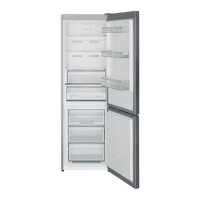
Sharp SJ-BA05DMXLF-EU Specifications

General IconGeneral
Appliance placementFreestanding
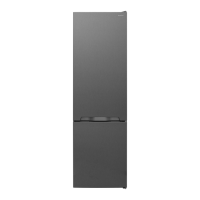
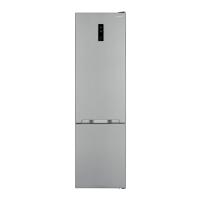
Product colourStainless steel
Built-in displayYes
Display typeLED
Control typeTouch
No Frost (fridge)Yes
Multi-Airflow system (fridge)Yes
Fridge interior lightYes
Lamp typeLED
Number of shelves/baskets in fridge3
Number of vegetable drawers2
Fridge door balconies3
Egg balconyYes
Bottle rackYes
No Frost (freezer)Yes
Number of shelves/baskets in freezer3
Star rating4*
Ice cube trayYes
Fresh zone compartmentYes
AC input voltage220 - 240 V
Width595 mm
Depth650 mm
Height1860 mm
Weight65 kg
Noise Level42 dB
RefrigerantR600a
Number of Doors2
Defrost SystemAutomatic

Related product manuals