EasyManua.ls Logo

Sharp XL DK227N - User Manual

Sharp XL DK227N
36 pages
Print Icon
To Next Page IconTo Next Page
Loading...
Thank you for purchasing this SHARP product.
To obtain the best performance from this product, please read this
manual carefully. It will guide you in operating your SHARP product.
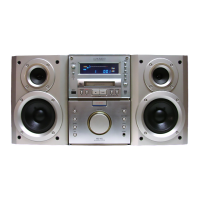
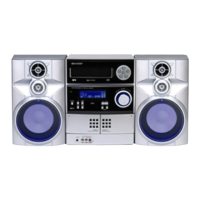
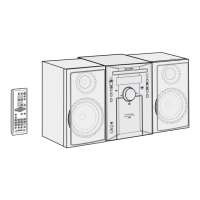
MICRO COMPONENT SYSTEM
XL-DK227N Micro component system consisting of XL-DK227N (main
unit) and CP-DK227N (speaker system).
AUDIO
IN
Accessories
Please confirm that only the following accessories are included.
MODEL
OPERATION MANUAL
iPod is a registered trademark of Apple Inc.
XL-DK227N
(RRMCGA152AWSA)
AM loop antenna 1
(QANTL0010AWZZ)
FM antenna 1
(92LFANT1535A)
iPod
®
adaptor 8
(UACRTA008AW01)
Remote control 1

Questions and Answers

  • S
    smithchristopherAug 11, 2025
    Why is my Sharp XL DK227N Micro Music System remote control not working?
    • J
      James DuranAug 11, 2025
      If the remote control for your Sharp Micro Music System isn't working, several factors could be the cause: * Check that the AC power cord of the unit is properly plugged in. * Verify the battery polarity in the remote. * Replace the batteries if they are dead. * Adjust the distance or angle of the remote control. * Make sure the remote control sensor isn't exposed to strong light.
  • L
    linda30Aug 18, 2025
    What to do if my Sharp XL DK227N produces no sound and no image appears on the TV/monitor?
    • F
      fweberAug 18, 2025
      If your Sharp Micro Music System isn't producing sound and no image appears on the TV/monitor, consider the following: * Ensure the iPod is playing. * Verify the iPod is properly connected to the unit. * Check that the AC power cord of the unit is plugged in. * Ensure the video cable is properly connected. * Set the TV/monitor’s input selection correctly. * Check if the display shows 'DOCK OK'.
  • J
    Jonathan OrtizAug 26, 2025
    Why is my iPod not charging on my Sharp XL DK227N Micro Music System?
    • Z
      zblanchardAug 26, 2025
      If your iPod isn't charging on your Sharp Micro Music System, here’s what to check: * Ensure you are using the correct iPod adapter. * Make sure the iPod is making full contact with the iPod connector. * Verify that the main unit is turned on and not in stand-by mode.
  • N
    Norma LynnSep 2, 2025
    How to stop unusual noises from Sharp XL DK227N radio?
    • K
      Karen PhillipsSep 2, 2025
      To stop unusual noises from the Sharp Micro Music System radio, try these steps: * Move the unit away from the TV or computer. * Properly adjust the placement of the FM antenna or AM loop antenna.

Sharp XL DK227N Specifications

General IconGeneral
TypeMicro Music System
Power Output20 W
BluetoothYes
CD PlayerYes
FM RadioYes
USB PlaybackYes
Playable File TypesMP3, WMA
Output Power / Total20 W
Tuner BandsFM
ClockYes
AlarmYes
Remote ControlYes
USB PortYes
Aux InputYes
Weight2.5 kg
Media TypeCD, USB

Related product manuals