EasyManua.ls Logo

Sharp YO-250M - Replacing Batteries

Sharp YO-250M
17 pages
Print Icon
To Next Page IconTo Next Page
To Previous Page IconTo Previous Page
Loading...
5.
Replacing
batteries
Batteries
used
in
the
Organizer:
Model
Gr2082
|
2
|
Unitoperation
CR2032
Memory
backup
The
standard
built-in
clock
is
powered
by
the
operating
batteries.
Lithium
battery
Lithium
battery
Precautions
when
replacing
the
batteries
Before
replacing
the
battery,
be
sure
to
press
to
turn
the
power
off.
Do
not
replace
the
memory
backup
battery
when
replacing
the
operating
batteries.
When
the
operating
batteries
become
weak
and
you
tur
the
power
on,
"
[ELMGg"
will
be
displayed
and
the
following
display
will
appear
temporarily:
<CAUTION>
REPLACE
BATTERIES[A]
READ
THE
MANUAL
if
the
batteries
become
very
weak
(the
alarm
or
the
key
beep
will
not
sound),
the
power
may
go
off
during
operation
or
the
Organizer
may
fail
to
turn
on.
The
memory
contents
will
still
be
retained
by
the
memory
backup
battery.
Replace
the
operating
batteries
to
avoid
loss
or
corruption
of
data.
Before
removing
the
batteries
for
replacement,
record
important
infor-
mation
on
paper.
Caution:
Do
not
continue
using
the
organizer
after
it
has
turned
off
automatically
while
in
use.
Even
if
it
can
be
turned
on
again,
the
clock
time
will
be
incorrect
and
other
functions
may
not
work
properly
until
the
batteries
are
replaced.
Precautions
on
battery
use
©
Always
replace
both
operating
batteries
at
the
same
time.
©
Do
not
use
an
old
battery
and
a
new
one
together.
®
Use
only
the
specified
lithium
batteries.
©
Replace
the
memory
backup
battery
at
least
every
5
years.
*
The
original
batteries
were
installed
in
the
factory
at
the
time
of
shipment
and
might
be
depleted
before
satisfying
the
operating
time
indicated
in
the
specifications.
Battery
precautions
.
©
Keep
the
batteries
out
of
the
reach
of
children.
*
When
batteries
become
weak,
remove
them
from
the
Organizer
immediately.
If
depleted
batteries
are
left
in
the
Organizer
for
any
length
of
time,
they
may
leak
and
cause
corrosion
inside
the
Or-
ganizer.
*
Do
not
dispose
of
batteries
by
fire
as
they
may
explode.
Operating
batteries
Replacement
intervals
for
the
operating
batteries
When
iy
BATT
|
"is
displayed
and
the
LCD
becomes
too
dim
to
read
despite
contrast
adjustment,
the
operating
batteries
are
drained.
Press
to
turn
the
power
off
and
then
tum
the
power
back
on.
If
the
following
display
appears
when
the
power
is
turned
on,
replace
both
operating
batteries
immediately.
<CAUTION>
REPLACE
BATTERIES[A]
READ
THE
MANUAL
ZQ-2500SP
Replacing
the
operating
batteries
[A]
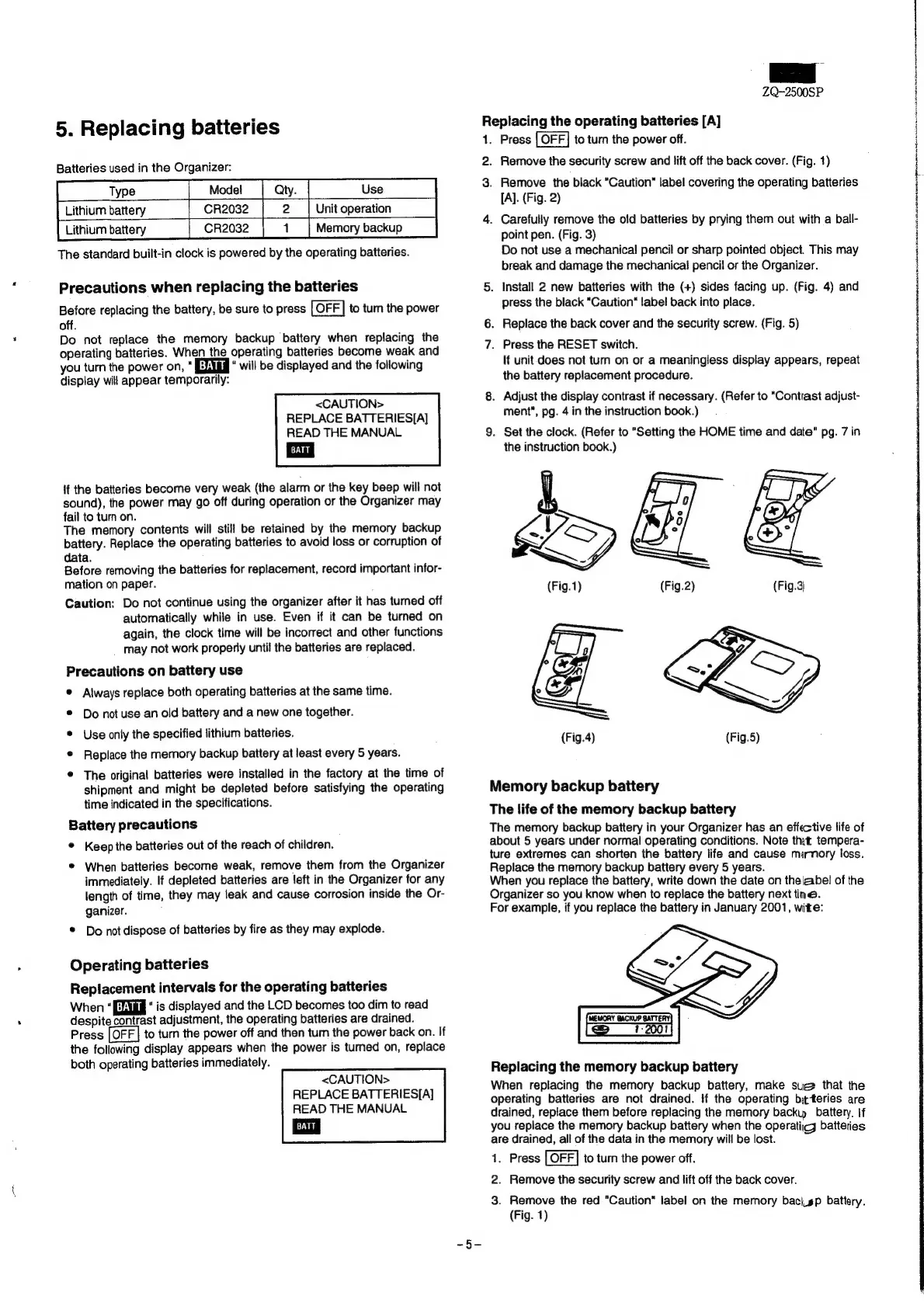
1.
Press
to
turn
the
power
off.
2.
Remove
the
security
screw
and
lift
off
the
back
cover.
(Fig.
1)
3.
Remove
the
black
“Caution"
label
covering
the
operating
batteries
[A].
(Fig.
2)
4.
Carefully
remove
the
old
batteries
by
prying
them
out
with
a
ball-
point
pen.
(Fig.
3)
Do
not
use
a
mechanical
pencil
or
sharp
pointed
object.
This
may
break
and
damage
the
mechanical
pencil
or
the
Organizer.
5.
Install
2
new
batteries
with
the
(+)
sides
facing
up.
(Fig.
4)
and
press
the
black
“Caution
label
back
into
place.
6.
Replace
the
back
cover
and
the
security
screw.
(Fig.
5)
7.
Press
the
RESET
switch.
lf
unit
does
not
turn
on
or
a
meaningless
display
appears,
repeat
the
battery
replacement
procedure.
8.
Adjust
the
display
contrast
if
necessary.
(Refer
to
“Contrast
adjust-
ment",
pg.
4
in
the
instruction
book.)
9.
Set
the
clock.
(Refer
to
"Setting
the
HOME
time
and
date"
pg.
7
in
the
instruction
book.)
(Fig.4)
Memory
backup
battery
The
life
of
the
memory
backup
battery
The
memory
backup
battery
in
your
Organizer
has
an
effective
life
of
about
5
years
under
normal
operating
conditions.
Note
tht
tempera-
ture
extremes
can
shorten
the
battery
life
and
cause
memory
loss.
Replace
the
memory
backup
battery
every
5
years.
When
you
replace
the
battery,
write
down
the
date
on
the
abel
of
the
Organizer
so
you
know
when
to
replace
the
battery
next
tine.
For
example,
if
you
replace
the
battery
in
January
2001,
wite:
Replacing
the
memory
backup
battery
When
replacing
the
memory
backup
battery,
make
sue
that
the
operating
batteries
are
not
drained.
if
the
operating
biteries
are
drained,
replace
them
before
replacing
the
memory
backip
battery.
If
you
replace
the
memory
backup
battery
when
the
operatic
batteries
are
drained,
all
of
the
data
in
the
memory
will
be
lost.
1.
Press
to
turn
the
power
off.
2.
Remove
the
security
screw
and
lift
off
the
back
cover.
3.
Remove
the
red
"Caution"
label
on
the
memory
baci_sp
battery.
(Fig.
1)
acta
acrancbraniunse
nsteitetabainedbel
wiinbucnéesitinicntaitshosiintrtinstln/
imo
onneneweselan
inne
iio
vemainelt

Related product manuals