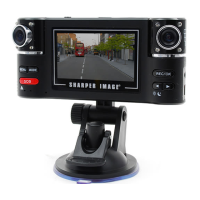
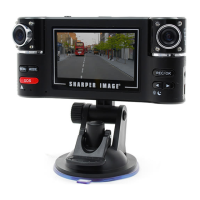
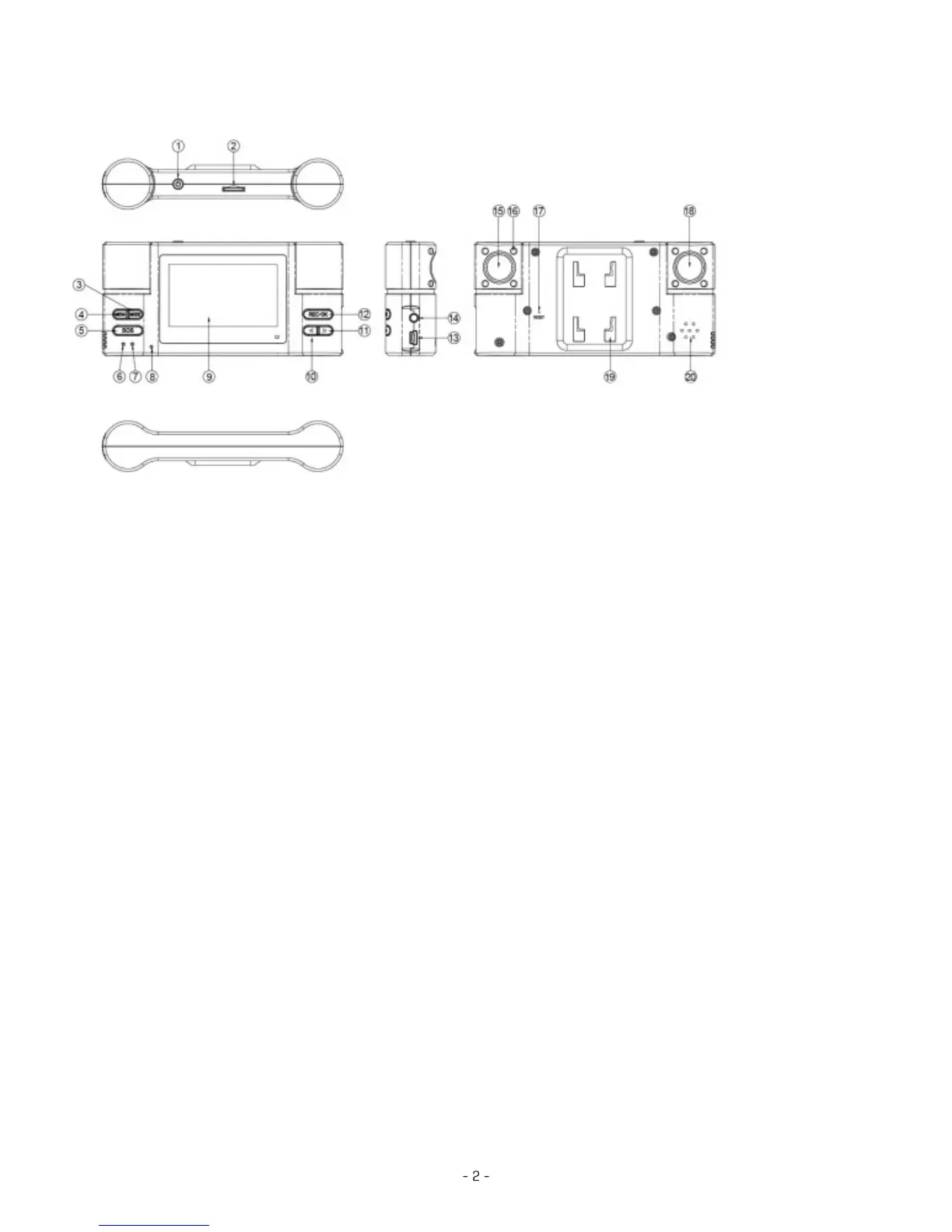
1. Power
2. TF slot
3. MOED
4. MENU
5. SOS
6. Charging Indicator
7. Working Indicator
8. MIC
9. Display
10. Left
11. Right
12. REC/OK
13. USB
14. TV OUT
15. Telephoto Lens
16. Night Vision Light
PRODUCT FEATURES
HOW TO CHARGE BATTERIES
• Connect the device to your vehicle’s cigarette charger to begin charging. The device will fully
charge in 90 minutes.
• ALernative charging: Connected the device to your computer with included USB cable.
Note: The red indicator is on during charging and turn off when it is completely charged.
VIDEO MODE
1. The machine starts automatically and enters into the video mode after the vehicle starts.
2. Hold OK button to turn on/off the night vision infrared light.
3. Hold the Left button to switch between the day/night shoot mode.
4. Hold the right button to switch the lens combination, and the single-lens video is also
available to select.
5. Two resolutions are available, i.e. VGA (1280 * 480) and QVGA (640 * 240)


 To Next Page
 Loading...