
 Need help?
Do you have a question about the Sharper Image 207680 and is the answer not in the manual?
Describes the Sharper Image Total Hand Compression Massager's soothing and restorative capabilities.
Details the device's core function and design for hand massage.
Details the user interface for operating the massager.
Highlights the convenience of cordless use with a built-in battery.
Explains the mechanism of inflating air pockets for hand and wrist massage.
Lists the available massage modes: Refresh, Health Care, and Relax.
Describes the three intensity levels: Low, Medium, and High.
Explains the function of the optional soothing heat for the back of the hand.
Mentions the massager runs over 3.5 hours on a full charge.
Step-by-step guide for charging, using, and operating the massager.
Explains how to turn the device on/off and control the heating function.
Details how to cycle through massage modes and intensity levels.
Describes how to set the automatic shutoff timer and use the air-release valve.
Provides steps to follow in case of device malfunction or issues.
Lists technical details including item number, voltage, power, and battery information.
Outlines instructions for cleaning and storing the massager properly.
Details general safety precautions, environmental restrictions, and usage warnings.
Lists specific individuals or conditions for whom the device is not recommended.
Provides information on the product's limited warranty and customer support contact details.
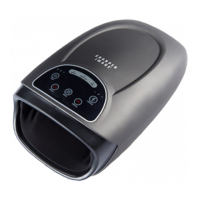
The Sharper Image Total Hand Compression Massager (Item No. 207680) is an advanced massage device designed to soothe and restore hands by employing air compression and optional heat therapy. This device aims to alleviate aches and stress, providing a unique massage experience for both the hand and wrist.
The core function of the Total Hand Compression Massager is to provide a comprehensive hand massage through air compression. Users insert their entire hand into a soft, cloth-lined chamber, where dual sets of inflating air pockets gently squeeze and release the hand and wrist. This action mimics a professional hand massage, promoting relaxation and relief.
The device offers three distinct massage modes to cater to different needs:
In addition to compression, the massager features an optional heating function for enhanced comfort and relief. The heat is applied to the back of the hand, adding a soothing element to the massage experience. Users can easily turn the heat on or off as desired.
The intensity of the massage can be adjusted to three levels: Low, Medium, and High. This allows users to customize the massage strength according to their preference and comfort level. It is recommended to start with the lowest intensity setting and gradually increase it as one becomes more accustomed to the device.
A built-in timer allows users to set the duration of their massage session. Options include 5, 10, or 15 minutes, after which the massager will automatically shut off. This feature ensures convenience and prevents overuse.
For safety and immediate relief, the device includes an air-release valve. If the massage feels too strong or if a user wishes to end the session early, rotating this valve 90 degrees will release the air, allowing the hand to be removed comfortably.
The Total Hand Compression Massager is designed for user-friendly operation with a touchscreen control panel. Its built-in rechargeable battery enables cordless operation, offering flexibility and portability. A full charge provides over 3.5 hours of use, making it convenient for multiple sessions or extended relaxation.
To begin using the device, it should be placed on a flat, level surface. The AC adapter (charger) is inserted into the back of the device and then plugged into an AC outlet for charging. Before first use, the device requires approximately 3 to 3.5 hours to fully charge. Once charged, the charger can be disconnected, and the device is ready for use.
When inserting a hand into the cloth-lined chamber, it is important to remove any sharp jewelry to prevent damage to the device or injury to the user. Additionally, individuals with sharp fingernails should exercise caution.
The control panel features several intuitive buttons:
The device is intended for household use only and should not be used outdoors. It is crucial to consult a doctor before using any at-home massage device, especially for individuals who are pregnant, have a pacemaker, suffer from diabetes, phlebitis, thrombosis, or are at an increased risk of developing blood clots due to recent surgery. The device should not be used by people with contagious skin conditions, osteoporosis, heart disease or an electronic medical implant, high fever, pregnant or menstruating women, people with injuries or skin diseases, children under 14 years old, or those advised to rest by a doctor or feeling unwell. As the device has a heated surface, persons insensitive to heat must be careful when using it.
Proper maintenance ensures the longevity and optimal performance of the Total Hand Compression Massager.
For cleaning, the power cord should be disconnected, and the device allowed to cool. Spot cleaning can be done with a soft, damp cloth as needed. It is important to avoid using harsh or corrosive cleaners. When cleaning the control panel, only a dry cloth should be used.
Regarding storage, the device should not be stored in high temperatures or near open flames. It should also not be left in direct sunlight for extended periods. If the device will not be used for a long time, it should be stored in its original box in a dry and well-ventilated location.
Several safety warnings are provided to ensure safe operation:
In the event of a malfunction, users are advised to turn off the power, unplug the device, allow it to cool, fully recharge it (up to 3.5 hours), and then resume operation. If the problem persists, Sharper Image Customer Service should be contacted.
 General
| Product Name | Sharper Image 207680 |
|---|---|
| Category | Massager |
| Massage Area | Neck, Shoulders, Back |
| Power Source | AC Adapter |
| Cordless | No |
| Features | Heat |



 To Next Page