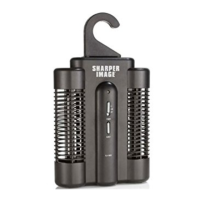
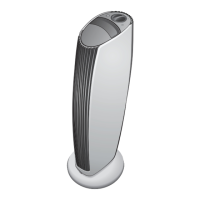
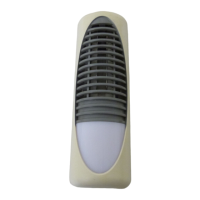
The Sharper Image Ionic Breeze® Air Freshener for Bathrooms & Small Spaces (model SI627) is an electrical appliance designed to reduce unpleasant odors in small areas without the use of fragrances or sprays. It operates by ionizing the air, a process that helps to neutralize odors.
Function Description:
The primary function of the Ionic Breeze® Air Freshener is to eliminate odors in bathrooms and other small spaces. It achieves this through an ionic purification process, which is a common method for air fresheners that do not rely on scented sprays or chemicals. The device is designed for continuous operation, providing 24-hour odor reduction. A notable feature is its integrated LED night-light, which illuminates continuously and is energy-efficient, requiring only a few pennies worth of energy per day and never needing a bulb replacement. Users might hear a static-like sound during operation, which the manual clarifies is often caused by moisture and is considered harmless.
Important Technical Specifications:
- Power Requirements: The appliance operates at 120V AC and 60 Hz.
- Intended Use: It is designed exclusively for indoor use.
- Interference: The unit may cause temporary interference with electrical components such as radios or computers. If this occurs, the user is advised to relocate the unit.
- Compliance: The product complies with DHHS Rule 21 subchapter J at the date of manufacture and with Part 15 of the FCC Rules for Class B digital devices. This means it is designed to provide reasonable protection against harmful interference in a residential installation and must accept any interference received.
Usage Features:
- Plug-and-Play Operation: To use the device, simply plug it into a standard 110-220V wall outlet.
- Odor Reduction: It significantly reduces unpleasant odors without the need for fragrances or sprays, making it suitable for individuals sensitive to scents.
- Night-Light: The built-in LED night-light provides continuous illumination, adding a practical feature for bathrooms or dark spaces.
- Relocation for Interference: If the unit causes temporary interference with other electronic devices, it can be easily relocated to mitigate the issue.
Maintenance Features:
The Ionic Breeze® Air Freshener features removable collection blades that require regular cleaning to maintain optimal performance.
- Cleaning Frequency: It is recommended to clean the collection blades at least once a week.
- Cleaning Procedure:
- Unplug: Always unplug the unit from the outlet before cleaning to prevent electric shock.
- Remove Blades: Slide the collection blades out from the top of the unit.
- Wipe Blades: Wipe the metal blades on either side with a damp sponge or cloth. For stubborn dirt, an alcohol-dipped cotton swab can be used. The collection blades can also be washed with dishwashing detergent.
- Dry Blades: It is crucial that the collection blades are completely dry before reinserting them into the unit.
- Reinsert Blades: Slide the clean, dry collection blades completely back into the top of the unit.
- Shake Unit: After cleaning the blades, shake the entire unit back and forth several times to dislodge any hidden debris from the ionizing wires.
- Plug In: Once the blades are dry and reinserted, the Ionic Breeze® can be plugged back in.
Warnings and Safety Precautions:
- Indoor Use Only: The appliance is strictly for indoor use.
- Unplug Before Cleaning: Always unplug the unit before any servicing or cleaning.
- External Cleaning: The exterior can be cleaned with a mild solution of dishwashing detergent and water.
- Damaged Plug/Unit: Do not use if the plug appears damaged. If the appliance is not working properly, has been dropped, damaged, left outdoors, or dropped into water, it should be returned to a service center or the original place of purchase.
- No User-Serviceable Parts: The unit contains no user-serviceable parts. Any attempt to open the unit will void the warranty and could lead to serious damage or personal injury.
- Avoid Wet Hands: Do not handle the appliance with wet hands.
- Keep Openings Clear: Do not put any objects into openings or block them. Ensure all openings are free of dust, lint, hair, or anything that might reduce airflow.
- Flammable Environments: Do not operate the unit in areas where flammable or combustible products or vapors may be present.
- FCC Compliance Warning: Changes or modifications not expressly approved by the responsible party for compliance could void the user's authority to operate the equipment.
The product comes with a one-year warranty covering defects in materials or workmanship from the date of original purchase. The warranty does not cover damage from misuse, use other than intended, or loss/damage to batteries or removable parts. Sharper Image will repair, replace, or refund the product if a defect is found. Service can be obtained by returning the product with a receipt and explanation to the T.S.I. - Returns Department in Little Rock, AR. Customer service is available via phone and email.

 Need help?
 General

 To Next Page