6
7
Maintenance
To Store
You may leave the unit on display, or you can store it in its box in a cool, dry
place.
To Clean
Useonlyasoftdryclothtocleantheenclosureoftheunit.NEVERuseliquidsor
abrasive cleaner to clean.
3) Using the Wine Opener
• Removethewineopenerfrombaseandplacethewineopeneronthetop
of the wine bottle making sure that it remains as straight/upright as possible.
NOTE: If you hold the Wine Opener at an angle to the bottle it will not remove
the cork properly.
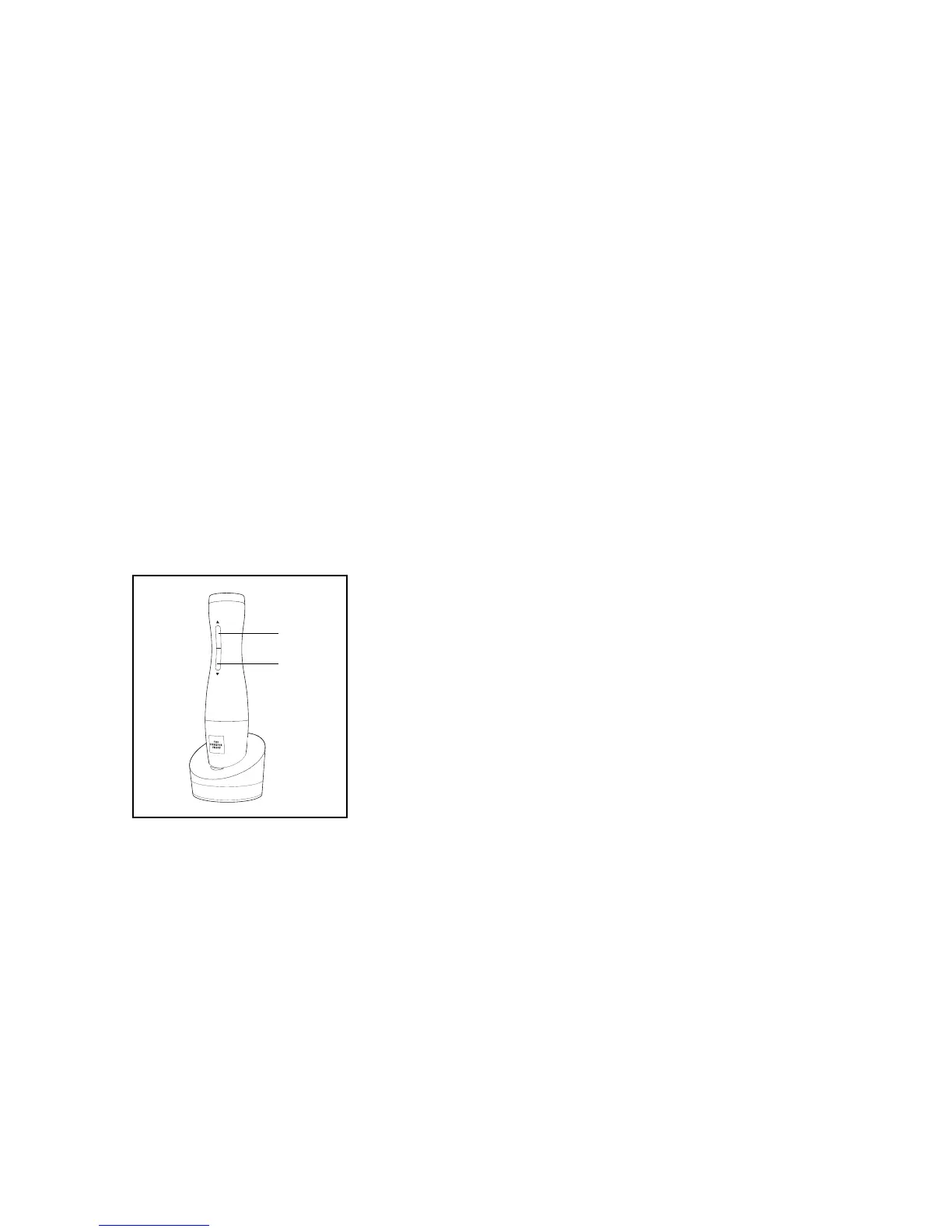
• HoldtheWineOpenerrmlyanddepressthelowerbutton.(Fig.2)Thecork-
screw spiral will turn in a counter-clockwise direction and enter the cork, then
gradually remove it from the bottle. When the Wine Opener has stopped, the
cork has been fully removed from the bottle.
• LifttheWineOpenerupandawayfromthebottle.Toremovethecorkfrom
unit,depresstheupperbutton.(Fig.2)Thespiralwillturninaclockwisedirec-
tion and release the cork.
• AlwaysreturntheWineOpenertothechargingbasewhendone.Thiswill
protect the unit while not in use.


 To Previous Page