Need help?
Do you have a question about the Sharper Image MI220 and is the answer not in the manual?
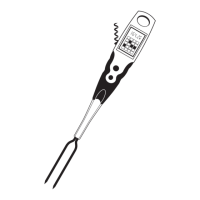
Introduction to the Sharper Image All-In-One Grill Fork Meat & Fish Thermometer.
A letter from Richard Thalheimer, Founder, expressing appreciation and company philosophy.
Important safety instructions regarding handling and cleaning the thermometer after use.
Step-by-step instructions for basic use, including turning on and inserting the fork.
Explanation of how the thermometer indicates food doneness levels (RARE, MEDIUM, WELL).
Instructions on how to set a specific target temperature for alerts.
Reference chart for recommended cooking temperatures for various meats and fish.
USDA guidelines for minimum internal temperatures to ensure food safety.
Detailed steps for using the thermometer in normal operation, including battery installation.
Overview of additional features like auto-shutoff, F/C conversion, and built-in flashlight.
Details on what the product warranty covers, its duration, and exclusions.
Instructions for returning the product for service and customer contact information.
 General
| Brand | Sharper Image |
|---|---|
| Model | MI220 |
| Category | Kitchen Appliances |
| Language | English |

 To Next Page