6. RARE, M RARE, MEDIUM or WELL boxes beneath the FISH,
RED MEAT, WHITE MEAT and POULTRY icons light up when
the temperature rises.
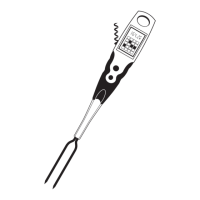
7. Fork turns off automatically when not in use. Change from
Fahrenheit to Celsius by holding both buttons down simulta-
neously for five seconds.
Fork is calibrated to the USDA proper cooking temperatures for
each meat. All temperatures are listed on fork.
Fork is equipped with a built-in flashlight to illuminate food
while cooking at night. ON/OFF button is on right side of fork.
Bottle opener and corkscrew are located on fork’s handle.
Normal Operation


 To Next Page