
 Need help?
Do you have a question about the Sharper Image OQ234 and is the answer not in the manual?
Instructions for installing batteries in remote and main units.
Initial steps to ensure the main unit receives temperature readings.
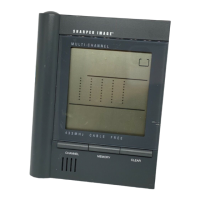
Identifies key components and displays of the main unit.
Identifies key components and displays of the remote unit.
Steps to install batteries and select channels for the remote unit.
Steps for installing batteries into the main unit.
Details on starting the unit and ensuring signal reception.
How to cycle through and scan remote unit temperature readings.
How to display and reset stored maximum and minimum temperature data.
Troubleshooting steps for lost or blank signal displays.
Explanation of the ice warning feature and its activation.
Instructions for placing the main unit on a flat surface or wall.
How to use the reset button to restore default settings.
Technical specifications for temperature measurement ranges and resolution.
Specifications for power requirements, weight, and unit dimensions.
 General
| Measurement Range | 89.6°F - 109.2°F (32°C - 42.9°C) |
|---|---|
| Accuracy | ±0.4°F (0.2°C) |
| Display | LCD |
| Water Resistance | No |
| Type | Infrared Thermometer |
| Measurement Distance | 1.2 inches (3 cm) |
| Power Source | 2 AAA batteries |
| Battery | 2 AAA batteries |
| Auto Shut-off | Yes |

 To Next Page