Operation
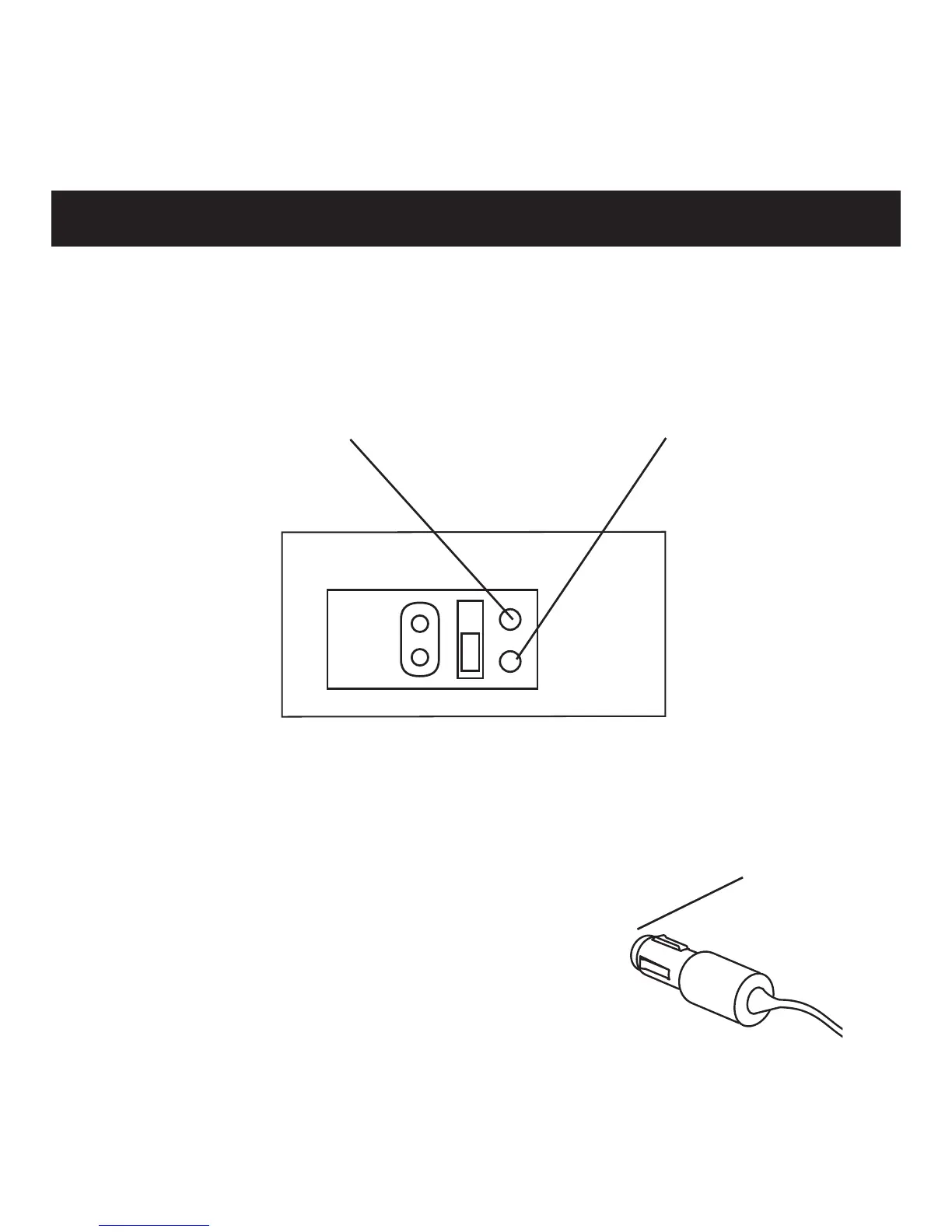
When the unit is plugged-in and the POWER CONTROL is in
either of the ON positions, the temperature selection is indicated
by the corresponding LED:
RED - HOT is selected GREEN - COLD is selected
The 12V DC plug is protected by a fuse.
If the unit fails to operate when using
the DC adapter, unscrew the end cap of
the adapter plug and check to see if the
fuse needs to be replaced. If the fuse has
blown, exchange it with a new 5 Amp
fuse and replace the cap.
End Cap
Unscrew to access
and replace fuse.


 To Next Page