12
Setup and Operation
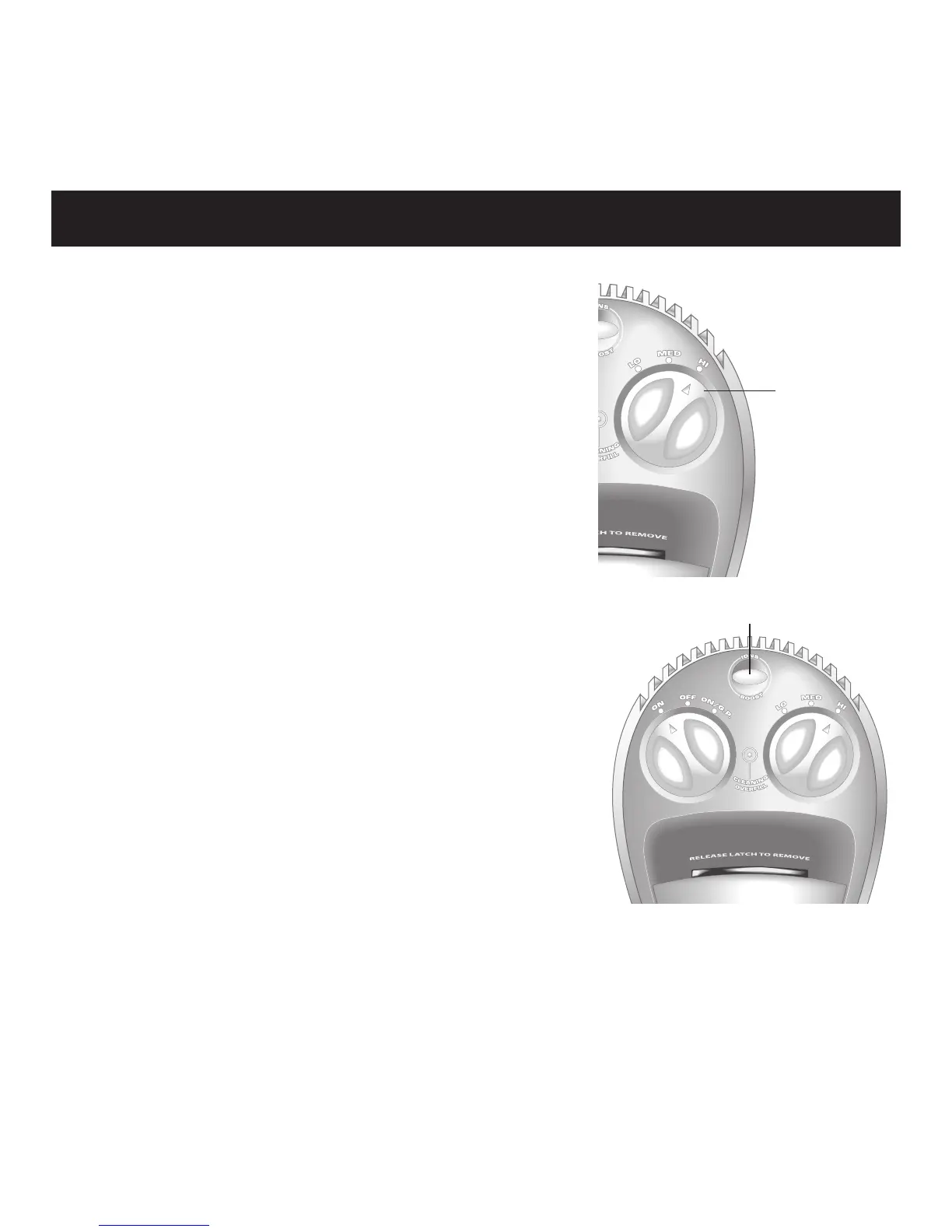
Switch the POWER CONTROL to the
desired level HI, MED or LO setting:
Normal operation at all power levels
involves a programmed cycle of altering
high and low air movement.
To override the POWER CONTROL
setting and to run the unit at maximum
power for five minutes, press BOOST/
IONS until the button turns blue.
Your previously selected power level
resumes after the five minutes.
To activate the Negative-Ion Feature™,
press BOOST/IONS until the button
turns green. This feature adds millions
of negative ions to the airflow to freshen
your indoor environment. To cancel,
press the button again.
Note: Use of this feature increases negative-ion output and may
increase soot buildup near the product.
Mode
Control
Boost/Ions



 To Next Page