Need help?
Do you have a question about the Shaw HDPVR 830 and is the answer not in the manual?
This document provides a comprehensive guide for installing, activating, and programming a new Shaw Direct set-top box, specifically the HDPVR 830 model, along with its accompanying remote. It also offers information on recycling old equipment and accessing further support.
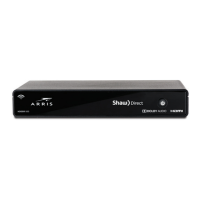
The Shaw Direct set-top box serves as the primary interface for accessing satellite television services. It receives satellite signals, decodes them, and outputs video and audio to a connected television. The HDPVR 830 model, as indicated, is a High Definition Personal Video Recorder, meaning it can record live television programs for later viewing, in addition to providing high-definition content. The set-top box is designed to be user-friendly, with clear ports for essential connections and on-screen prompts to guide the user through initial setup. It integrates with a Shaw Direct remote control, which allows users to navigate channels, access menus, control playback of recorded content, and interact with on-screen features. The system also supports advanced features like Video On Demand and Pay-Per-View, provided the set-top box is connected to a WiFi network. The remote control itself is a multi-functional device, capable of controlling both the set-top box and a connected television, offering a streamlined user experience.
The installation process begins by identifying the components included in the box: the set-top box, power cord, HDMI cable, and the Shaw Direct remote. The first step in connecting the device involves attaching two coaxial cables from the wall outlet to the "Sat 1" and "Sat 2" ports on the set-top box, ensuring a secure connection. This dual coaxial connection is crucial for receiving the full range of satellite signals. Next, an HDMI cable is used to connect the set-top box's HDMI port to the HDMI port on the television. For standard definition televisions, RCA cables (not included) can be used as an alternative. After connecting the video cable, the user is instructed to turn on their TV and select the correct HDMI input to match the connection. The final physical connection is the power cord, which connects the set-top box to an electrical outlet. Once powered on, the set-top box requires approximately one minute to boot up.
Following the physical connections, the user is guided through an initial setup process using the new Shaw Direct remote. On-screen prompts will appear, allowing the user to configure basic settings. A key feature is the option to connect the set-top box to a WiFi network. This internet connection enables access to additional services such as Video On Demand and Pay-Per-View titles, significantly expanding the entertainment options available. During the setup, users may also be prompted to enable UHF (ultra high frequency) for the remote, which allows control of the TV without needing to point the remote directly at it, or to disable this setting if not desired. The setup concludes when the screen displays 'Signal Found!', a process that typically takes about 5 minutes.
Activation of the set-top box is a separate step that can be done online or by phone. Users can visit shawdirect.ca/myaccount, log in, select "Activate your set-top box," and submit the request, or call a dedicated activation line. After activation, the 'Trip Count' value on the screen will begin to increase, indicating that the set-top box is receiving signals and is in the process of full activation, which can take up to 10 minutes. It's noted that guide and channel information may take up to an hour to fully load, so immediate availability of all data is not expected.
The document also provides instructions for programming the Shaw Direct remote to control the television, an optional but highly convenient feature. This involves reviewing the remote control manual or accessing it online at shawdirect.ca/remote to find the specific 5-digit codes for the TV brand. With the TV powered on, the user presses and holds the "TV" button on the remote until the other top buttons (AUX, SAT) flash multiple times. The 5-digit code is then entered, followed by pressing the "POWER" button. If the TV turns off, the remote has been successfully programmed. If not, the process should be repeated with different codes for the TV brand until successful. This feature allows users to control their TV's power and volume using a single remote, enhancing convenience.
While the document does not detail ongoing maintenance for the set-top box itself, it provides crucial information regarding the recycling of old equipment. If a user is replacing an older set-top box, they are advised to check the model number, specifically mentioning HDDSR 600, HDDSR 605, or HDPVR 630 as models that can be recycled. This indicates a commitment to environmental responsibility by Shaw Direct. The recycling process extends to accessories like remotes and cables, ensuring that all related components are disposed of properly. To facilitate this, users are directed to visit epra.ca to find a local drop-off location for their old equipment. This proactive approach to end-of-life equipment management is a key maintenance-related feature, promoting responsible disposal and reducing electronic waste.
For further support and troubleshooting, the document directs users to online resources. Shawdirect.ca/DSR is recommended for tips and tricks, including guidance on transferring existing settings from an old set-top box to a new one. This feature is particularly useful for users upgrading their equipment, as it helps them retain personalized preferences and configurations. Additionally, shawdirect.ca/support offers a library of online guides, articles, and videos, providing a comprehensive self-help resource for various issues that may arise. These online support channels serve as a continuous maintenance resource, empowering users to resolve common problems and optimize their experience without needing direct technical assistance. The availability of these resources ensures that users can maintain an optimal viewing experience and troubleshoot issues independently, contributing to the longevity and effective use of their Shaw Direct service.
 General
| Type | HD PVR |
|---|---|
| Hard Drive Capacity | 500 GB |
| HD Output | Yes |
| HDMI Output | Yes |
| Component Output | Yes |
| Composite Output | Yes |
| S-Video Output | No |
| Dolby Digital | Yes |
| Recording Capability | Yes |
| Optical Audio Output | Yes |
| Ethernet Port | Yes |
| USB Port | Yes |
| Wi-Fi Capability | No |


 To Next Page