EasyManua.ls Logo

Shenzhen Roundwhale Technology R-C3 - User Manual

Shenzhen Roundwhale Technology R-C3
44 pages
Print Icon
To Next Page IconTo Next Page
Loading...
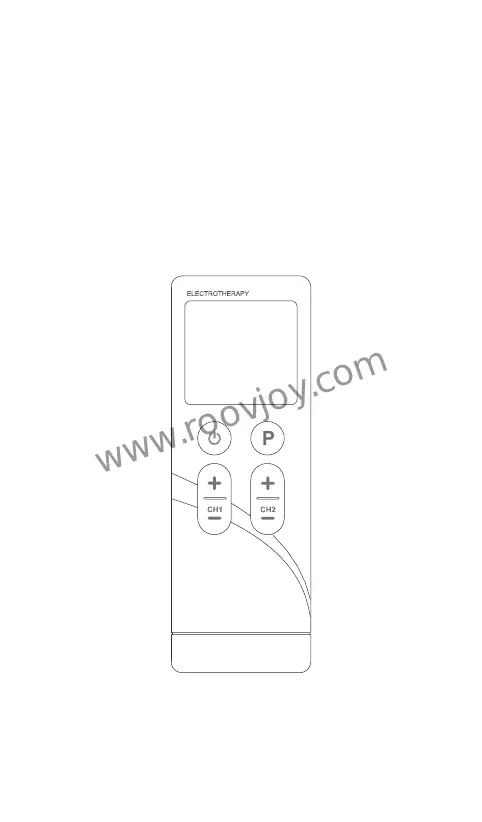
INSTRUCTION MANUAL
FOR
Combo Electrotherapy Device
Shenzhen Roundwhale Technology Co., Ltd.
This manual is valid for the R-C3 Stimulator
Model: R-C3
www.roovjoy.com

Questions and Answers

  • S
    Sophia KempAug 12, 2025
    What to do if there is no sensation of stimulation from Shenzhen Roundwhale Technology R-C3?
    • K
      Kimberly ThompsonAug 12, 2025
      If you're not feeling any stimulation from your Shenzhen Roundwhale Technology Fitness Equipment, here's what to check: 1. Make sure the electrode is firmly attached to your skin. If not, check it and re-paste it on your skin. 2. Verify the connection between the electrode and the stimulator. If the connection between electrode or weak stimulation connect well to the stimulator, check the connection. 3. The battery may be dead. Replace it with a fresh one. 4. Your skin might be too dry. In this case, wipe both the electrode and your skin with a damp cotton cloth.
  • T
    Thomas OsbornAug 16, 2025
    Why does my Shenzhen Roundwhale Technology R-C3 Fitness Equipment automatically halt in the treatment?
    • D
      Donald BurkeAug 16, 2025
      If your Shenzhen Roundwhale Technology Fitness Equipment is automatically halting during treatment, it could be due to: 1. The electrode losing contact with your skin. Ensure the electrode is properly placed and connected to your skin. 2. A depleted battery. Try replacing the battery.
  • S
    Samuel CurtisAug 23, 2025
    What to do if rash or tickle on skin occurs during Shenzhen Roundwhale Technology R-C3 treatment?
    • R
      Ronald WebbAug 23, 2025
      If you experience a rash or tickling sensation on your skin during treatment with the Shenzhen Roundwhale Technology Fitness Equipment, here are some possible reasons and solutions: * The treatment time might be too long. Try doing the treatment once a day and shorten the treatment time. * The electrode may not be sticking well to your skin. Check and ensure the electrode is properly attached. * The electrode interface may be dirty or dry. Wipe the electrode with a damp cotton cloth before use. * Your skin may be sensitive to the electrode. Review your allergy history, change the placement of the electrode, or reduce the treatment time. If over-sensitivity persists, discontinue use and consult a doctor.
  • K
    karimccartyAug 27, 2025
    What to do if rash or tickle on skin occurs during Shenzhen Roundwhale Technology Medical Equipment treatment?
    • K
      Kenneth CoxAug 27, 2025
      If you experience a rash or tickling sensation on your skin during treatment with your Shenzhen Roundwhale Technology Medical Equipment, it could be due to several reasons. First, the treatment time might be too long; try shortening the duration and only doing it once a day. Second, ensure the electrode is properly adhered to your skin. Third, the electrode surface may be dirty or dry; clean it with a wet cotton cloth before each use. Finally, you might have sensitive skin. Consider your allergy history, change the electrode placement, or reduce the treatment time. If your skin is highly sensitive, discontinue use and consult a doctor.
  • A
    Ashley CuevasAug 31, 2025
    What to do if Shenzhen Roundwhale Technology Medical Equipment has automatic halt?
    • D
      Dale JonesAug 31, 2025
      If your Shenzhen Roundwhale Technology Medical Equipment automatically halts, it could be due to the electrode losing connection with your skin. Ensure it is correctly placed and properly attached. Another possibility is that the battery is depleted, so ensure you charge the device.
  • E
    Elizabeth AndersonSep 4, 2025
    Why no sensation of stimulation or weak stimulation from Shenzhen Roundwhale Technology Medical Equipment?
    • L
      Larry Simon MDSep 4, 2025
      If you're experiencing no sensation or weak stimulation from your Shenzhen Roundwhale Technology Medical Equipment, first ensure the electrode is making good contact with your skin by checking and re-pasting it. Also, verify the connection between the electrode and the stimulator. If that's not the issue, the battery might be low, so charge it. Lastly, dry skin can be a factor; wipe both the electrode and your skin with a damp cotton cloth.
  • A
    Aimee LongSep 7, 2025
    How to fix no display on Shenzhen Roundwhale Technology Medical Equipment?
    • R
      Rhonda BurnsSep 7, 2025
      If your Shenzhen Roundwhale Technology Medical Equipment shows no display, it is likely that the battery is exhausted. Make sure to charge it promptly.
  • E
    Edgar CummingsSep 10, 2025
    How to fix no display on Shenzhen Roundwhale Technology R-C3 Fitness Equipment after battery replacement?
    • E
      elucasSep 12, 2025
      If the display on your Shenzhen Roundwhale Technology Fitness Equipment isn't working after a battery replacement, consider the following: * Check the battery compartment for any foreign objects and clean it. * Ensure the battery isn't used up or installed incorrectly; replace it with a new one, installing it correctly. * Inspect the battery interface for any foreign bodies and clean the interface. * Verify that you're using the correct battery model, and if the issue persists, there may be a problem with the battery interface. Replace the battery with the right model.

Summary

FOREWORD

Introduction to the R-C3 Device

Overview of the R-C3 device, its functions (TENS, EMS, MASSAGE), and basic principles.

Medical Background on Pain

Explains the physiological basis of pain and its perception by the body.

SAFETY INFORMATION

Intended Use of the Device

Describes the specific applications for TENS, EMS, and Massage modes of the device.

Contraindications and General Warnings

Lists specific conditions or situations where the device should not be used and general warnings.

Usage Precautions and Adverse Reactions

Details necessary precautions during use and potential side effects or reactions.

GETTING TO KNOW YOUR DEVICE

Device Accessories and Contents

Lists the components included with the COMBO Stimulator device.

LCD Display Indicators

Explains the various symbols and indicators shown on the device's LCD screen.

Device Component Illustration

Provides a visual diagram of the device with numbered components and their descriptions.

SPECIFICATION

Technical Specifications and Operating Conditions

Details the device's specifications, operating conditions, dimensions, and precision.

OPERATING INSTRUCTION

Connecting Electrode Wires and Pads

Guide on connecting electrode pads to wires and wires to the device.

Electrode Placement and Skin Contact

Information on electrode types, placement on skin, and handling precautions.

INSTRUCTIONS FOR USE

Basic Device Operation

Covers turning on the device, selecting modes, and programs.

Treatment Parameter Adjustment

Details setting parameters, starting treatment, adjusting intensity, and stopping the device.

Battery Charging and Safety Lock Features

Instructions for charging the battery and the function of the safety lock feature.

Electrode Pad Usage and Care

Guidelines on using electrode pads, their care, and proper placement on the body.

CLEANING AND MAINTENANCE

Device Cleaning Procedures

Steps for cleaning the device, including precautions regarding moisture and cleaning agents.

Maintenance and Unauthorized Repairs

Details on device maintenance, unauthorized repairs, and warranty implications.

TROUBLESHOOTING

Common Device Malfunctions and Solutions

Lists common issues such as no display, no sensation, or automatic halt, with corresponding solutions.

Managing Skin Irritation During Treatment

Provides guidance on managing skin reactions like rash or tickling during therapy.

STORAGE

Storing Electrode Pads and Lead Wires

Instructions for properly storing the electrodes and wires.

Storing the Stimulator Unit

Guidelines for storing the main device unit in a suitable environment.

DISPOSAL

ELECTROMAGNETIC COMPATIBILITY (EMC) TABLES

Electromagnetic Emissions Compliance

Details the device's electromagnetic emissions and their compliance with standards.

Electromagnetic Immunity and Environment

Specifies the device's immunity to electromagnetic interference and environmental conditions.

RF Immunity and Recommended Separation Distances

Explains RF immunity requirements and recommended separation distances for mobile devices.

RF Wireless Communications Immunity Specifications

Provides test specifications for immunity to RF wireless communications equipment.

NORMALIZED SYMBOLS

WARRANTY INFORMATION

Warranty Terms and Claim Procedures

Outlines the warranty period, claim process, and exclusions.

Shenzhen Roundwhale Technology R-C3 Specifications

General IconGeneral
BrandShenzhen Roundwhale Technology
ModelR-C3
CategoryFitness Equipment
LanguageEnglish

Related product manuals