
 Need help?
Do you have a question about the Shenzhen Sricctv Technology Sricam and is the answer not in the manual?
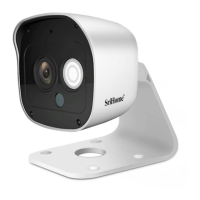
Overview of the IP camera product and its features.
Essential pre-configuration steps for camera setup, including antenna placement and network settings.
Instructions for downloading and installing the SriHome mobile application.
Steps for creating an account and logging into the SriHome application.
Guide on establishing network connectivity for the IP camera.
Instructions for powering on the IP camera and its initial boot sequence.
Step-by-step guide on adding the camera to the SriHome app via Wi-Fi QR code.
Explanation of the various icons and controls within the camera's monitoring interface.
Common issues and solutions for adding the device to the app.
Detailed guide for connecting the camera using its Wi-Fi hotspot.
Further steps for adding the device to the app, including network settings.
Instructions on how to grant access to the camera for other users.
 General
| Brand | Shenzhen Sricctv Technology |
|---|---|
| Model | Sricam |
| Category | IP Camera |
| Language | English |

 To Next Page