
 Need help?
Do you have a question about the Sherpa BPS-Kompakt 3.0 and is the answer not in the manual?
Details the items included in the basic and additional equipment sets.
Lists optional accessories and features for enhanced functionality.
Outlines the manufacturer's obligations and compliance with directives.
Defines the user's duties for safe and correct operation and maintenance.
Describes available interfaces for computer connectivity.
Covers limitation of liability and warranty terms.
Lists all related operating and technical documents available.
Explains symbols, abbreviations, and technical terms used in the manual.
Provides essential safety rules and warnings for safe operation and handling.
Instructs on proper actions to take during dangerous situations or emergencies.
Defines the intended application and limitations of the roller brake tester.
Specifies the qualifications and training needed for operators.
Outlines safety features and considerations for user well-being.
Details environmental factors and precautions necessary for safe operation.
Refers to procedures for setting up and taking down the equipment.
Guides on the proper and safe disposal of the test unit and its components.
Emphasizes the importance of adhering to the manual's instructions.
Identifies and explains safety labels and warning signs on the equipment.
Highlights residual risks and necessary precautions for safe operation.
Information for identifying the test unit, including type labels and specifications.
Specifies operating parameters like humidity and temperature limits.
Details dimensions, weight, and display specifications.
Provides electrical specifications for the control box.
Lists technical data for different compact roll set models.
Explains the types of vehicles and tests the system is certified for.
Lists requirements for brake testers used in vehicle inspections according to EU directive.
Describes the ASA-Livestream interface and its delivery scope.
Discusses compatibility with vehicles having different all-wheel drive systems.
Explains the function and benefits of the automatic AWD detection option.
Details the primary parts of the test unit.
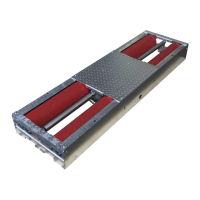
Describes the construction and features of the roller sets.
Explains the function and components of the control box.
Covers the display units and how measurement results are presented.
Outlines the different operational modes available for the test stand.
Describes how to control the unit manually via remote or buttons.
Explains the automatic test run start and its features.
Details the option to reverse roller rotation and measurement direction.
Specifies the operation of the automatic AWD detection mode.
Covers the general installation process and main components.
Lists the essential parts that need to be installed.
Defines the required locations for operating the test stand.
Explains how the roller brake tester functions during operation.
Details the setup and connection of major components.
Describes the installation specifics for different roller set types.
Specifies where and how to install the control box.
Covers the installation of different types of display units.
Instructions for mounting and positioning the analogue display.
Guidelines for installing PC-based display units.
Requirements for selecting a suitable location for installation.
Covers requirements for delivery, installation site, and environmental conditions.
Specifies requirements for the foundation and floor load capacity.
Details operating temperature, humidity, and protection ratings.
Outlines requirements for power supply connections.
Provides guidance on planning the installation of components.
Details installation of self-contained and two-part roller sets.
Specifies the mounting location for the control box.
Guidance on operator visibility for the analogue display.
Information on the space needed for the entire test stand setup.
Refers to technical documentation for detailed dimensions and weights.
Outlines conditions necessary for assembling and installing the test stand.
Specifies safety rules for personnel involved in assembly and installation.
Provides step-by-step instructions for assembling the main components.
Instructions for mounting the display and connecting power.
Details connection for analogue or PC display units.
Instructions for mounting and connecting the control box.
Step-by-step guide for assembling and adjusting the roller set.
Refers to calibration procedures according to ISO 17025 standards.
Steps for putting the test stand into operation for the first time.
Details the installation and function of the optional lifting/lowering device.
Describes the lifting device and its installation process.
Explains how the lifting device is used for safety and vehicle handling.
Provides further details on the lifting device's operation and features.
Explains the features and usage of the optional remote control.
Shows a visual overview of the remote control and its buttons.
Explains the meaning of symbols on the remote control.
Instructions for preparing the remote control for use.
Refers to a separate manual for detailed remote control functions.
Safety measures to be observed during the operation of the test stand.
Describes built-in safety features like the main switch and automatic shut-off.
Identifies and explains the function of all control elements.
Details the buttons, switches, and indicators on the control box.
Explains the different display units and how they show measurement results.
Illustrates the analogue display and its various indicators.
Describes the needle display for brake force imbalance.
Explains the LED display for brake force imbalance indication.
Shows status indicators and symbols used on the displays.
Step-by-step guide on how to operate the test stand.
Instructions for powering up the test stand and initial checks.
Covers the different modes for operating the test stand.
Explains manual operation requiring two operators.
Details the procedure for starting tests automatically.
General steps for conducting a test, including vehicle positioning.
Refers to a separate manual for detailed remote control operations.
Explains the procedure for testing motorcycles with specific options.
Specific steps for performing a motorcycle brake test.
Details the operation and procedure for automatic AWD detection.
Provides an overview of the control box layout and switches.
Explains switch positions for roller rotation and measurement direction.
Steps to prepare the control box for automatic AWD detection tests.
Step-by-step guide for conducting automatic AWD detection tests.
Concise steps for powering on and preparing the test stand.
Instructions for safely driving the vehicle onto the test rollers.
Procedure for performing a brake test and observing results.
Steps for safely driving the vehicle off the test stand.
Instructions for safely shutting down and securing the test stand.
Safety precautions to follow when troubleshooting issues.
Contact information for technical support and service.
Shows the location and types of fuses in the control box.
Explains how to interpret error messages and warnings.
Describes the indicators for error messages.
Describes the indicators for warning messages.
Provides a guide to identify and rectify common faults.
Steps for basic troubleshooting and error clearing procedures.
Lists potential warnings, their causes, and corrective actions.
Safety precautions for maintenance and repair tasks.
Guidelines for regularly inspecting safety-relevant devices.
Information on documenting maintenance activities.
Refers to the maintenance plan for test unit upkeep.
Details on routine tests and calibration requirements.
Specifies requirements and frequency for routine tests.
Lists special tools and materials required for calibration.
Outlines a schedule for inspection and maintenance tasks.
Details specific tasks for inspection and maintenance.
Safety measures to be followed during disassembly and disposal.
Critical safety instructions for qualified personnel.
Step-by-step guide for disconnecting and removing components.
General instructions for dismantling the test stand.
Emphasizes the use of appropriate lifting equipment for disassembly.
Provides guidance on the proper disposal of the equipment.
Highlights the importance of legal regulations for disposal.
Details how to dispose of specific materials like oil and electronic boards.
Information on obtaining technical drawings and layout plans.
Details on how to acquire foundation and installation documentation.
Information on ordering spare parts and consumables.
Availability of electrical schematics and documentation.
Lists available manuals for optional features and software.
Information on obtaining test reports.
Sherpa GmbH contact details for service and support.
 General
| Brand | Sherpa |
|---|---|
| Model | BPS-Kompakt 3.0 |
| Category | Test Equipment |
| Language | English |

 To Next Page
