EasyManua.ls Logo

Sherwood Newcastle D-480 - User Manual

Sherwood Newcastle D-480
20 pages
Print Icon
To Next Page IconTo Next Page
Loading...
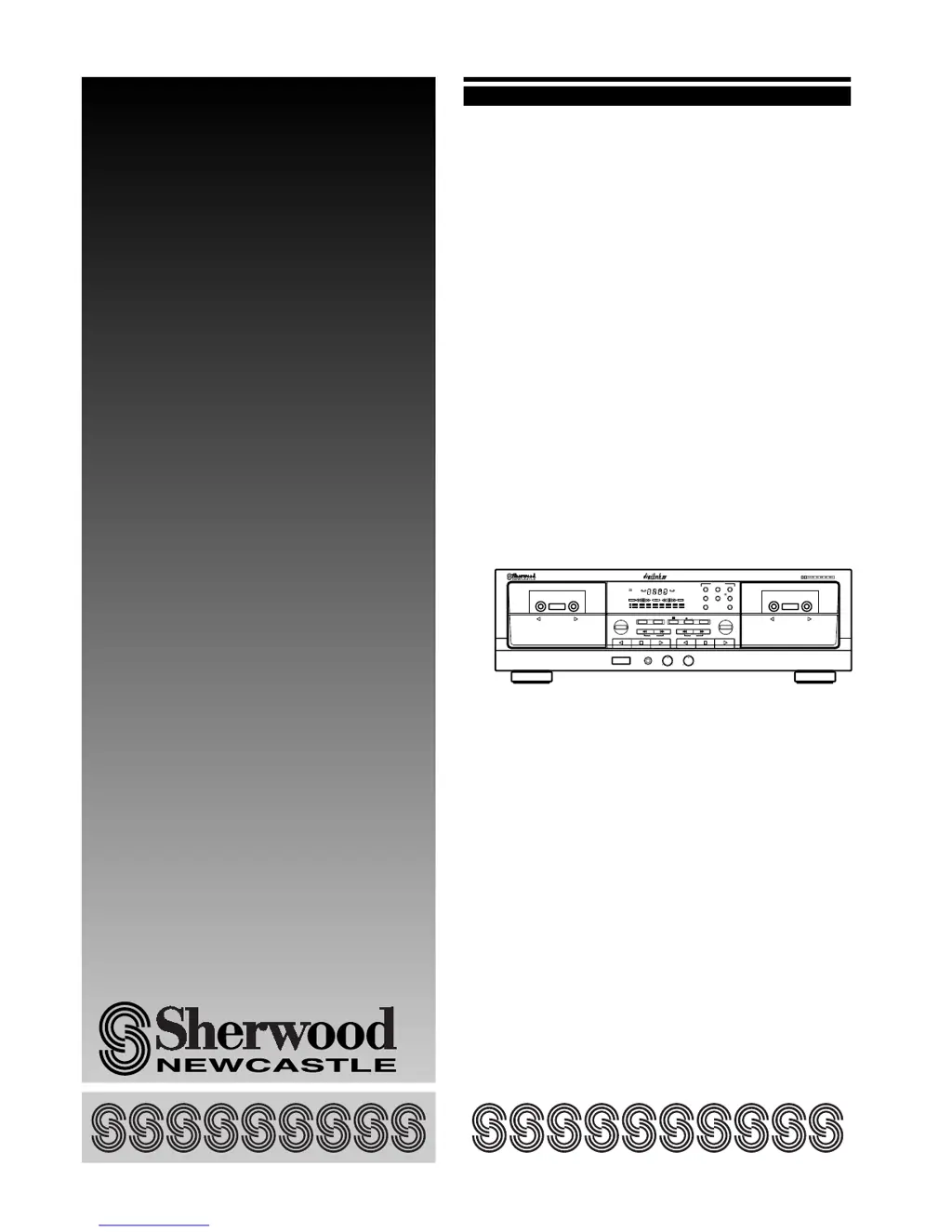
OPERATING INSTRUCTIONS
D-480
Double Cassette Deck
BC
NORMHIGH
SYN MPX MIN SEC
RELAY
REC
P
CD
M
REC
L
R
dB -00 -20 -10 -6 -3 0 +3 +6
DOUBLE CASSETTE DECK D-480
AUTO REVERSE
PLAY/AUTO TAPE SELECTOR RECORD & PLAY/AUTO TAPE SELECTOR
HX-PRO
AUTO REVERSE
RESET A/B MODE
RELAY PLAY
DUBBING / CD SYN REC EJECT
HIGHNORMAL
AMS AMS
EJECT
REC BALANCEREC LEVELPHONESPOWER
ON/OFF
LR0 10
REVERSE
TAPE SIZE MEMORY
NR B/C/OFF
COUNTER
BA

Questions and Answers

  • T
    taylorcameronJul 29, 2025
    What to do if my Sherwood Newcastle D-480 Cassette Player has no power?
    • M
      Melinda MorganJul 30, 2025
      If your Sherwood Cassette Player isn't turning on, make sure the AC input cord is securely connected. Also, ensure that the POWER switch is fully pressed to the ON position.
  • R
    Randy RobertsAug 3, 2025
    Why is my Sherwood Cassette Player too noisy?
    • R
      Robert TaylorAug 3, 2025
      If your Sherwood Cassette Player is producing excessive noise, the head may be magnetized, and you should demagnetize it. Also, check all connections and ensure all cords are securely connected, as poor connections can also cause noise.
  • G
    Gabrielle ReeseAug 9, 2025
    What to do if my Sherwood Newcastle D-480 Cassette Player has no sound?
    • M
      Matthew YoungAug 9, 2025
      If you're not getting any sound from your Sherwood Cassette Player, first check that you have a recorded tape loaded. Also, ensure that all connections are made correctly, and that the amplifier is operating correctly.
  • S
    sheltonstevenAug 13, 2025
    Why is my Sherwood Newcastle D-480 producing a distorted sound?
    • C
      Cynthia SmithAug 13, 2025
      If your Sherwood Cassette Player is producing distorted or abnormal sound, the head may be dirty and needs cleaning. Also, check that the Dolby NR system is selected correctly or turned OFF, and replace the tape if it's stretched or wrinkled.
  • C
    caliAug 19, 2025
    How to fix vibrating sound on Sherwood Newcastle D-480 Cassette Player?
    • M
      milescristianAug 19, 2025
      If your Sherwood Cassette Player is making a vibrating sound, the capstans or pinch rollers might be dirty; clean them. Also, if the tape is irregularly wound, try winding it by advancing or rewinding rapidly.
  • A
    Amanda PerezAug 23, 2025
    What to do if my Sherwood Newcastle D-480 is not recording?
    • J
      Jeffrey RobinsonAug 23, 2025
      If your Sherwood Cassette Player isn't recording, check whether the tabs on the cassette have been removed. If so, cover the holes with adhesive tape. Also, make sure the REC LEVEL control is set appropriately, and clean the head, as a dirty head can prevent recording.

Summary

Unpacking and Installation Guide

Safety and Regulatory Warnings

Covers electrical safety, general warnings, and FCC compliance information.

Pre-Operation Safety and Voltage Guide

Regional Voltage and Safety Precautions

Details voltage requirements and safety advice for different global regions.

Rear Panel Connectivity Explained

Rear Panel Connection Ports

Identifies and describes the rear panel jacks for audio and control connections.

Sherwood D-480 Front Panel Controls

Front Panel Button and Indicator Guide

Explains the functions of all buttons and indicators on the cassette deck's front panel.

Cassette Deck Control Functions

Power, Playback, and Transport Controls

Details operations for power, playback modes, rewind, fast forward, stop, and pause.

Recording and Dubbing Controls

Covers controls for recording, dubbing, level/balance adjustments, and tape settings.

Advanced Cassette Deck Features

Memory, Counter, and Deck Selector

Explains memory functions, counter modes, and deck selection for the cassette deck.

Fluorescent Display Indicators

Clarifies the meaning of symbols and readouts on the fluorescent display.

Playing Back Cassette Tapes

Basic Tape Playback Procedure

Guides on powering on, inserting tapes, and using the auto tape selector.

Dolby Noise Reduction for Playback

Explains how to select and use Dolby NR systems during tape playback.

Cassette Playback Modes

Reverse Play and Relay Play Options

Details various reverse modes and the relay play function for continuous playback.

Starting and Stopping Playback

Instructions on initiating tape playback and stopping the unit.

Recording Cassette Tapes

Automatic Music Search (AMS)

Describes the AMS feature for quickly finding and playing specific tracks.

Recording Preparation and Start

Outlines steps for loading tape, selecting modes, and starting the recording process.

Recording Level and Quality Settings

Dolby NR and Source Selection for Recording

Guides on selecting Dolby NR and program sources for optimal recording.

Recording Level and Balance Adjustment

Details how to set recording levels and balance for high-quality sound.

Optimizing Cassette Recordings

Setting Recording Levels for Tape Types

Provides guidance on adjusting levels for normal, chrome, and metal tapes.

Creating Blank Spaces on Tape

Explains the procedure for inserting blank segments into recordings.

Advanced Recording and Dubbing

CD Synchro Recording Guide

Instructions for automatic recording from a CD player via DIGI LINK.

Dubbing Cassettes from Deck B to A

Step-by-step guide for copying tapes between decks.

Dubbing Speeds and Counter Modes

Selecting Dubbing Speed Mode

Explains how to choose between normal and high-speed dubbing.

Choosing Tape Counter Display

Details selecting between tape counter and time counter modes.

Tape and Counter Functions

Setting Tape Length for Counter

Guides on selecting tape length for accurate time display.

Resetting and Memory Functions

Explains how to reset tape counters and use the memory function.

Understanding Recording Technologies

Dolby HX Professional Headroom Extension

Explains the Dolby HX Pro system for enhanced dynamic range and clarity.

Principles of Dolby Noise Reduction

Details how Dolby NR systems (B/C) reduce tape hiss and improve sound.

Cassette Tape Care and Maintenance

Cassette Tape Handling and Protection

Provides tips on loading, protecting recordings, and storing tapes.

Head Cleaning and Demagnetization

Guides on maintaining the tape heads for optimal performance.

Sherwood D-480 Troubleshooting

Common Problems and Solutions

Lists typical issues like no power, no sound, and their corrective actions.

Sherwood D-480 Specifications

General Technical Specifications

Provides key technical details including power, dimensions, and weight.

Sherwood Newcastle D-480 Specifications

General IconGeneral
BrandSherwood
ModelNewcastle D-480
CategoryCassette Player
LanguageEnglish

Related product manuals