8
Quick Start Guide - ProGrip Quick Start Guide - ProGripPart I Part I
9
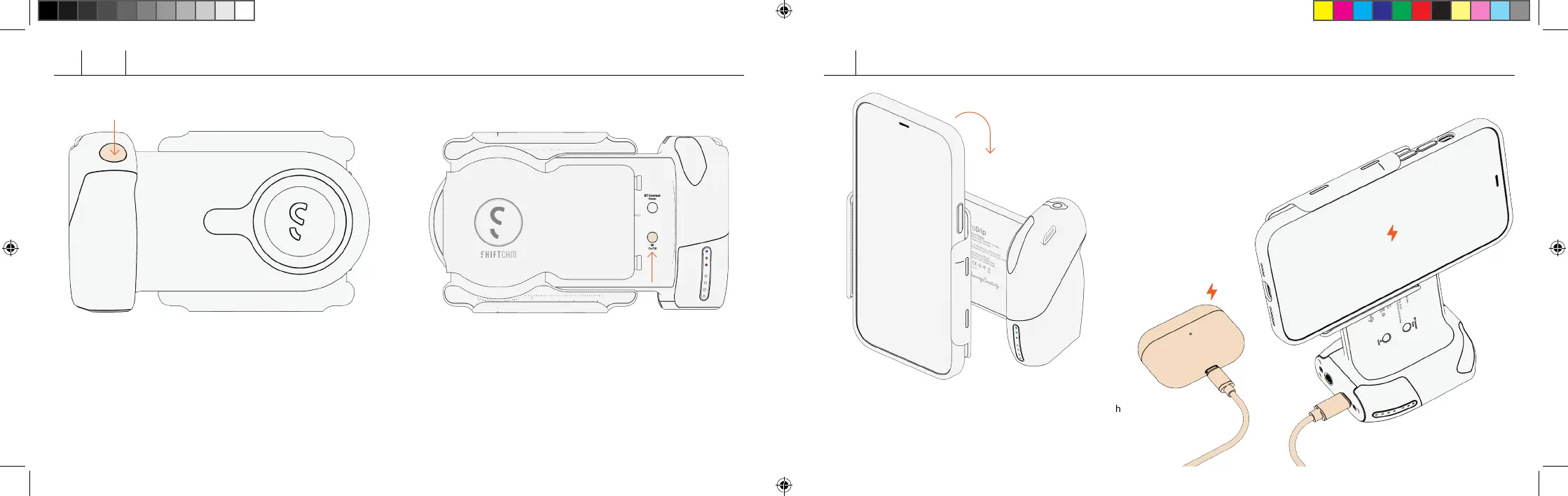
Portrait Mode
Rotate universal clamp to switch
to portrait mode.
90° clockwise
Power Bank
Charge other devices simultaneously
with ProGrip using USB-C cable.
Connecting to Bluetooth Shutter
Press the shuer buon and select
“ShiCam ProGrip“ on your smartphone to
pair. Short press to take photo, long press to
take burst/video.
Wireless Charging
Press the Charging Buon and aach your
smartphone onto the ProGrip securely.
ShiftCam - Getting Started draft 08.indd 8-9
ShiftCam - Getting Started draft 08.indd 8-9
3/8/2022 6:46 PM



 To Next Page