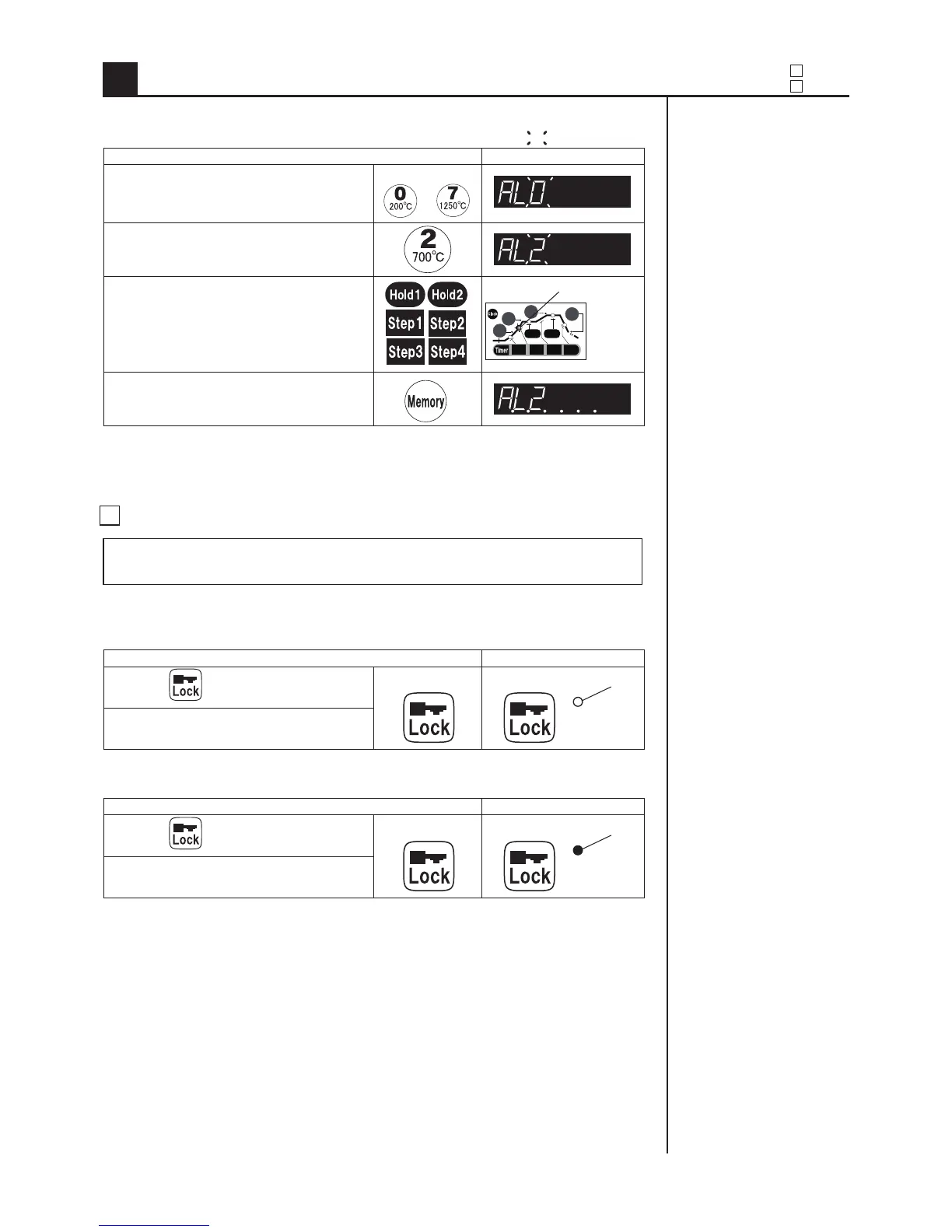
Operating procedure Display panel
(1) Enter into buzzer setting mode.
More than 5 seconds
(2) Enter into the buzzer setting
mode “AL-2”.
(3) Push the key of the process which
you want to ring the buzzer
The indicator ashes.
(5) Save the setting.
Operating procedure Display panel
(1)
Push for more than 5 minutes.
More than 5 seconds The indicator lights up.
(2) Buzzer sounds briey.
Operating procedure Display panel
(1)
Push for more than 5 seconds.
More than 5 seconds The indicator lights off.
(2) Buzzer sounds briey.
20
Hold1 Hold2
Temp.1
Temp.4
Temp.3
Temp.2
Step1 Step2 Step3 Step4
3 Lock
1. Lock
You can lock input keys to prevent an operating mistake of the program
during ring or the saved program.
2.Cancel the lock.
※
You can conrm the process,
setting temperature, and
program number during ring
even if key input is locked.
3. Sound the buzzer after nishing the designated process.
+
For example
Time 2
2 Buzzer
3 Lock
Convenient functions of controller
6
shows ashing.



 To Next Page