8
4. USING THE AUTOPOUR
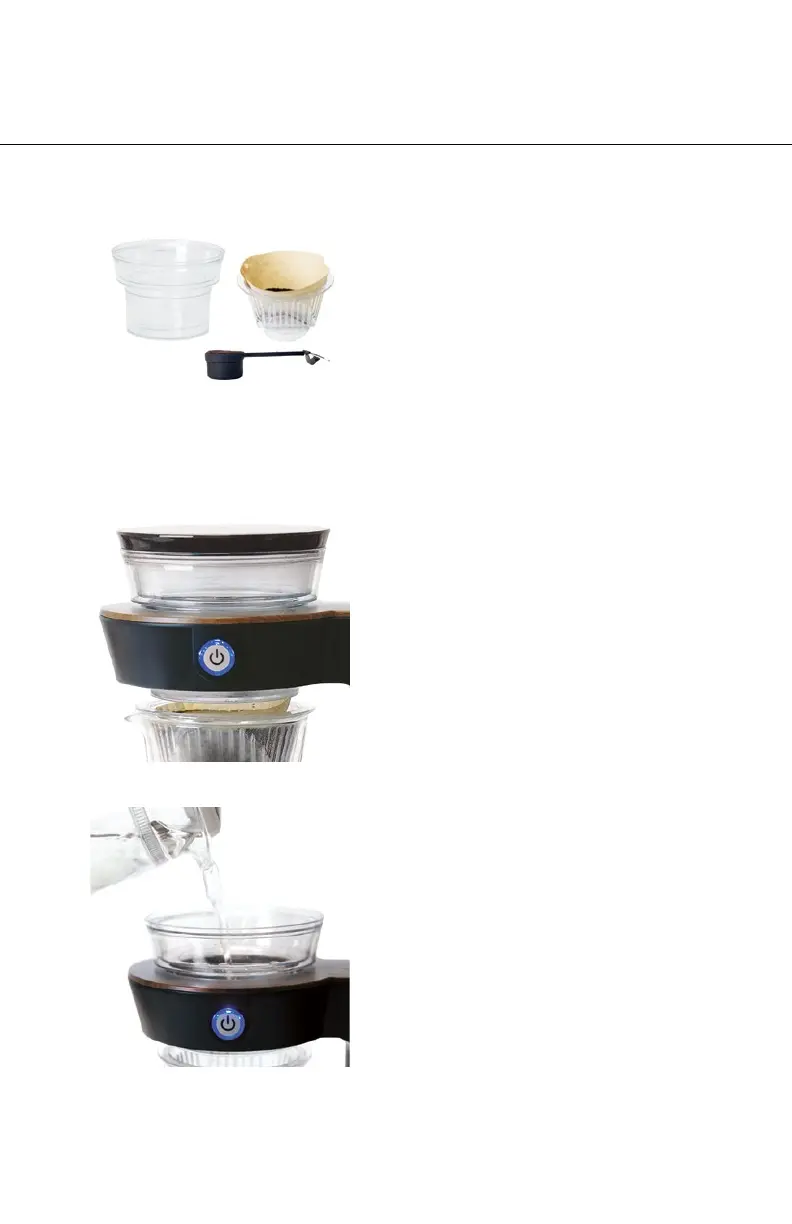
STEP 1: Scoop Your Coffee
Use your PRE-MEASURED SCOOP to add
ground coffee to a #1 cone paper filter
inside your FILTER BASKET. Use one scoop
per serving of coffee desired, up to two
servings. Place the FILTER BASKET inside
the GLASS CARAFE and position them into
the MAIN BODY.
STEP 3: Fill the Water Reservoir
Add pre-heated 200°F water to the WATER
RESERVOIR. Fill to the “Bloom/Steaming”
line inside the WATER RESERVOIR and wait
for 30 seconds for the coffee to bloom.
Then, fill up to the “1 Cup” line for 1 serving
or the “2 Cup” line for 2 servings. Blooming
your coffee is optional, skip this if you don’t
have time.
STEP 2: Turn On the Autopour
Press the power button and the WATER
RESERVOIR will begin to rotate. Remove the
RESERVOIR CAP before filling with water.
1 Scoop of Ground Coffee
per Serving of Water



 To Next Page