7. PARAMETER SETTING VM-5S
-35-
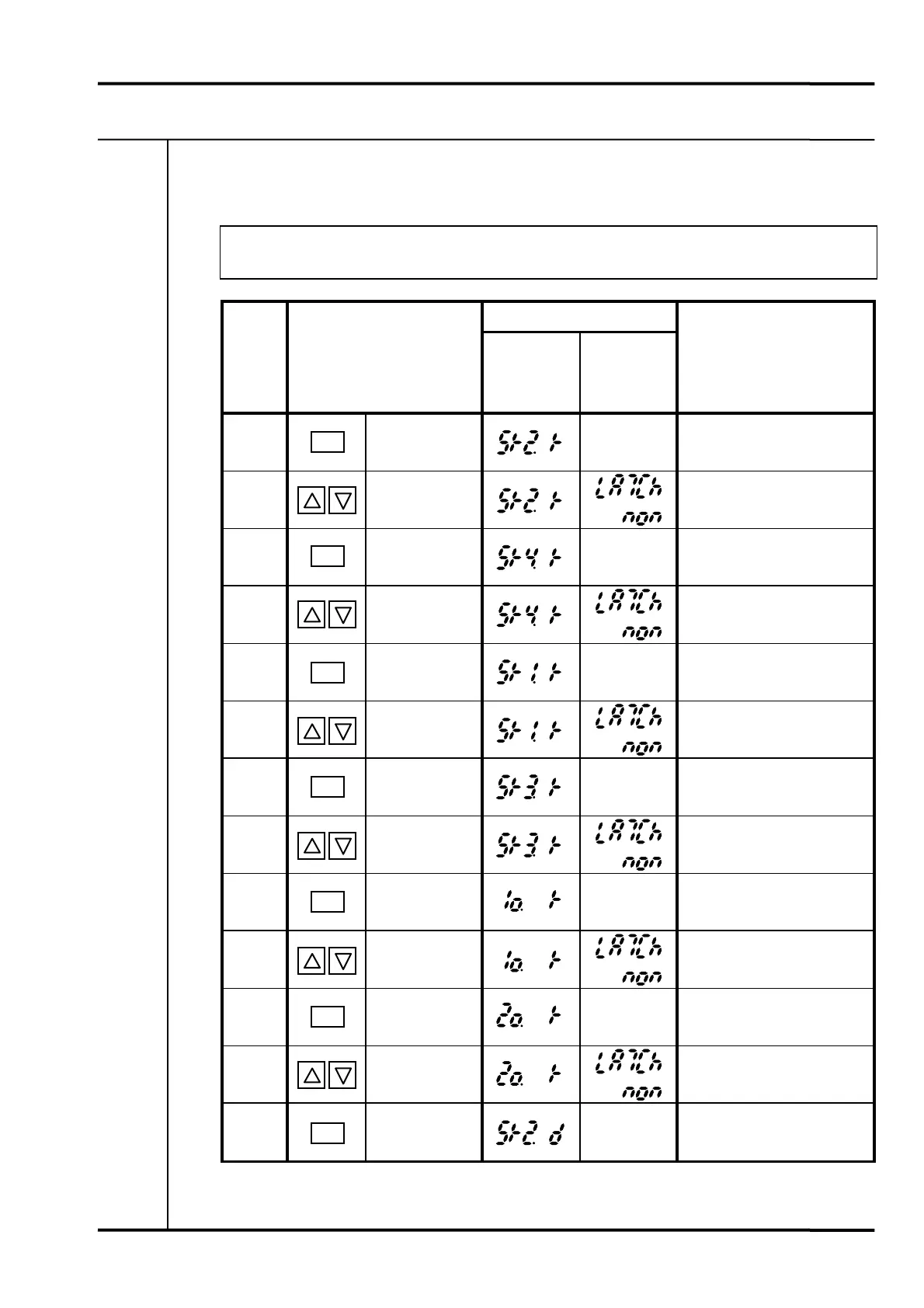
7-4-5 KEY OPERATIONS
The chart below describes the key operations for PARAMETER SETTING 1.
• The display is reset to normal if there is no key operation for approx. 60 sec.
LCD display
Proce-
dure
Key operation
MEAS 1
(Parameter)
MEAS 2
(Parameter
Status)
Remarks
1
Press SET key
more than 5 sec.
Present
status
Specify SPEED RELAY 2
reset mode.
2
Press UP or
DOWN key.
Select latch or non-latch
with UP or DOWN key.
3
Press SET key.
Present
status
Specify SPEED RELAY 4
reset mode.
4
Press UP or
DOWN key.
Select latch or non-latch
with UP or DOWN key.
5
Press SET key.
Present
status
Specify SPEED RELAY 1
reset mode.
6
Press UP or
DOWN key.
Select latch or non-latch
with UP or DOWN key.
7
Press SET key.
Present
status
Specify SPEED RELAY 3
reset mode.
8
Press UP or
DOWN key.
Select latch or non-latch
with UP or DOWN key.
9
Press SET key.
Present
status
Specify CH1 OK (input
abnormal) alarm reset mode.
10
Press UP or
DOWN key.
Select latch or non-latch
with UP or DOWN key.
11
Press SET key.
Present
status
Specify CH2 OK (input
abnormal) alarm reset mode.
12
Press UP or
DOWN key.
Select latch or non-latch
with UP or DOWN key.
13
Press SET key.
Present
status
Specify SPEED RELAY 2
delay time.
SET
SET
SET
SET
SET
SET
SET



 To Next Page
 Loading...