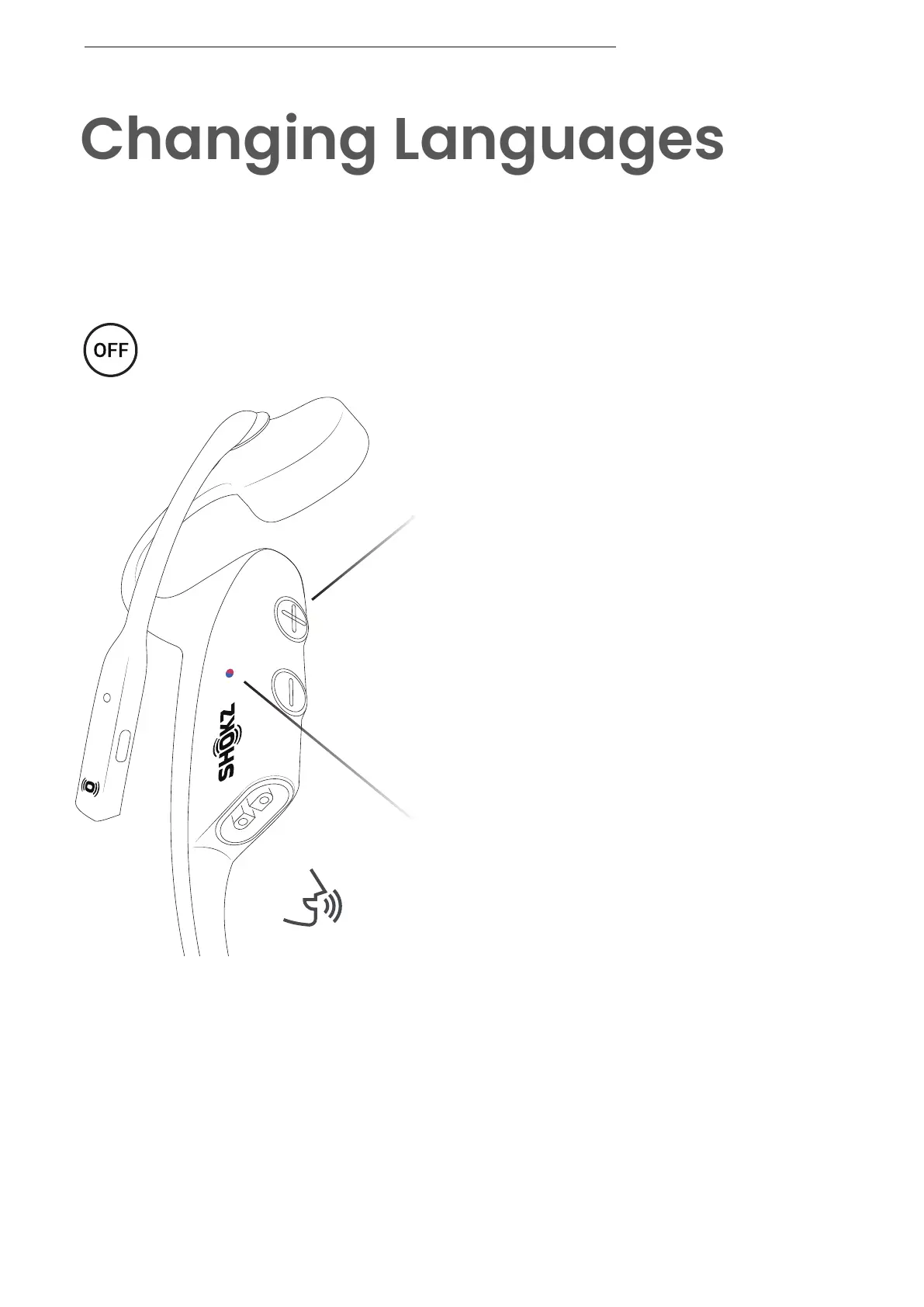
Follow the instruction when your headset
is powered off.
1. Start with your headset powered off.
2. Press and hold Volume + until Audrey says “pairing”
and the LED indicator flashes red and blue alternately.
Audrey will say, “pairing.”
Your headset has four built-in languages:
Chinese, English, Japanese and Korean.
CHANGING LANGUAGES
LED Indicator
Power/Volume + Button
18



 To Next Page