EasyManua.ls Logo

Shop fox W1812 - User Manual

Shop fox W1812
56 pages
Print Icon
To Next Page IconTo Next Page
Loading...
OWNER'S MANUAL
Phone: (360) 734-3482 • Online Technical Support: tech-support@shopfox.biz
COPYRIGHT © MARCH, 2009 BY WOODSTOCK INTERNATIONAL, INC. REVISED NOVEMBER, 2011 (KN)
WARNING: NO PORTION OF THIS MANUAL MAY BE REPRODUCED IN ANY SHAPE OR FORM WITHOUT
THE WRITTEN APPROVAL OF WOODSTOCK INTERNATIONAL, INC.
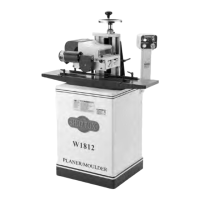
MODEL W1812
VARIABLE SPEED PLANER/
MOULDER WITH STAND
(FOR MODELS MANUFACTURED SINCE 01/12)
#11399CR  Printed in Taiwan
177335

Questions and Answers

  • J
    Jill CalhounAug 26, 2025
    Why is the handwheel on my Shop fox W1812 hard to move?
    • K
      Kimberly SmithAug 26, 2025
      If the handwheel on your Shop Fox Planer binds or is difficult to move, it might be because the lock lever is tightened; loosen the lock lever knob. Another reason could be a burr, debris, or gunk hindering the way and column slide; de-burr, clean, and re-lubricate the handwheel leadscrew, ways, and gib. Worn, dry, or damaged bushings can also cause this issue; clean, lubricate, or replace the shaft and bushings.
  • W
    williamsmichaelAug 27, 2025
    How to prevent snipe on my Shop fox W1812?
    • D
      Debra HansenAug 27, 2025
      Excessive snipe on your Shop Fox Planer, which manifests as a dip in the end of the board, can be attributed to a few reasons. One possibility is that one or both of the feed rollers are set too low; adjust the feed rollers to the correct height. Alternatively, the feed roller springs might be applying too much roller pressure; reduce the feed roller spring tension. Lastly, the workpiece may not be supported as it leaves the planer; hold the workpiece up slightly as it leaves the outfeed end of the planer.
  • T
    Terri PhillipsAug 30, 2025
    What causes my Shop fox W1812 to stop mid-cut?
    • J
      Jordan AlvaradoAug 30, 2025
      If the workpiece stops or slows in the middle of a cut with your Shop Fox Planer, it could be because you're taking too heavy of a cut; raise the headstock to take a lighter cut. Another reason could be that one or both of the feed rollers are adjusted too high, causing the workpiece to slip; lower the feed rollers to what is specified in the manual. Additionally, the feed roller spring tension might be too light; increase the feed roller spring tension. A guide or fence interfering with the workpiece travel can also cause this issue; adjust the guides or fence for adequate support without workpiece interference. Lastly, pitch and glue build-up on the planer components can cause the workpiece to stop or slow; clean internal cutterhead components with a pitch/resin dissolving solvent.
  • L
    Laura BuchananSep 1, 2025
    Why does my Shop fox W1812 cause consistent chipping?
    • B
      bridget16Sep 2, 2025
      Chipping with a consistent pattern on your Shop Fox Planer can be due to knots or conflicting grain direction in the wood; inspect the workpiece for these issues and only process clean stock. Another cause could be a nicked or chipped knife; replace the affected knife or have it sharpened. Feeding the workpiece too fast or taking too deep of a cut can also cause chipping; slow down the feed rate and take a smaller depth of cut, especially when surface planing or working with hardwoods.
  • A
    Albert RiceSep 4, 2025
    Why does my Shop fox W1812 cause inconsistent chipping?
    • S
      suzanne27Sep 4, 2025
      If you're experiencing inconsistent chipping with your Shop Fox Planer, it might be because chips are not being properly expelled from the cutterhead area. Ensure that you provide a minimum of 400 CFM at the port, and keep the dust collector and ducting free of clogs and restrictions.
  • J
    johnpetersonSep 6, 2025
    What causes fuzzy grain when using my Shop fox W1812 Planer?
    • D
      Danny PadillaSep 7, 2025
      Fuzzy grain when using your Shop Fox Planer may occur if the wood has a high moisture content or surface wetness; check the moisture content and allow the wood to dry if it's too high. Dull knives can also cause this issue; replace or sharpen them professionally. Additionally, this can be caused by chips not being properly expelled from the cutterhead area; ensure a minimum of 400 CFM at the port and keep the dust collector and ducting free of clogs and restrictions.
  • K
    Katherine TerrellSep 9, 2025
    Why does my Shop Fox Planer leave long lines on the board?
    • B
      beanannetteSep 9, 2025
      Long lines or ridges that run the length of the board when using your Shop Fox Planer are often caused by nicked or chipped knives. Replace or sharpen the knives to resolve this issue.
  • J
    Joyce ThomasSep 12, 2025
    What causes uneven marks on my Shop fox W1812?
    • K
      Kylie ZamoraSep 12, 2025
      Uneven knife marks, a wavy surface, or chatter marks across the face of the board when using your Shop Fox Planer can occur for several reasons. If a moulding knife is installed at the outboard side of the cutterhead, install it at the inboard side. Feeding the workpiece too fast can also cause this; slow down the feed rate. Insufficient feed roller spring tension can contribute; increase the feed roller spring tension. Loose knives can also be a factor; remove the knives, clean the knife mounting surfaces, and reinstall them. If the headstock is loose, adjust the headstock gib and use the headstock lock lever. Finally, worn cutterhead bearings can cause these issues; replace the cutterhead bearings.
  • Y
    yadkinsSep 14, 2025
    Why does my Shop fox W1812 Planer leave a glossy surface?
    • C
      christy16Sep 14, 2025
      A glossy surface on the wood after using your Shop Fox Planer can be caused by dull knives; replace or sharpen them. If the feed rate is too slow, increase it. Additionally, a cutting depth that is too shallow can result in a glossy surface; increase the depth of cut.
  • Z
    Zachary HowardNov 16, 2025
    Why won't my Shop Fox Planer motor start?
    • R
      ryangNov 17, 2025
      If the motor of your Shop Fox Planer will not start, there could be several reasons. First, check if the OFF Button is applied or the power switch is at fault; if so, turn the power switch on with its key, reset or replace the OFF Button or power switch. Also, verify and correct the voltage, and ensure the power switch is turned ON. Other potential issues include a blown fuse or tripped circuit breaker, which would require repairing the short and then resetting or replacing the fuse or breaker. If the thermal overload relay in the mag switch has tripped, allow the relay/motor to cool and press the reset button inside the switch if needed. Finally, check for broken or corroded wires, loose connections, incorrect motor wiring, a faulty motor ON switch, a corroded or mis-wired plug or recepta...

Summary

INTRODUCTION

Woodstock Technical Support

Contact information for technical assistance and warranty claims.

Machine Controls and Features

Identification and description of the machine's main operational controls and features.

MACHINE SPECIFICATIONS

Dimensions and Shipping

Physical dimensions, weight, and shipping information for the machine.

Electrical and Motor Specs

Details on power requirements, switch type, cord specs, and motor technical data.

Cutting Capacities and Knife Information

Maximum material dimensions and details on knives and cutterhead.

Table, Construction, and Features

Information on table dimensions, construction materials, and overall machine features.

SAFETY

Standard Machinery Safety Instructions

General safety guidelines for operating machinery.

Safe Operation Practices

Rules for safe operation, including operator authorization and securing the workpiece.

Planer;Moulder Specific Safety

Safety precautions specific to planer and moulder operations.

ELECTRICAL

Circuit Requirements

Specifies the necessary electrical circuit for the machine.

Grounding and Extension Cords

Guidelines for proper grounding and the use of extension cords.

SETUP

Unpacking and Inventory Check

Instructions for unboxing and checking all included components.

Machine Placement

Guidance on positioning the machine considering floor load and clearances.

Lifting, Moving, and Mounting

Procedures for safely moving and securing the machine to a surface.

ASSEMBLY

Belt and Stand Assembly

Steps for assembling the drive belt and connecting the stand components.

Headstock, Motor, and Guard Installation

Instructions for installing the headstock, motor pulley, and belt guard.

Control Panel and Rail Installation

Steps for mounting the control panel and installing guide rails.

Dust Collection Setup

Instructions for installing the dust hood and connecting a dust collection system.

TEST RUN

Pre-Operation Checks and Procedure

Steps to verify machine function and safety before initial operation.

OPERATIONS

General Operation and Safety Switch

Overview of operations and how to secure the machine with the power switch.

Installing Planing Knives

Detailed steps for safely installing the planing knives.

Installing Moulding Knives

Procedure for installing moulding knives, ensuring proper clearance.

Feed Roller Adjustment

How to set feed roller height and spring tension for optimal performance.

Workpiece Inspection and Preparation

Guidelines for inspecting and preparing workpieces before machining.

Planing Best Practices

Do's and don'ts for safe and effective planing operations.

Planing Operation Guide

Step-by-step instructions for performing planing operations.

Moulding Best Practices

Do's and don'ts for safe and effective moulding operations.

Moulding Support and Knife Positioning

Techniques for supporting workpieces and positioning knives for moulding.

Workpiece Sizing and Guide Rails

How to size workpieces and use guide rails for moulding.

Moulding Tall Workpieces

Specific guidance for securely supporting tall workpieces during moulding.

Moulding Operation Guide

Step-by-step instructions for performing moulding operations.

ACCESSORIES

Moulding Knives

Catalog of available moulding knives for the machine.

Dust Collectors and Roller Stands

Information on compatible dust collection systems and roller stands.

MAINTENANCE

General Maintenance and Cleaning

Routine checks, cleaning procedures, and feed motor maintenance.

Table Care and Lubrication

Methods for maintaining the table and lubricating key machine components.

SERVICE

Feed Motor Brush Replacement

Procedure for replacing worn feed motor brushes.

Feed Roller Alignment

Steps to align feed rollers with the machine table for smooth feeding.

Drive Chain Adjustment

How to adjust the drive chain tension to prevent slack and slippage.

Gib Adjustment

Procedure for adjusting the headstock gib to remove play in the ways.

ELECTRICAL SAFETY

General Electrical Safety

Important safety warnings and guidelines for electrical work.

WIRING DIAGRAM

Machine Wiring Diagram

Visual representation of the machine's electrical connections.

Electrical Component Locations

Identifies the physical locations of key electrical components on the machine.

TROUBLESHOOTING

Motor Start and Operation Issues

Solutions for problems related to the motor not starting or running.

Vibration, Noise, Stalling, and Slowing Issues

Troubleshooting steps for vibration, noise, stalling, or slowing machine operation.

Workpiece Feed and Surface Finish Issues

Fixes for snipe, workpiece stalling, chipping, fuzzy grain, and surface marks.

PARTS

Headstock Component Diagram

Exploded view and labeling of headstock parts.

Headstock Parts List

Detailed list of all parts for the headstock assembly.

MAIN MOTOR & CABINET

Motor and Cabinet Components

Diagram and parts list for the main motor and cabinet.

FEED MOTOR & CONTROLS

Feed Motor and Control Components

Diagram of the feed motor and its associated controls.

Feed Motor and Controls Parts List

Detailed list of parts for the feed motor and control systems.

LABEL PLACEMENT

Safety and Identification Label Locations

Diagram showing the placement of all safety and identification labels on the machine.

WARRANTY

Limited Two-Year Warranty

Terms and conditions of the manufacturer's warranty.

Shop fox W1812 Specifications

General IconGeneral
Motor3 HP
Planing Thickness6 inches
Cutter Head Speed5000 RPM
Max. Planing Depth1/8 inch
Voltage240V
Dust Port Size4 inches
Planing Width15 inches
Feed Rate26 FPM

Related product manuals