EasyManua.ls Logo

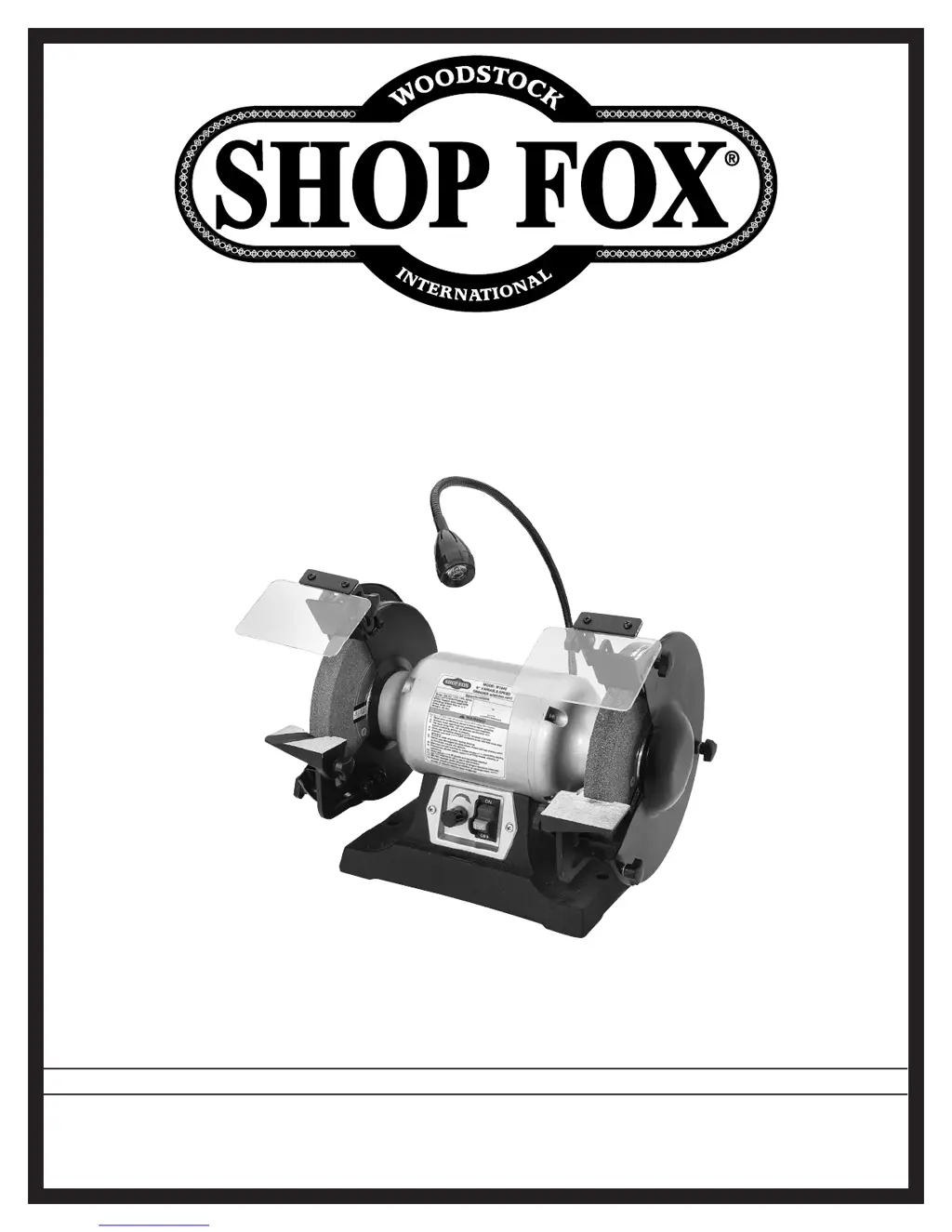
Shop fox W1840 - User Manual

Shop fox W1840
40 pages
Print Icon
To Next Page IconTo Next Page
Loading...
OWNER'S MANUAL
(FOR MODELS MANUFACTURED SINCE 3/16)
MODEL W1839/W1840
6"/8" VARIABLE-SPEED GRINDER
Phone: (360) 734-3482 • Online Technical Support: techsupport@woodstockint.com
COPYRIGHT © MAY, 2016 BY WOODSTOCK INTERNATIONAL, INC.
WARNING: NO PORTION OF THIS MANUAL MAY BE REPRODUCED IN ANY SHAPE OR FORM WITHOUT
THE WRITTEN APPROVAL OF WOODSTOCK INTERNATIONAL, INC.
#18150JH  Printed in China

Questions and Answers

  • J
    Jasmine FlemingAug 13, 2025
    What to do if my Shop fox W1840 doesn't start?
    • T
      Tara CainAug 13, 2025
      If your Shop Fox Grinder doesn't start or a breaker trips, here's what to check: 1. Ensure the switch disabling key is installed. 2. Verify the correct power supply voltage and circuit size. 3. Make sure the circuit is correctly sized and free of shorts; reset the circuit breaker or replace the fuse. 4. Correct any incorrect motor wiring connections. 5. Test or replace the potentiometer/variable-speed dial controller. 6. Inspect or replace the circuit board. 7. Test, repair, or replace the motor if it's faulty.
  • J
    Jason RogersAug 17, 2025
    Why does my Shop fox W1840 Grinder stall or lose power?
    • J
      Juan ThompsonAug 17, 2025
      If your Shop Fox Grinder stalls or seems underpowered, consider the following: 1. Use a new grinding wheel and reduce the feed rate or pressure. 2. Ensure the motor is wired correctly. 3. Clean the motor, allow it to cool, and reduce the workload. 4. Test, repair, or replace the run capacitor. 5. Test the motor bearings by rotating the shaft; if there's rotational grinding or a loose shaft, replace the bearings.
  • C
    Christian BushAug 20, 2025
    How to fix a vibrating or noisy Shop Fox Grinder?
    • H
      heather16Aug 20, 2025
      To address vibration or noisy operation in your Shop Fox Grinder: 1. Adjust the feet, use shims, or tighten the mounting hardware to properly mount the machine to the workbench or floor. 2. Inspect and replace any damaged bolts or nuts, and re-tighten them with thread-locking fluid if a motor or component is loose. 3. Dress or replace the grinding wheel if it's faulty or the arbor hole isn't round. 4. Test the motor bearings by rotating the shaft; replace the bearings if there's rotational grinding or a loose shaft. 5. Test the motor shaft with a dial indicator and replace the motor if the shaft is bent.
  • D
    Daniel RodgersAug 25, 2025
    Why does my Shop Fox Grinder leave burning spots or cracks on the workpiece?
    • R
      Rebecca PerryAug 26, 2025
      Burning spots or cracks on the workpiece when using your Shop Fox Grinder may be due to: 1. Using an improper grinding wheel type. Try a wheel with a softer style or a coarser grit. 2. An improper feed rate. Slow down the rate of movement of the workpiece into the wheel. 3. The workpiece requiring quenching. Quench the workpiece in water to cool it.
  • R
    Richard KimAug 28, 2025
    What to do if my Shop Fox Grinder slows down when operating?
    • A
      Andre CoxAug 29, 2025
      If your Shop Fox Grinder slows down during operation: 1. Reduce the pressure and slow down the rate at which you move the workpiece into the wheel if you are applying too much pressure too quickly. 2. Adjust the RPM if it is too low.
  • S
    Sarah SheltonSep 1, 2025
    Why is my Shop fox W1840 leaving a wavy surface on the workpiece?
    • J
      Joseph RoseSep 1, 2025
      A wavy condition on the surface of a workpiece with your Shop Fox Grinder can be caused by: 1. Machine vibration. Ensure the machine is securely mounted to a solid surface. 2. The workpiece not being held firmly. Use a holding device to firmly retain the workpiece. 3. An uneven wheel face. Dress the grinding wheel. 4. A wheel that is too hard. Use a softer wheel or reduce the feed rate.
  • J
    Jamie JacksonSep 4, 2025
    Why does the wheel on my Shop Fox Grinder dull so quickly?
    • A
      Alexis EvansSep 4, 2025
      If the wheel of your Shop Fox Grinder dulls quickly or grit falls off, it could be because: 1. You are applying too much pressure too quickly. Slow down the rate of movement of the workpiece into the wheel and use less pressure. 2. The wheel is too soft for the material being ground. Select a harder bond. 3. There is a bad wheel dress. Re-dress the grinding wheel. 4. There is defective wheel bonding. Replace the grinding wheel and consult the manufacturer of the grinding wheel.
  • J
    Jeremy BradfordSep 8, 2025
    Why is my Shop fox W1840 Grinder leaving lines on the workpiece surface?
    • D
      Donald WilliamsSep 9, 2025
      Lines on the surface of a workpiece from your Shop Fox Grinder may be due to: 1. An impurity on the wheel surface. Dress the grinding wheel. 2. The workpiece not being held tightly. Use a holding device to firmly retain the workpiece.

Summary

Safety

General Safety and Warnings

Covers essential manual reading, standard safety instructions, and general warnings.

Electrical Safety

Details risks associated with electrical work, including shock, fire, and proper grounding.

Grinder Wheel and Component Safety

Specific safety advice for mounting, inspecting, and using grinder wheels and components.

Electrical

Power Supply Requirements

Specifies voltage, current, and circuit requirements for safe machine operation.

Setup

Assembly and Adjustments

Step-by-step assembly of shields and tool rests, plus adjustment procedures.

Operations

Maintenance

Service

Troubleshooting Guide

Common problems and solutions for motor, electrical, and operational issues.

Electrical Safety and Wiring

Critical safety information for electrical work and a guide to wiring diagrams.

Shop fox W1840 Specifications

General IconGeneral
TypeBench Grinder
Motor Power3/4 HP
Voltage120V
Wheel Size8 inches
Wheel Grit36 and 60

Related product manuals