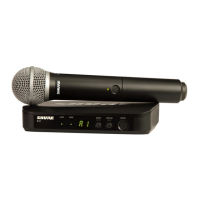
Follow these simple steps to check for interference and to
set your receiver and transmitter to the same channel.
If you haven’t installed the
battery, do it now and leave the
cover off.
Turn ON the handheld or
bodypack transmitter by
pressing the power button.
The channel display should
illuminate.
The ready LED on the receiver
should be illuminated.
Replace battery cover.
Check to see that the
transmitter and the receiver
display the same channel.
It turns off after ten seconds to
conserve battery.
Turn OFF the microphone
or bodypack.
If left on, it will create a false
busy indicator.
Plug in the power supply.
1
2
There is no power switch.
The channel display should
illuminate.
3
If you see the Busy
Indicator (a flashing dash)
change the channel.
4
Press and hold down the
channel button until the
display begins flashing.
Wait for the channel display
to stop flashing.
5
6
7
8



 To Next Page