EasyManua.ls Logo

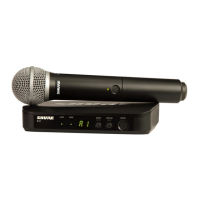
Shure BLX24E/PG58 - User Manual

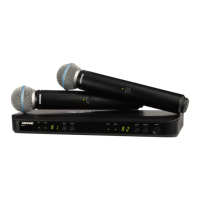
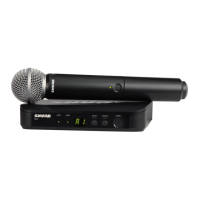
Shure BLX24E/PG58
28 pages
Print Icon
To Next Page IconTo Next Page
Loading...
BLX
Wireless System
Online user guide for Shure BLX wireless system.
Version: 4 (2019-H)
Questo manuale d’istruzione è fornito da trovaprezzi.it. Scopri tutte le offerte per Shure BLX24E/PG58
o cerca il tuo prodotto tra le migliori offerte di Cuffie e Microfoni

Questions and Answers

  • A
    Amy SnyderAug 7, 2025
    What to do if Shure BLX24E/PG58 Microphone system has audio artifacts or dropouts?
    • C
      Christopher BlackAug 7, 2025
      If you are experiencing audio artifacts or dropouts with your Shure Microphone system, consider the following: Change the receiver and transmitter to a different group and/ or channel. Identify and eliminate any nearby sources of RF interference. Replace the transmitter batteries. Ensure that the receiver and transmitter are properly positioned within the system's recommended range, keeping the receiver away from metallic surfaces. For optimal sound, the transmitter should be used within line of sight of the receiver.
  • K
    Kristin MccarthyAug 12, 2025
    How to fix distortion in Shure Microphone system?
    • J
      james84Aug 12, 2025
      If the audio LED on the receiver of your Shure Microphone system indicates an overload (red), reduce the transmitter gain. See Adjusting Gain.
  • B
    Billy WhitneyAug 18, 2025
    What to do if Shure BLX24E/PG58 Microphone system has no sound?
    • K
      Kristina MosesAug 18, 2025
      If your Shure Microphone system produces no sound or a faint sound, verify all sound system connections and adjust the gain as needed. Also, ensure that the receiver is properly connected to the mixer or amplifier.
  • L
    Lisa MarquezAug 25, 2025
    Why is the receiver ready LED off on my Shure Microphone system?
    • H
      Hannah RomanAug 25, 2025
      If the receiver ready LED is off on your Shure Microphone system, ensure the transmitter is turned on and the batteries are correctly installed. You may need to perform the transmitter setup. If not, insert fresh batteries.
  • J
    Jennifer DodsonAug 31, 2025
    What to do if Shure BLX24E/PG58 transmitter indicator LED is flashing red?
    • J
      John CookAug 31, 2025
      If the transmitter indicator LED on your Shure Microphone system is flashing red, replace the transmitter batteries.

Summary

Important Safety Instructions

General Safety Precautions

Lists essential safety instructions for operating the wireless system, covering water, cleaning, ventilation, and heat.

System Components

Package Contents Overview

Details the various components that may be included in the Shure BLX wireless system package.

Quick Start Guide

Features Overview

Front Panel Controls

Describes the controls and indicators found on the front panels of the BLX4 and BLX88 receivers.

BLX1 Transmitter Features

LED Indicator and Power Switch

Explains the LED indicator and power toggle switch on the BLX1 bodypack transmitter.

BLX Receiver Back Panel

Output Jacks and Power Input

Details the output jacks and power input on the back of the BLX4 and BLX88 receivers.

BLX1 Transmitter Controls

Microphone Input, Antenna, and Gain

Details the microphone input, antenna, group/channel buttons, and gain adjustment for the BLX1 transmitter.

BLX2 Transmitter Features

BLX2 Controls and Indicators

Details the LED indicator, power button, group/channel buttons, and battery compartment of the BLX2 handheld transmitter.

Transmitter LED Status

Single System Setup

Manual Transmitter Group;Channel Matching

Guides users on manually setting the transmitter's group and channel to match the receiver for optimal performance.

Multiple System Setup

Configuring Multiple Systems

Provides instructions for setting up multiple Shure BLX systems to operate simultaneously without interference.

Manually Setting Receiver Group & Channel

Manual Receiver Tuning Process

Explains how to manually adjust the receiver's group and channel settings for optimal performance.

Locking and Unlocking Controls

Securing Transmitter and Receiver Controls

Details how to lock and unlock the transmitter and receiver controls to prevent accidental changes or power-offs.

Tips for Optimal Wireless Performance

Achieving Clear Audio Output

Optimal Microphone Placement

Offers advice on correct microphone positioning for capturing clear and warm audio from sound sources.

Headworn Microphone Positioning

Provides instructions on positioning headworn microphones correctly near the mouth for best vocal pickup.

Setting Transmitter Gain Levels

Using Audio LED for Gain Adjustment

Explains how to use the receiver's audio LED indicator to set the correct gain level for the transmitter.

BLX2 Gain Level Options

Selecting BLX2 Attenuated Gain Setting

Details how to switch the BLX2 to the attenuated (-10 dB) gain setting when overload is detected.

Battery Management and Replacement

Battery Life and Replacement Guide

Provides information on expected battery life and procedures for replacing batteries in the transmitters.

Wearing the Bodypack Transmitter

Powering Down the System

Identification Cap Customization

Troubleshooting Common Issues

System Specifications Overview

BLX1 Transmitter Specifications

BLX2 Transmitter Specifications

BLX4 & BLX88 Receiver Specifications

Product Certifications

Important Product Information

Wireless Licensing Requirements

Outlines licensing responsibilities and regulations for operating Shure wireless microphone equipment.

FCC Compliance and User Guidelines

States compliance with FCC rules and provides user guidelines for minimizing interference.

Canada Wireless Operation Advisory

Provides warnings and compliance information specific to wireless operation within Canada.

Australia Wireless Advisory

Frequency and Output Power

European Country Frequencies

Shure BLX24E/PG58 Specifications

General IconGeneral
BrandShure
ModelBLX24E/PG58
CategoryMicrophone system
LanguageEnglish

Related product manuals