To Next Page


C
Cindy RiosSep 23, 2025
What to do if Shure BLX4 sound level varies when switching sources?
- NNicole MorrowSep 23, 2025
Adjust transmitter gain as necessary.

What to do if Shure BLX4 sound level varies when switching sources?
Adjust transmitter gain as necessary.
How to fix distortion in Shure BLX4?
If the audio LED on the receiver of your Shure Microphone system indicates an overload (red), reduce the transmitter gain. See Adjusting Gain.
What to do if Shure BLX4 Microphone system has no sound?
If your Shure Microphone system produces no sound or a faint sound, verify all sound system connections and adjust the gain as needed. Also, ensure that the receiver is properly connected to the mixer or amplifier.
Why is the receiver ready LED off on my Shure Microphone system?
If the receiver ready LED is off on your Shure Microphone system, ensure the transmitter is turned on and the batteries are correctly installed. You may need to perform the transmitter setup. If not, insert fresh batteries.
What to do if Shure BLX4 Microphone system transmitter indicator LED is flashing red?
If the transmitter indicator LED on your Shure Microphone system is flashing red, replace the transmitter batteries.
Why Shure BLX4 has audio artifacts or dropouts?
If you experience audio artifacts or dropouts with your Shure Microphone system, and the ready LED is flickering or off, make sure that the receiver and transmitter are positioned within the system's recommended range, keeping the receiver away from metallic surfaces. Ensure the transmitter is used within the line of sight of the receiver for optimal sound.
How to troubleshoot no sound on Shure Microphone system?
If your Shure Microphone system produces no sound or only a faint sound, first, check all sound system connections and adjust the gain. Ensure the receiver is properly connected to the mixer or amplifier. If the receiver's ready LED is off, turn on the transmitter, verify the batteries are correctly installed, set up the transmitter, and insert fresh batteries. If the receiver's LED screen is off, ensure the DC adapter is securely plugged into the electrical outlet and that the receiver is powered on. Finally, if the transmitter indicator LED is flashing red, replace the transmitter batteries.
What to do if Shure BLX4 Microphone system has distortion?
If your Shure Microphone system experiences audio distortion, and the audio LED on the receiver indicates overload (red), you should reduce the transmitter gain.
What to do if my Shure BLX4 Microphone system has audio artifacts or dropouts?
If you are experiencing audio artifacts or dropouts with your Shure Microphone system, try the following: If the ready LED is flickering or off, change the receiver and transmitter to a different group and/or channel. Identify and remove any nearby sources of RF interference. Replace the transmitter batteries. Ensure the receiver and transmitter are within system parameters. Set up the system within the recommended range and keep the receiver away from metallic surfaces. Ensure the transmitter is in the line of sight from the receiver.
How to fix sound level variations in Shure BLX4?
To address sound level variations in your Shure Microphone system, adjust the transmitter gain as necessary.
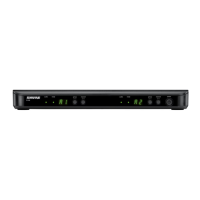
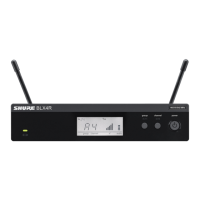
Details the controls and indicators on the front of the receiver units.
Describes the connection ports and features located on the back of the receiver units.
Outlines the specific features and controls of the BLX1 bodypack transmitter.
Details the specific features and controls of the BLX2 handheld transmitter.
Explains the meaning of different LED light statuses on the transmitters.
Step-by-step guide to manually set the group and channel for transmitter-receiver synchronization.
Procedure for manually adjusting receiver group and channel settings, especially for multiple systems.
Instructions on how to lock and unlock transmitter and receiver controls to prevent accidental changes.
Guidance on optimal microphone positioning for clear audio capture and tone.
Instructions for correctly positioning headworn microphones for best performance.
Procedure for safely powering down the BLX transmitters and receivers.
Guide on how to remove and attach identification caps to the transmitters.
Information regarding licensing requirements for operating wireless microphone equipment.
FCC compliance statements and user guidelines for device operation.
Specific warnings and compliance information for wireless devices in Australia.
 General
| Ethernet LAN | No |
|---|---|
| Mounting type | - |
| Product color | Black |
| Built-in display | Yes |
| Housing material | ABS |
| Operating frequency | 662 - 686 MHz |
| Operating frequency type | Ultra High Frequency (UHF) |
| Operating temperature (T-T) | -18 - 57 °C |
| Microphone frequency response | 50 - 15000 Hz |
| Total Harmonic Distortion (THD) | 0.5 % |
| Input voltage | 12 - 15 V |
| Power supply type | AC |
| Current consumption | 235 mA |
| XLR out | 1 |
 Weight and Dimensions
| Depth | 103 mm |
|---|---|
| Width | 188 mm |
| Height | 40 mm |
| Weight | 241 g |