EasyManua.ls Logo

Shure BLX1 - User Manual

Shure BLX1
25 pages
Print Icon
To Next Page IconTo Next Page
Loading...
BLX
BLX -- Wireless System
Online user guide for Shure BLX wireless system.
Version: 2 (2019-D)

Other manuals for Shure BLX1

Questions and Answers

  • L
    Lisa SmithJul 27, 2025
    What to do if Shure BLX1 has audio artifacts or dropouts?
    • J
      Johnathan AdamsJul 27, 2025
      To address audio artifacts or dropouts in your Shure Microphone system, try the following: * Change the receiver and transmitter to a different group or channel. * Identify and remove any nearby sources of RF interference. * Replace the transmitter batteries. * Make sure the receiver and transmitter are correctly positioned within the system's specified parameters. * Ensure the system is set up within the recommended range and keep the receiver away from metallic surfaces. * For optimal sound, the transmitter should be used in line of sight from the receiver.
  • R
    Randy BakerAug 2, 2025
    How to troubleshoot Shure Microphone system with no sound or faint sound?
    • R
      Rhonda HarrisAug 2, 2025
      If your Shure Microphone system has no sound or faint sound, check these potential solutions: 1. Verify all sound system connections and adjust the gain as needed. 2. Ensure the receiver is properly connected to the mixer or amplifier. 3. Turn on the transmitter and make sure the batteries are installed correctly. 4. Perform the transmitter setup. 5. Insert fresh batteries into the transmitter. 6. Ensure the DC adapter is securely plugged into the electrical outlet and that the receiver is powered on.
  • E
    Elizabeth PeckAug 8, 2025
    Why is the transmitter indicator LED flashing red on my Shure Microphone system?
    • A
      Ashley JonesAug 8, 2025
      If the transmitter indicator LED on your Shure Microphone system is flashing red, replace the transmitter batteries.
  • A
    Ashley WhiteAug 14, 2025
    How to fix distortion on Shure Microphone system?
    • M
      Michael ChaneyAug 15, 2025
      If you are experiencing distortion with your Shure Microphone system, reduce the transmitter gain.
  • J
    jasonjohnsonAug 20, 2025
    What to do if Shure Microphone system has sound level variations?
    • J
      jgriffinAug 20, 2025
      If you notice sound level variations when switching to different sources on your Shure Microphone system, adjust the transmitter gain as necessary.

Summary

IMPORTANT SAFETY INSTRUCTIONS

Quick Start Guide

Features

Front Panel

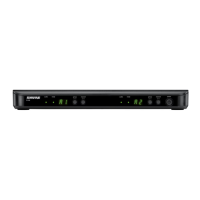
Details the front panel controls and indicators of the BLX4 and BLX88 receivers.

Back Panel

Details the rear panel connections for the BLX4 receiver.

Single System Set Up

Setting Transmitter Group and Channel

Multiple System Setup

Manually Setting Receiver Group and Channel

Group (letter)

Procedure for manually setting the receiver group using the group button.

Locking and Unlocking Controls

Tips to Improve Wireless System Performance

Getting Good Sound

Adjusting Gain

Batteries

Wearing the Bodypack Transmitter

Troubleshooting

Specifications

Shure BLX1 Specifications

General IconGeneral
RF power10 mW
Form factorBodypack transmitter
Product colorBlack
Built-in displayNo
Housing materialPlastic
Maximum outdoor range91 m
Operating frequency typeUltra High Frequency (UHF)
Radio Frequency (RF) range662 - 686 MHz
Operating temperature (T-T)-18 - 57 °C
Microphone frequency response50 - 15000 Hz
Total Harmonic Distortion (THD)0.5 %
Battery typeAA
Battery voltage1.5 V
Battery life (max)14 h
Number of batteries supported2
Weight and Dimensions IconWeight and Dimensions
Depth21 mm
Width64 mm
Height110 mm
Weight75 g

Related product manuals