ENGLISH
4
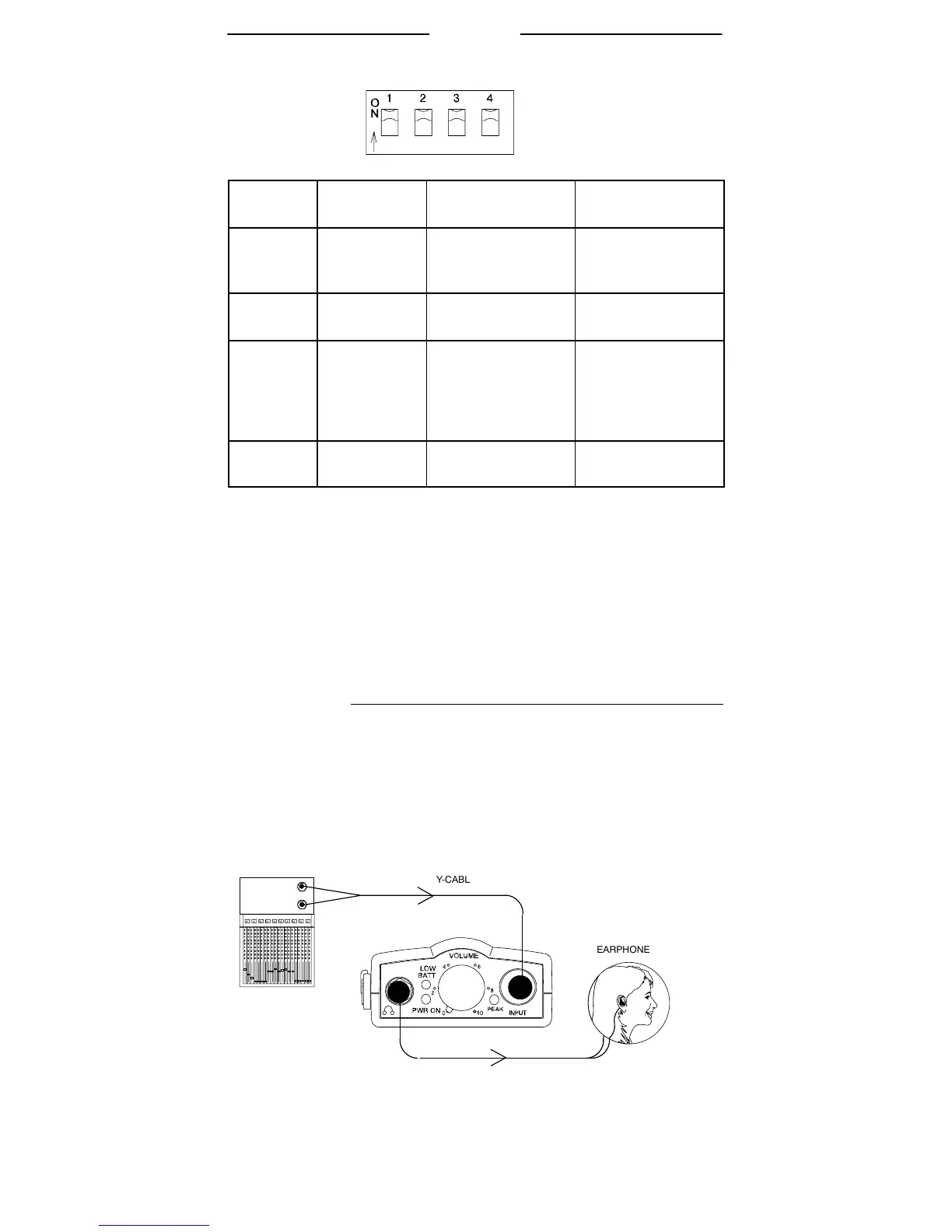
DIP Switches
DIP
SWITCH
FUNCTION UP DOWN
1 15 dB
left/right
input pad
Attenuates left/
right channel
input signal.
OFF
2 Stereo/
MixMode
MixMode stereo mode
3 Equalization
(Flat/High
Boost)
Gives a 6 dB
boost above 5
kHz for a greater
high-end
response
normal
response
4 Limiter
defeat
Limiter ON Limiter OFF
IMPORTANT: The Limiter is designed to respond to and limit
the loudness of unexpectedly high signals. It is not designed to
prevent long term exposure to high SPL levels. It is designed for
use with Shure earphones, so the maximum SPL may be dif-
ferent with other earphones. We recommend that you always
use the built-in limiter provided with this system. However, a limiter
defeat switch has been provided for those who would prefer to use
an external limiter product.
INSTALLATION
The monitor (or AUX) outputs of the mixer are connected to
the P6HW using the supplied Y-cable. Then, the earphones are
connected to the Output Connector of the P6HW. Starting from
this basic setup, there are several control configurations.
NOTE: The RED dot on the 5–pin end of the Y-cable must
be facing towards the front of the body-pack to work properly.
When connected correctly, the RED dot will face away from
a user wearing the body-pack.
AUX. 2
OUT
AUX. 1
OUT
INPUT
OUTPUT
(3.5 MM)
MIXER



 To Next Page