Shuttl
e
OMNINAS
KD21 –
Overview
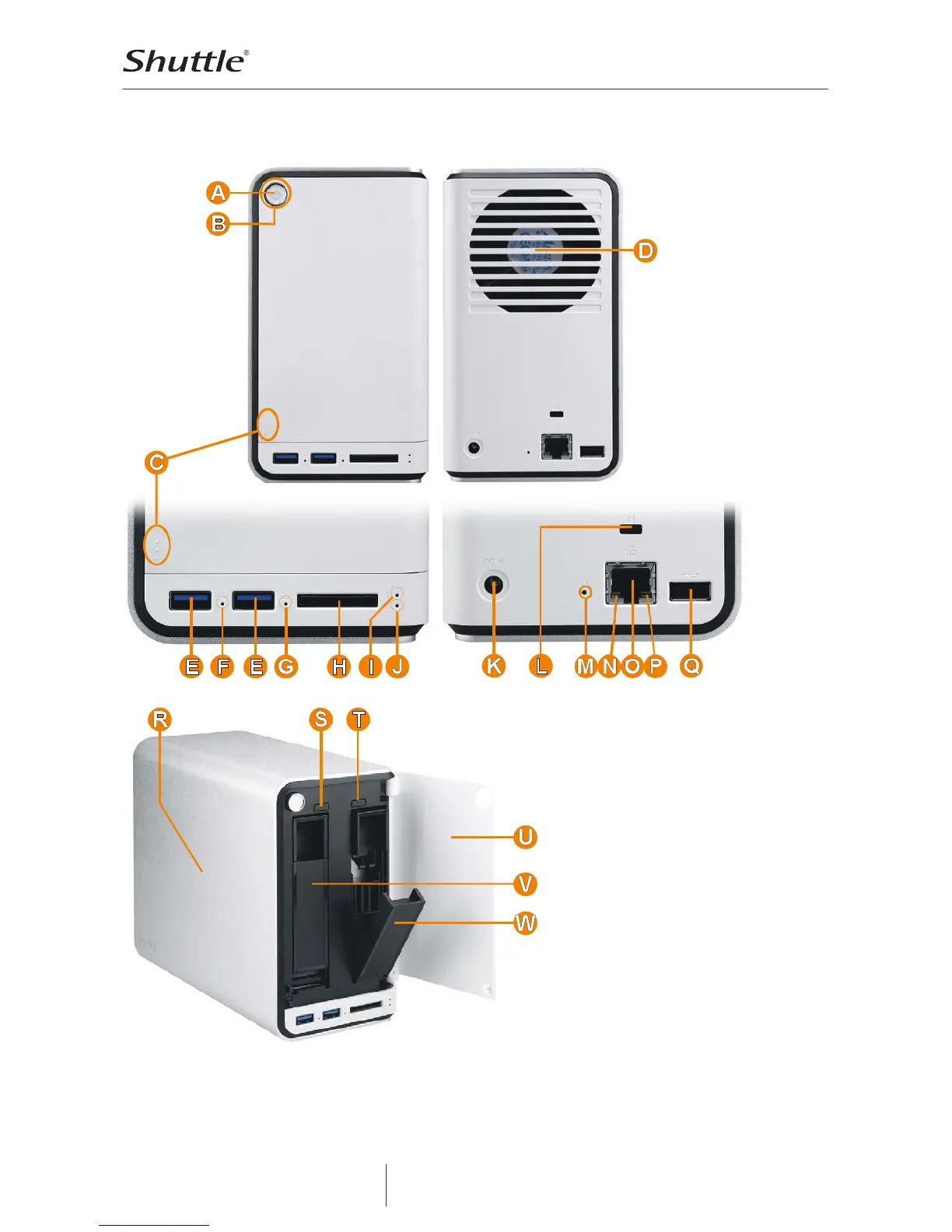
A Power Button
B Status LED
C Press here to open the front door
D 70 mm smart fan
E 2x USB 3.0 connectors
F USB 3.0 status LED
G SD card reader status LED
H SD card reader
I Hard disk 1 status LED
J Hard disk 2 status LED
K DC input power jack
L K-Lock security slot (hole)
M Reset button (hole)
N Gigabit LAN speed indicator LED
O Gigabit LAN port (RJ45)
P Gigabit LAN activity indicator LED
Q USB 2.0 connector
R Solid 2.5 mm aluminium cover
S Hot Swap button 2 (RAID 1 only)
T Hot Swap button 1 (RAID 1 only)
U Bay cover (front door)
V Hard disk tray 2
W Hard disk tray 1 (open)



 To Next Page