EasyManua.ls Logo

Shuttle Omninas KD21 - Superior Performance

Shuttle Omninas KD21
9 pages
Print Icon
To Next Page IconTo Next Page
To Previous Page IconTo Previous Page
Loading...
Product
Specifications
Page
4
|
28
August
2013
Mena Computers
Wageningselaan 46 -A
3903 LA Veenendaal
|
The Netherlands
Tel
.
+31 (0) 318 518 720
sales@shuttleshop.nl
w w w . s h u t t l e s h o p . nl
Shuttl
e
OMNINAS
KD21
Special Product
Features
LAN/Disk
Performance
up to 100 MB/s
Read
up to 70 MB/s
Write
Superior Performance
The
OMNINAS
KD21
provides
high stability
and
delivers
e
x
cellent
performance
with top
read/write speeds
of up to 100
MB/s
& 70 MB/s
while it
a
l
so
a
ll
o
ws
f
or
up to 256
c
lients
to
be connected
to the
device
at
the
same
time. [1]
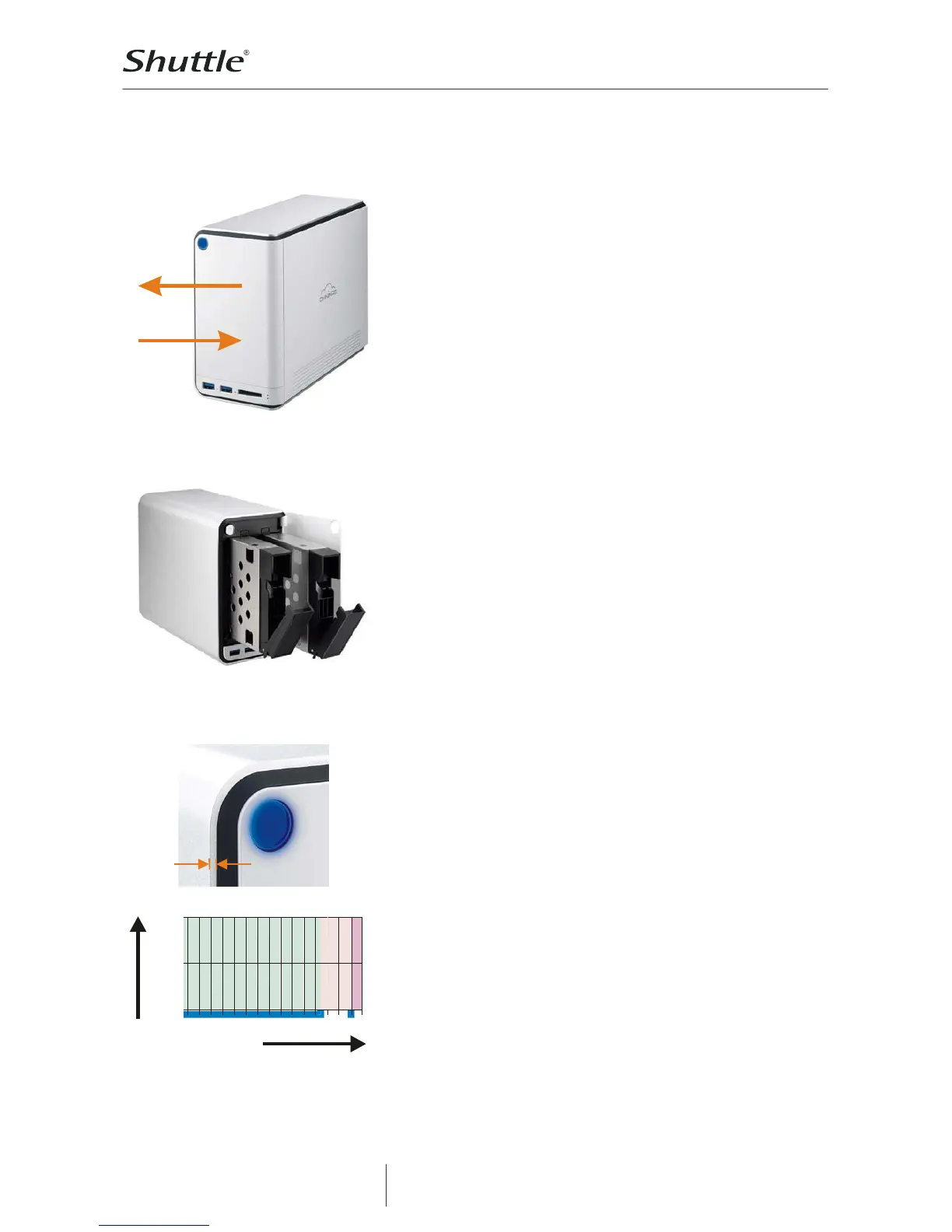
Two bays provide various expansion modes
The
OMNINAS
KD21
supports
3.5 or 2.5
hard
disks or SSDs with
a
maximum capacity
of 4
TB
(or more) for
each
drive. The drives
are
simple to install
and configure. Depending
on your
specific
requirements
you
can choose
from
several
RAID
modes:
Single disk with
expansion
c
a
pability:
install
one
disk
perman
en
tly
and
you
can add a second
disk
temporarily.
You
can always remove
or
replace the second hard
drive,
si
milar
to as how
e
x
te
rn
al
hard
drives
are
used.
Combine
the
capacity
of two disks with JBOD or
RAID
0.
If
y
o
u
are
using two
i
d
entical
HDDs, it is
recommended
to use
RAID
0
for
optimised
performance.
RAID
1 (mirroring): The
data
is
duplicated
on two
phy
s
ical
disks. In the
event
of
a single
disk failure,
the complete data
is
still
available
on the
working
disk. KD21
supports hot-swapping
and auto-rebuild
fun
c
tionality
without
having
to turn off
the
NAS.
2.5mm
Robust aluminium chassis with a clean and modern look
KD21 is built of
a 2.5mm
thick stylish
aluminium housing that
not
only
blends
well with
home environments,
it
moreover
is of
technical benefit
- it is also
i
ncr
eases
the
thermal performance
of the
device.
Fan speed
Full
Middle
Off
Shut
down
40 50
60
Temperature/°C
Reliable, cool and quiet
With the
above
in
mind,
the inside
temperature
doesn
t
increase
easily.
The fan
will
never
turn on when the
hard
disks
temperature
is
below
the
threshold value
of 55°C [2]. Should the
uncommon case
of
higher
temperatures
arise, the
large 70mm cooling
fan starts
spin
n
i
n
g
at a
comfortably
low
speed
to
keep
the system
quiet.

Other manuals for Shuttle Omninas KD21

Related product manuals