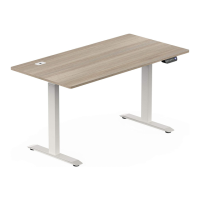
This document provides assembly instructions and operational details for an electric height-adjustable desk. It is designed for ease of assembly and offers various features for user convenience and safety.
Function Description
The electric height-adjustable desk is designed to allow users to easily adjust the desktop height to their preferred working position, whether sitting or standing. This adjustability is controlled by an electric motor system, enabling smooth and precise height changes. The desk incorporates a control panel with memory functions, allowing users to save and recall their favorite height settings. It also includes safety features such as overload protection, overheating protection, and anti-collision mechanisms to ensure safe operation. The desk's design emphasizes stability and durability, providing a reliable workstation for various environments.
Usage Features
The desk offers a range of features to enhance user experience and functionality:
- Assembly: The assembly process is designed to be straightforward, ideally requiring two or more people. It involves fixing the base and legs, attaching the abeam and brackets, installing the desktop, and connecting the control box and wiring. Clear diagrams and step-by-step instructions guide the user through each stage.
- Height Adjustment: The core functionality of the desk is its electric height adjustment. The control panel features "Manu-up" and "Manu-down" buttons for continuous height changes.
- Memory Positions: Users can save up to four preferred height settings (H1, H2, H3, H4) using the memory buttons (1, 2, 3, 4) on the control panel. Once saved, these positions can be recalled with a single press, allowing for quick transitions between favorite heights.
- Reset Function: In case of errors or for initial setup, a reset function is available. Long-pressing the "Reset" button for 3 seconds will cause the desk to run to its lowest position and then rebound to a certain height, clearing any previous settings.
- Unit Conversion: The desk supports both English (Inches) and Metric (SL) units for height display. Users can switch between these units by pressing the "S" button for 3 seconds, then double-pressing "S" and selecting the desired unit.
- Rebound Set (Anti-Collision): This feature allows users to set the desk's anti-collision sensitivity. There are four levels: L1 (OFF), L2 (Light level), L3 (Normal level), and L4 (Heavy level). This helps prevent damage to the desk or objects if it encounters an obstruction during movement.
- Handle Brightness Set: The control panel's display brightness can be adjusted to three levels: low, normal, and high, to suit different lighting conditions.
- Cable Management: The desk includes a cable tray for organizing wires, contributing to a tidy and organized workspace.
- Adjustable Width: The beam of the desk can be adjusted in width, allowing for flexibility in desktop size and ensuring compatibility with various setups. This adjustment is made by loosening screws, setting the desired width (recommended 15cm from the desktop side), and then tightening the screws.
Maintenance Features
The manual outlines several important aspects related to the maintenance and care of the electric height-adjustable desk:
- Cleaning: Before cleaning, the power plug must be unplugged. The surface dust should be wiped with a slightly damp cloth. It is crucial to prevent water droplets from flowing into the unit and to avoid damaging cables or touching loose plugs.
- Environmental Regulations: Electrical boxes contain electronic components, metals, plastics, and wires, which must be disposed of in accordance with environmental regulations. They should not be treated as conventional household waste.
- Regular Checks: Before using the product, users are advised to carefully check to ensure it is completely installed and all hardware is present.
- Troubleshooting (Protection Modes): The desk incorporates various protection modes with corresponding alarms and instructions for resolution:
- Over-heating protection: Alarms after 2 minutes of continuous work and clears automatically after 18 minutes of rest.
- Sensorless alarm (E1): Indicates a motor hall value inspection issue; clears after pressing reset or re-powering on.
- Overload protection (E2): Alarms during upward movement (clears automatically after 3 seconds) or downward movement (clears after reset or re-power on).
- Rebound protection (E02): Alarms during reversed compression; clears automatically after rebounding 4cm or by pressing any button.
- Overvoltage alarm (E03): Alarms when voltage exceeds the limit; clears automatically once voltage reduces to the set value.
- Undervoltage alarm (E05): Alarms when voltage is below the limit; clears automatically once voltage is higher than the set value.
- Step out alarm (E06): Alarms when the height difference between the left and right legs exceeds the set value; clears after re-powering on.
- Breaking protection: Stops operation if motor lines or manual control lines are removed or disconnected; returns to normal after reconnection and alarm clearance.
- General Precautions:
- Avoid using corrosive materials for cleaning.
- Ensure the operating environment is free of hazards.
- Handle packaging materials carefully to prevent hazards, especially for children.
- Keep the original packaging for future transportation if needed.
- In case of power cord damage, it must be replaced by the manufacturer or a professional to avoid injury.
The desk is designed for a long lifespan with proper care and adherence to the provided instructions.

 Need help?
 General

 To Next Page