7 Series Motorized External Instructions 4
www.screeninnovations.com Installation Questions: 512-832-6939 BDMEX V2.0 D
Installing the brackets
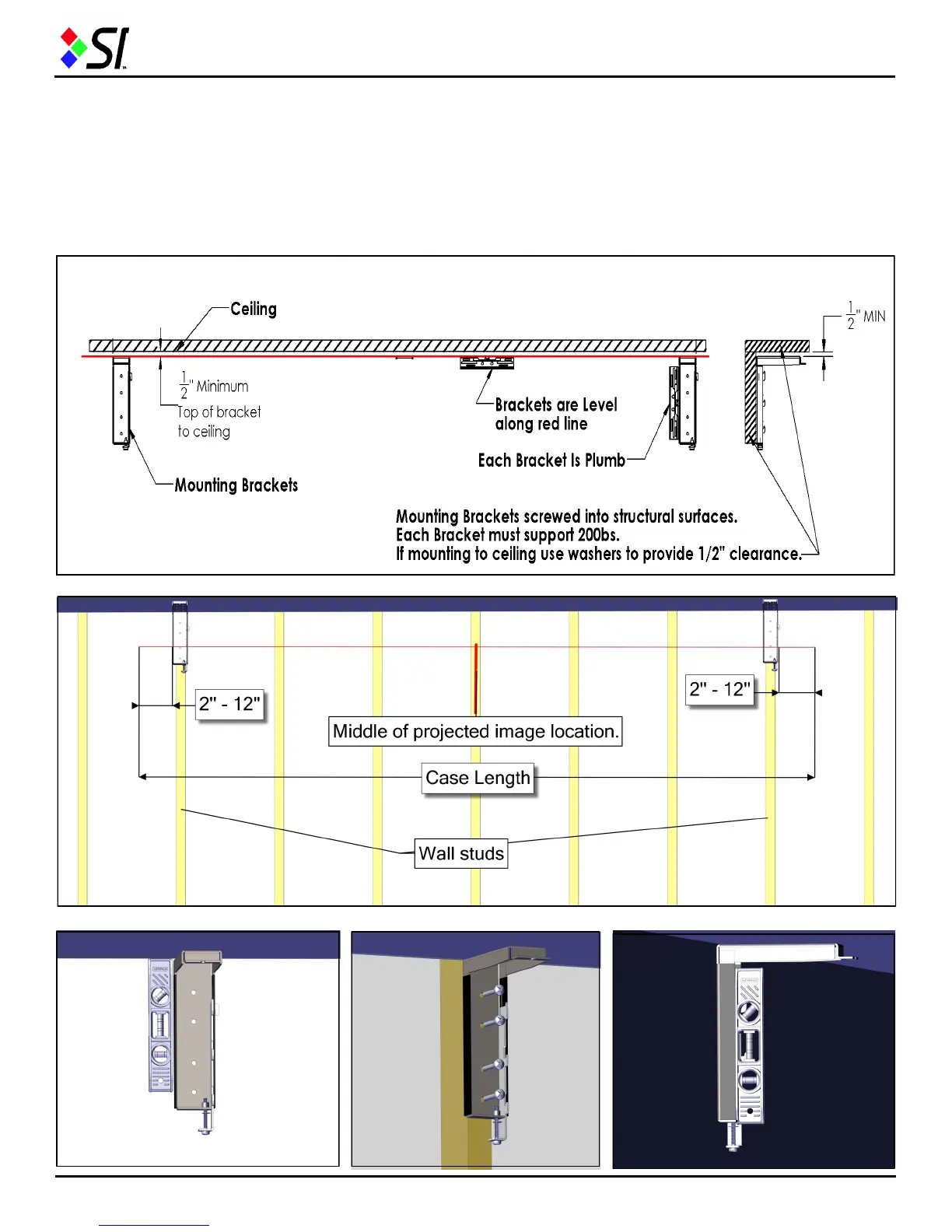
1. Determine the mounting position of the brackets on the wall. Provide at least 1/2’’ clearance between top of bracket
and ceiling to allow for fascia clearance. Make sure the brackets are securely mounted to structural lumber 2’’ to 12’’ from
each end of the case. Each bracket must be able to support 200lbs.
2. If mounting to the ceiling use washers to provide 1/2’’ clearance between top of bracket and ceiling. Use a torpedo
level to establish that the brackets are level and plumb. (See illustrations below.) Screw the mounting brackets into the
wall or ceiling using the provided #2 Robertson square driver bit and Deck Mate screws.



 To Next Page