ENG 23
2.1. FIRST STEPS
1. Plug in the universal control to the electrical
current.
2. Click on on the top right corner on the “Home”
tab of Smart Life.
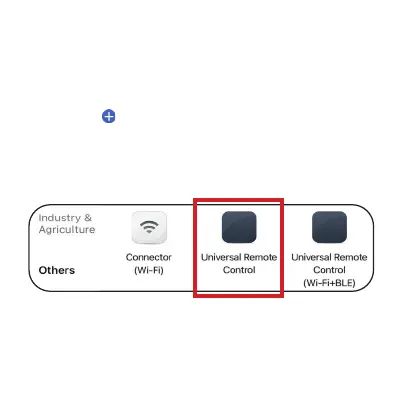
3. In the menu on the left, select “Others” and click
on “Universal Remote Control”.
Click on on the top right corner on the
4. Make sure you are connected to a 2.4GHz WiFi
network and enter your WiFi name and password
on the App.


 To Next Page