
 Need help?
Do you have a question about the SI UNIVERSAL IR and is the answer not in the manual?
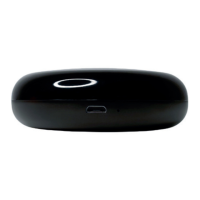
Identifies key physical parts like reset button, LED indicator, and MicroUSB port.
Steps to download the Smart Life app and create a new account for device management.
Ensures 2.4GHz Wi-Fi and enabled Bluetooth/GPS are active for successful connection.
Instructions for powering the device and initiating the connection sequence.
Details on using EZ Mode and AP Mode for pairing the remote with the app.
Method to automatically match the remote with compatible device brands.
Process for copying IR signals from original remotes to the universal device.
Guide for manually creating custom remotes by copying specific device buttons.
Steps to create new controller configurations or add buttons to existing ones.
Control devices remotely and assign names for better organization and access.
Add controls to the home screen and create automated scenarios for convenience.
Set up automations based on conditions and share home access with family/friends.
Instructions for connecting the Smart Life app with Amazon Alexa for voice control.
Instructions for connecting the Smart Life app with Google Home for voice control.
Troubleshooting steps for problems with Alexa voice commands.
Guidance on resetting the controller if it is not functioning correctly.
Solutions for issues encountered when adding the remote to the Smart Life App.
Contact information for obtaining help or assistance with the product.
Access tutorials and product information via the Si Smart YouTube channel.
 General
| Compatibility | Universal |
|---|---|
| Power Source | Battery |
| Learning Function | Yes |
| Control Method | IR |
| Battery Type | AAA |
| Range | Up to 10 meters |

 To Next Page