Need help?
Do you have a question about the Sices GC600 Series and is the answer not in the manual?
Essential safety precautions and warnings for operating the device safely.
Guidelines for proper maintenance and cleaning procedures to ensure device longevity.
Instructions for the environmentally responsible disposal of the device.
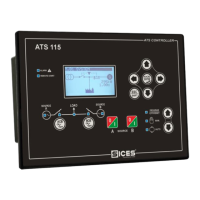
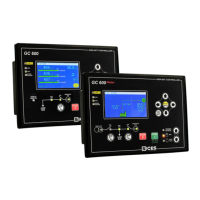
Detailed description of the physical layout and components of the GC600 front panel.
Explanation of the functions and operations of all pushbuttons on the control panel.
Interpretation of the various indicator lights and their meanings on the control panel.
Overview of the display's capabilities, including lighting, contrast, and color settings.
How to navigate between different visualization modes and pages on the display.
How to access and modify programming parameters, including access codes and setting procedures.
Information related to the PLC logic and its program status.
Viewing system status, anomalies, board status, and serial communication details.
Displaying electrical measurements like voltage, current, power, and energy for mains and generator.
Monitoring engine parameters such as oil pressure, temperature, speed, fuel level, and counters.
Information on devices connected via the PMCBus, including gensets and load functions.
Accessing and viewing recorded events, data, and system logs.
Detailed explanation of the five operating modes: OFF_RESET, MAN, AUTO, TEST, and REMOTE START.
Overview of different plant configurations like SSB+SSTP and MPM systems.
Describes sequences for SSB+SSTP systems, including Off/Reset, MAN, AUTO, and TEST modes.
Overview of Multiple Prime Mover (MPM) systems, including AUTO mode and power sharing.
Procedure for selecting the display language for the control module interface.
Setting the internal clock and calendar for time-based functions and logging.
Choosing between Manual and Automatic modes for the fuel pump operation.
 General
| Brand | Sices |
|---|---|
| Model | GC600 Series |
| Category | Control Panel |
| Language | English |

 To Next Page