Need help?
Do you have a question about the Sices ATS115 and is the answer not in the manual?
Covers security precautions, proper disposal guidelines, and definitions of key terms used in the manual.
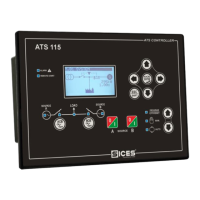
Visual overview of the ATS controller's front and back panels, including buttons and indicators.
Details the buttons and indicator lights on the front panel of the ATS controller.
Explains the purpose and operation of each button on the controller.
Describes display features like lighting, contrast, navigation, layout, and status bar information.
Introduces display modes, programming operations, parameter management, and security settings.
Details how to view system status, faults, communication, controller info, inputs/outputs, and analogue inputs.
Displays detailed electrical measurements, current, power, counters, and event logs.
Explains the system's operational logic in Off/Reset, Manual, and Automatic modes.
Covers language selection and date/time configuration for the controller.
 General
| Brand | Sices |
|---|---|
| Model | ATS115 |
| Category | Control Panel |
| Language | English |

 To Next Page