8 ATS115-ATS115Plus User’s Manual
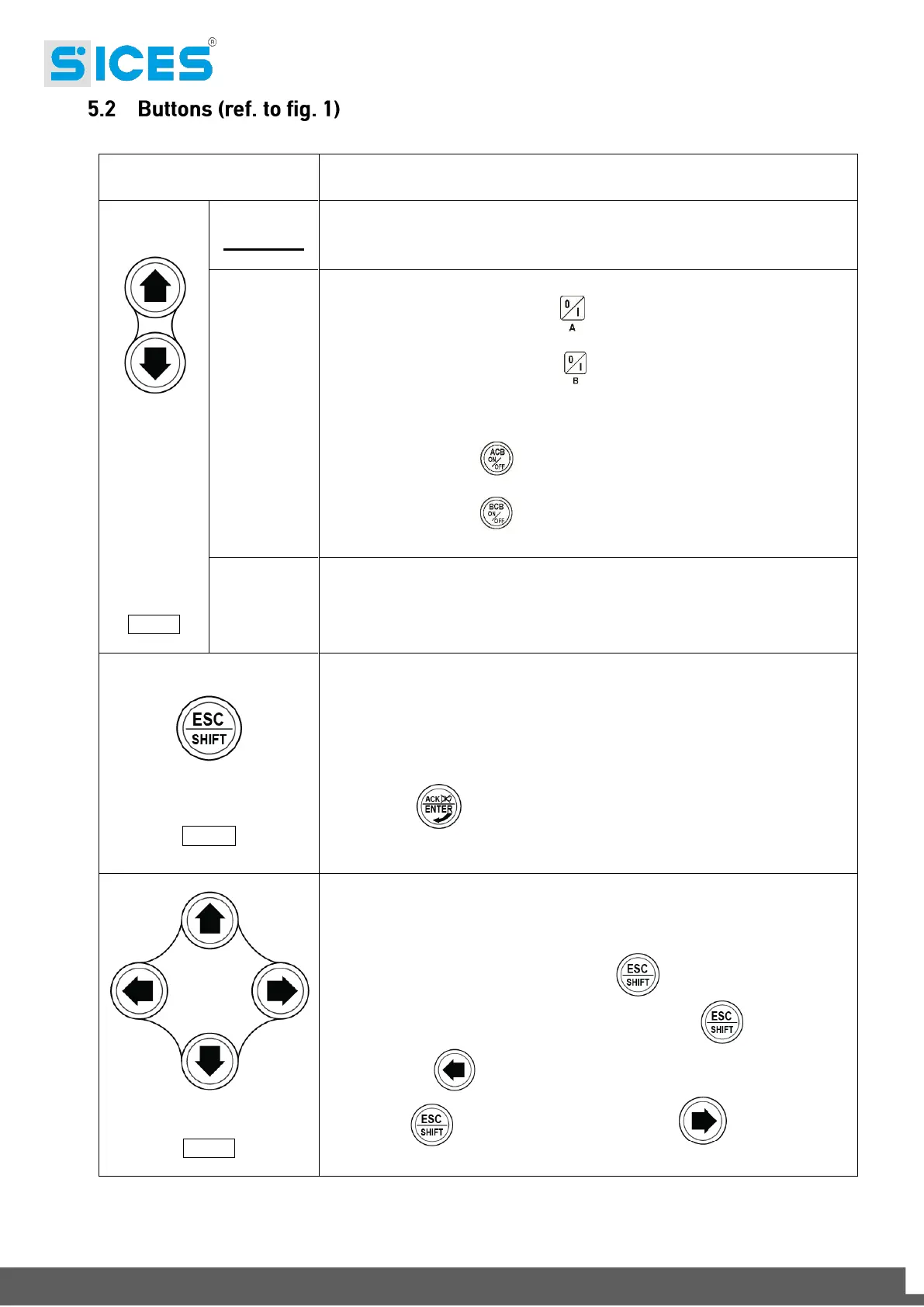
The group is disabled; warnings and stops are cancelled. It is possible to
access to the parameters configuration.
The controller sets the genset manual operation.
Press the button START/STOP A to start/stop the Source A when it is
set as genset.
Press the button START/STOP B to start/stop the Source B when it is
set as genset.
With source live and in tolerance:
Press the button ACB for the manual opening/closing control of the
loads breaker/contactor on Source A.
Press the button BCB for the manual opening/closing control of the
loads breaker/contactor on Source B.
The controller sets the automatic changeover of the loads supply source and
intervenes in case of faults on one of the two sources.
In program mode, it allows to cancel a variable value change, come back to
the upper menu, and exit the programming. By pressing it for two seconds in
any of the menu, it allows to exit the programming saving the position for a
future return.
By pressing it for two seconds in any of the menu, it provides the engine status
in the upper line.
In OFF/RESET mode, according to the page selected, by pressing it together
with ENTER for at least 5 seconds, it can reset the counters, reload
the default values for the programming parameters or cancel the history log.
If used during the keyboard regulation functions, it aborts the function.
The multifunctional display buttons allow to select the previous or next page
of display in all mode but PROGRAM. In the PROGRAM mode, they are used
to place the cursor during the strings insertion phase. The horizontal buttons,
combined with the button ESC/SHIFT , can adjust the contrast.
To reduce the contrast (lighten), press the ESC/SHIFT button together
with the LEFT button. To increase the contrast (darken), press the
ESC/SHIFT button together with the RIGHT button.


 To Next Page