5
Installation
USB-C to USB-C cord
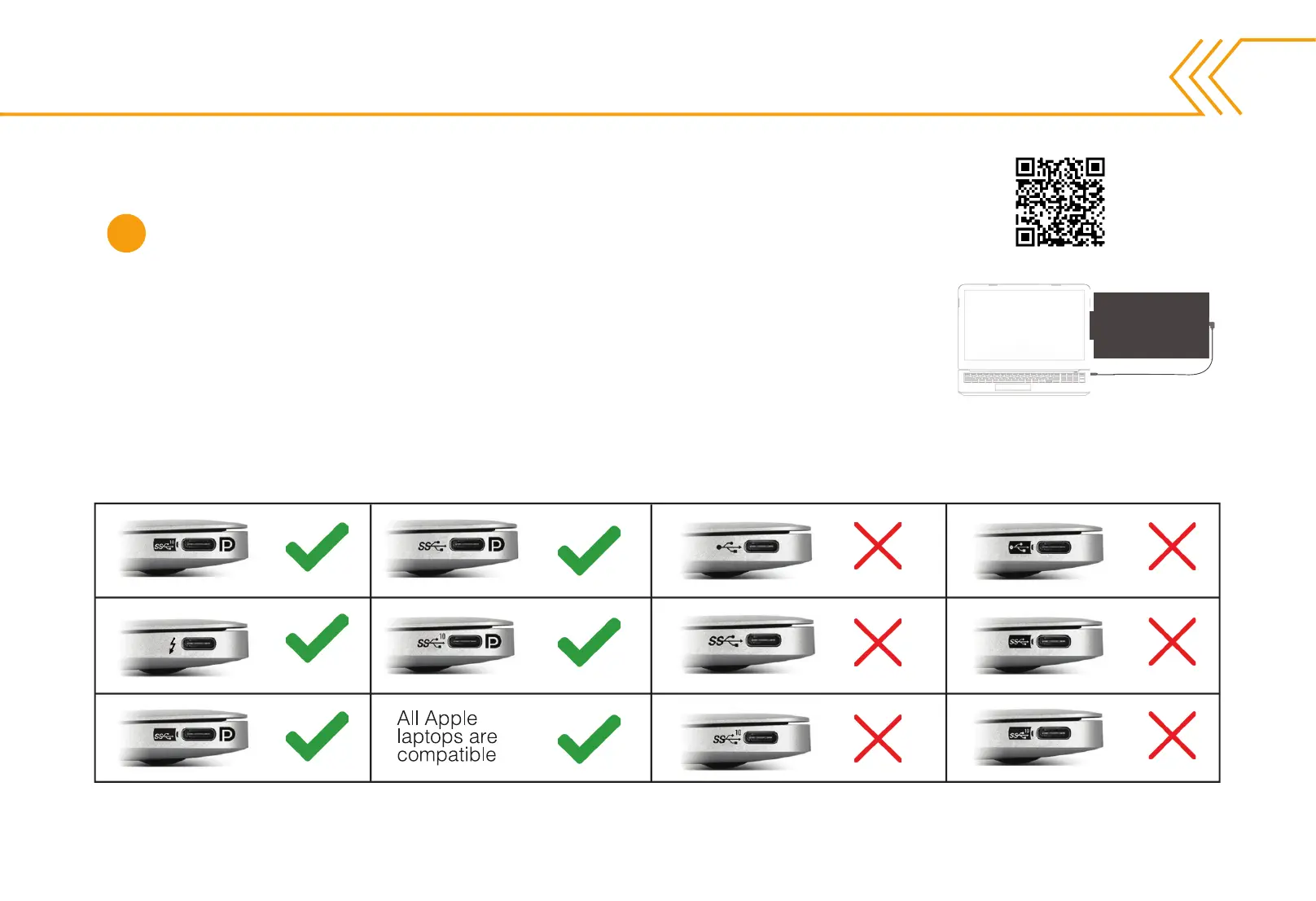
Check your USB-C port for the symbols shown in the table below.
If you have one of the green checked symbols, then
your USB-C port is compatible.
NOTE: MacBook ports are compatible even if there are no symbols
next to it.
Connecting Your SideTrak Swivel
Check the ports on your laptop.
To connect your SideTrak Swivel use the USB-C to USB-C cord.
Watch the
installation
video here.
1



 To Next Page